What Is Smart Home Technology: Simple Guide & Benefits
Published: 18 Sep 2026
Technology is making everyday life at home easier and more convenient. Many homes now use connected devices that can be controlled with a smartphone, voice command, or automatic settings. Lights can turn on by themselves, smart thermostats can adjust the temperature, and cameras can send alerts when they detect movement.
What is smart home technology? It is a system of connected devices that can communicate with each other and help you control different parts of your home. These gadgets can make daily tasks easier, improve comfort, and provide better control over your home.
In this guide, you will learn how this technology works, the devices commonly used in a smart home, its main benefits and drawbacks, security concerns, and how you can start building a smart home as a beginner.
Table of Contents
What Is Smart Home Technology?
Smart home technology connects household devices so they can be controlled and managed more easily. These devices may include lights, thermostats, cameras, locks, speakers, and appliances. Instead of using only traditional switches or controls, you can often manage them through a phone, voice command, or an app.
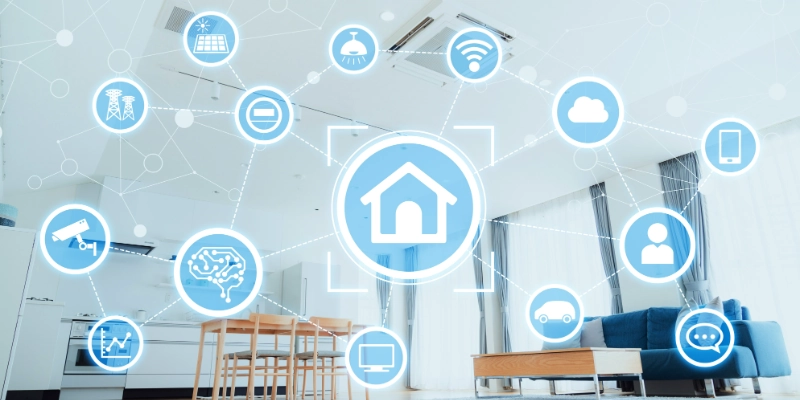
A device is called smart when it can connect to a network, receive information, and respond to commands. Some devices can also collect information through sensors and use it to perform certain tasks.
An internet connection often allows these devices to communicate with apps and other services. It can let you check or control a device even when you are away from home. However, not every smart device needs the internet for every function.
Another useful feature is automatic control. You can create settings that allow devices to perform tasks on their own. For example, a smart light can turn on when motion is detected, or a thermostat can adjust the temperature at a set time.
In simple terms, this technology helps your home respond to your needs with less manual effort.
How Does Smart Home Technology Work?
A smart home works by allowing different devices to collect information, communicate with a network, and respond to commands. Some actions are controlled by you, while others can happen automatically based on the settings you choose.
Smart Devices Collect Information
Many devices use sensors to understand what is happening around them. For example, a motion sensor can detect movement, while a temperature sensor can measure how warm or cool a room is. Other sensors can detect changes in light or tell when a door or window has been opened.
This information helps a device know when it should respond.
Devices Connect to a Network
Devices need a way to communicate with your phone, other devices, or a central system. Depending on the product, they may use Wi-Fi, Bluetooth, Zigbee, Z-Wave, or Matter.
The connection method can affect how devices communicate, their range, and how easily they work with other products.
A Hub, App, or Platform Processes Commands
A smart home may use a hub, smartphone app, or voice assistant to manage connected products. For example, you can use an app to change a setting or a voice assistant to give a command.
A hub can also help different devices communicate with each other, especially when they use different connection methods.
The Device Takes Action
After receiving a command or detecting a change, the device performs the required task. A light may switch on, a thermostat may change the temperature, or a lock may secure a door. A security device can also send an alert to your phone when it notices unusual activity.
The action depends on the device and the instructions it receives.
Automation Makes It Happen Automatically
Automation allows certain tasks to happen without you giving a command each time. You can create routines based on time, movement, location, or information from sensors.
For example, a light could turn on at a certain time every evening. Another routine might turn off the lights when you leave home.
Simple example:
Motion detected → system receives the signal → smart light turns on.
This process allows connected devices to handle simple tasks with less manual effort.
What Are the Main Components of a Smart Home?
A smart home can include many different products, but each one has a specific job. Some devices perform tasks, some collect information, and others help you control everything from one place.
Smart Home Devices
These are the products that perform everyday tasks. Common examples include smart lights, thermostats, cameras, locks, appliances, and speakers.
For example, a smart thermostat can manage room temperature, while a smart lock can help you control access to your home.
Sensors
Sensors detect changes in the home and provide useful information to other devices. Motion sensors can detect movement, while door and window sensors can tell when an entry point is opened or closed.
Temperature sensors monitor heat levels, and water-leak sensors can warn you about possible leaks before they cause major damage.
Smart Home Hub or Controller
A hub acts as a central point for managing certain devices. It can help products from different systems communicate and work together.
Not every setup needs a hub. Some newer products connect directly through Wi-Fi or other supported technologies and can be managed through an app.
Smartphone Apps
A smartphone app gives you a convenient way to manage your devices from one place. Depending on the product, you may be able to change settings, check a camera, create routines, or receive notifications.
This can also allow you to check certain devices when you are away from home.
Voice Assistants
Voice assistants provide hands-free control. You can use a voice command to perform tasks such as turning off lights, changing the thermostat, or playing music.
Popular options include Amazon Alexa, Google Assistant, and Apple Siri. The available features depend on the devices and services you connect to them.
What Are the Types of Smart Home Technology?
There are many types of products that can be used in a modern home. Each type is designed to make a specific part of daily life easier, safer, or more comfortable.
Smart Lighting
Smart lighting includes bulbs and switches that give you more control over your home’s lights. You can change settings from an app, use voice commands, or set a schedule for when the lights should turn on or off.
Smart Thermostats and Climate Control
Smart thermostats help manage the temperature inside your home. They can follow a schedule and adjust the heating or cooling based on your chosen settings. Some models can also help reduce unnecessary energy use.
Smart Home Security
Security products are designed to help you monitor and protect your home. This category includes security cameras, video doorbells, smart locks, motion sensors, and alarm systems.
For example, a camera can let you check an area of your home, while a video doorbell can show you who is at the door.
Smart Entertainment
Entertainment devices make it easier to enjoy music, movies, and other content. Smart TVs, streaming devices, smart speakers, and multi-room audio systems are common examples.
You can often manage these products with a phone, remote, or voice command.
Smart Appliances
Smart appliances bring connected features to common household machines. Examples include refrigerators, washing machines, ovens, and robot vacuums.
Depending on the product, you may be able to check its status, change settings, or receive an alert through an app.
Smart Plugs and Switches
Smart plugs can add connected features to some regular appliances. For example, you can plug a lamp into one and control when it receives power.
They can also be useful for setting schedules for devices that do not have built-in smart features.
Smart Safety Devices
Safety products can help you detect problems around the home. Smart smoke detectors can warn you about smoke, while carbon monoxide detectors can alert you to dangerous gas levels.
Water-leak sensors can also notify you when they detect moisture in areas where a leak could cause damage.
What Can Smart Home Technology Do?
The main purpose of a smart home is to make everyday tasks easier. You can manage different parts of your home with a phone, voice command, or preset settings.
- Control lights remotely: Turn lights on or off from your phone, even when you are in another room. You can also switch them on while you are away to make your home look occupied.
- Adjust home temperature: Change the temperature without manually adjusting the thermostat. You can also set a schedule for heating or cooling at different times of the day.
- Monitor your home: Check cameras and other monitoring devices from your phone. This can help you see what is happening at home when you are away.
- Lock and unlock doors: Manage compatible door locks through an app. Some models also let you check whether a door is locked or provide temporary access to other people.
- Control appliances: Manage compatible appliances from a phone or through preset settings. For example, you may be able to control a robot vacuum or check the status of an appliance remotely.
- Play music and entertainment: Control music, TVs, and other entertainment devices using a phone, remote, or voice command.
- Receive security alerts: Get notifications when a connected device detects something unusual, such as movement, an opened door, or a possible safety issue.
- Create automatic routines: Set several actions to work together. For example, a bedtime routine can turn off the lights, adjust the temperature, and lock the doors automatically.
What Is Smart Home Automation?
Home automation means setting devices to perform certain tasks on their own. Instead of controlling a device every time, you can create rules that tell it what to do and when to do it.
For example, manually turning off a light means you give the command yourself. With automation, the light can turn off at a set time or when a specific condition is met.
Automation usually works with two simple parts: a trigger and an action. A trigger is something that starts the process, while an action is what the device does in response.
Here are some simple examples:
- Lights turn on at sunset: Outdoor or indoor lights can switch on automatically when the sun goes down.
- Thermostat changes when you leave: The temperature can be adjusted when your phone or another device indicates that you have left home.
- Doors lock at night: A compatible lock can secure the doors at a set time without needing to be locked manually.
- Lights turn off when nobody is home: The system can switch off selected lights after detecting that the home is empty.
- Camera sends an alert when motion is detected: A security camera can notify you when it detects movement in a monitored area.
These simple rules can save time and reduce the need to repeat the same tasks throughout the day.
What Technologies Connect Smart Home Devices?
Different connection technologies allow devices to communicate with phones, hubs, and other products. The best option depends on the device, range, power use, and compatibility with the rest of the setup.
- Wi-Fi: Wi-Fi is common in many connected products because it can provide a direct connection to your home network. It works well for devices that need to send larger amounts of data, such as cameras and smart TVs.
- Bluetooth: Bluetooth is useful for short-range connections between devices. It is often used for simple tasks and devices that do not need a constant connection to the internet.
- Zigbee: Zigbee is designed for low-power devices and can connect several products in a home. It is commonly used with lights, sensors, and other small devices.
- Z-Wave: Z-Wave is another low-power technology made for home devices. It is often used for products such as locks, sensors, lights, and security equipment.
- Matter and Thread: Matter is a newer standard designed to improve compatibility between products from different brands. Thread is a low-power network technology that can support devices such as sensors, lights, and locks.
Before buying products, check whether they support the same standards or work with the platform you plan to use. Good compatibility can make setup easier and prevent problems when adding new devices later.
What Are the Benefits of Smart Home Technology?
Using connected devices around the home can make everyday tasks easier and give you more control over your surroundings. The main benefits include:
- Convenience: You can manage several household tasks without moving from one device to another. Simple actions can be handled from one app or with a voice command.
- Remote control: Some devices can be checked or managed when you are away from home. This can be useful for checking lights, locks, or other compatible products.
- Better home security: Cameras, sensors, locks, and alarms can help you keep track of activity around your home and alert you when something needs attention.
- Energy efficiency: Timers and automatic settings can help reduce unnecessary use of lights, heating, cooling, and other equipment.
- Time savings: Automatic tasks can reduce the number of small jobs you need to handle throughout the day.
- Comfort: Devices such as thermostats, lighting systems, and entertainment products can be adjusted to match your preferred settings.
- Accessibility: Voice control and automatic features can make everyday tasks easier for older adults or people who have difficulty using traditional controls.
- Automation: Several devices can work according to set rules, allowing common routines to happen with little or no manual input.
What Are the Disadvantages of Smart Home Technology?
Connected devices can make a home easier to manage, but they also have some drawbacks. Knowing these limits can help you decide which products are actually useful for your needs.
- Higher initial cost: Smart devices often cost more than their basic versions. Buying several products at once can make the total setup expensive.
- Internet dependence: Some products need an internet connection for remote access, notifications, or cloud-based features. If the connection goes down, certain functions may stop working or become limited.
- Compatibility problems: Devices from different brands do not always work well together. A product may support one platform or standard but not another, so checking compatibility before buying is important.
- Privacy concerns: Some connected products collect information about your home, habits, or daily activities. Devices such as cameras and voice-controlled products can raise extra privacy concerns, especially when their data is stored online.
- Cybersecurity risks: Like other connected devices, smart-home products can become targets for hackers if they are poorly secured. Weak passwords, outdated software, or unsafe network settings can increase the risk.
- Device and app updates: Manufacturers may release software updates to fix problems, improve features, or address security issues. Keeping several products updated can become an ongoing task.
- Subscription costs for some services: Certain products offer basic features without a monthly fee but charge for advanced options. Cloud storage, extended video history, or extra security features may require a subscription.
Overall, these drawbacks do not mean connected devices are a bad choice. They simply show why it is important to consider cost, compatibility, privacy, and long-term expenses before adding them to your home.
Is Smart Home Technology Safe?
Smart home technology can be safe when devices are set up and maintained properly. However, connected products can create security and privacy risks because they may communicate over your home network and handle personal information.
Smart Home Security Risks
Connected devices can be targeted if they are not properly protected. Common risks include:
- Weak passwords: Easy-to-guess or reused passwords can make it easier for someone to access an account or device.
- Outdated firmware: Old device software may contain security weaknesses that could be fixed through updates.
- Unsecured networks: A poorly protected Wi-Fi network can put connected devices at greater risk.
- Unauthorized access: If someone gains access to an account, they may be able to view or control certain devices.
Smart Home Privacy Concerns
Some products collect information to provide their features. This can create privacy concerns, especially with devices that can observe or record activities inside the home.
- Cameras: Security cameras may capture video of people, rooms, and activities around your property.
- Microphones: Voice-controlled devices may process audio when they are used or activated.
- Personal data: Apps and connected products may collect information about device use, settings, or routines.
- Cloud storage: Some services store recordings or other information on remote servers, so it is important to understand how that data is handled.
How to Make a Smart Home More Secure
A few simple steps can reduce common security and privacy risks:
- Use strong, unique passwords: Create a different password for each important account.
- Enable two-factor authentication: This adds another verification step when signing in.
- Keep devices updated: Install firmware and app updates when they become available.
- Secure your Wi-Fi network: Use a strong Wi-Fi password and modern security settings.
- Review privacy settings: Check what information each device collects and which permissions it has.
- Buy from trusted manufacturers: Choose products from companies that provide regular updates and clear privacy information.
The goal is not to avoid connected devices completely, but to use them carefully. Good passwords, regular updates, secure Wi-Fi, and sensible privacy settings can make a smart home much safer.
What Do You Need to Build a Smart Home?
You do not need expensive equipment or a complete setup to get started. The exact items you need depend on the devices you want to use and how you plan to control them.
Reliable Internet Connection
A stable internet connection is useful for many connected products, especially those that need remote access, online services, or cloud features. However, some devices can still perform certain functions without an internet connection.
Compatible Smart Devices
Start with the products that solve a real need in your home. These could include smart lights, plugs, thermostats, cameras, locks, or appliances.
Before buying, check whether the devices support the same platform or connection standards. This can help avoid compatibility problems later.
Smartphone or Tablet
A smartphone or tablet can be used to set up and control many products. Depending on the device, you may use it to change settings, create routines, check status, or receive notifications.
Smart Home App or Platform
An app or platform brings supported products together in one place. It can make it easier to manage devices and create simple routines instead of controlling every product separately.
Hub, If Required
Some products need a hub or controller to communicate with other devices. Others can connect directly to your network and do not require one.
Check the manufacturer’s requirements before buying a hub, as not every setup needs one.
Compatible Voice Assistant, If Needed
A voice assistant can provide hands-free control of compatible products. It is useful if you want to control lights, entertainment devices, or other supported products with voice commands.
It is not required for a smart home, so you can skip it if you prefer using an app or physical controls.
You Do Not Need to Make the Entire House Smart
A smart home does not have to be built all at once. Starting with one or two useful devices can be a better approach than buying many products at the same time.
For example, you could begin with a smart plug or light, learn how it works, and add more products later. This keeps the initial cost lower and gives you time to make sure new devices work well with your existing setup.
How to Start a Smart Home
You do not need to change your whole home at once. A simple step-by-step approach can help you choose useful devices, avoid compatibility problems, and keep your setup manageable.
- Decide what you want to automate: Think about tasks you want to make easier. You might want automatic lighting, better temperature control, home monitoring, or simpler entertainment controls.
- Start with one or two devices: Choose products that solve a real problem instead of buying many devices at once. This lets you learn how everything works before spending more money.
- Choose a compatible ecosystem: Pick a platform that supports the products you plan to use. This can make it easier to manage different devices from one place.
- Check device compatibility: Before buying anything new, check whether it works with your chosen platform, network, and other devices. Also look at supported standards and required hubs.
- Connect the devices: Follow the manufacturer’s setup instructions to connect each product to your network or controller. Give devices clear names so they are easier to manage later.
- Set up automation routines: Once the basic setup works, create simple routines for tasks you repeat often. For example, you could schedule lights to turn off at bedtime.
- Secure your accounts and network: Use strong, unique passwords, enable two-factor authentication where available, keep software updated, and protect your Wi-Fi network.
- Add more devices over time: After using your first products, decide what would actually improve your home. Add new devices gradually rather than filling every room with connected products.
The best approach is to start small and build from there. This gives you more control over your budget and helps you understand which features are genuinely useful before expanding your setup.
Real-Life Examples of Smart Home Technology
The easiest way to understand connected home features is to see how they can work together during normal daily activities. Here are a few simple examples.
Example 1: Morning Routine
A morning routine can prepare the home when you wake up.
- Lights turn on: Selected lights gradually turn on at a set time.
- Thermostat adjusts: The temperature changes to a comfortable setting.
- Smart speaker gives reminders: A speaker can provide reminders about tasks, appointments, or other activities.
Example 2: Leaving Home
A leaving-home routine can handle several tasks when you go out.
- Doors lock: Compatible locks can secure the doors automatically.
- Lights turn off: Unneeded lights can be switched off.
- Thermostat changes setting: The temperature can move to an energy-saving setting while nobody is home.
Example 3: Coming Home
Your home can also prepare for your arrival.
- Porch lights turn on: Outdoor lighting can switch on when you arrive or at a selected time.
- Door unlocks: A compatible lock can provide access when the required condition is met.
- Temperature adjusts: The heating or cooling system can return to a comfortable setting.
Example 4: Home Security
Connected security products can help you respond to activity when you are away.
- Camera detects movement: A camera notices movement in its monitored area.
- Phone receives an alert: You get a notification so you know something happened.
- User checks the camera remotely: You can open the app and view the camera feed to decide whether further action is needed.
These examples show how different devices can work together around specific situations. You can use only the routines that are useful to you rather than automating every part of your home.
How Much Does Smart Home Technology Cost?
There is no single price for a smart home because every setup is different. The total cost depends on the number and type of devices you choose, the platform they use, installation needs, and whether any services require a monthly subscription.
Basic Smart Home
A basic setup is a good starting point for beginners. It may include just a few simple products, such as:
- Smart bulbs: For scheduled or app-based lighting control.
- Smart plugs: For controlling compatible lamps and other basic appliances.
- Smart speaker: For voice control and simple routines.
This approach keeps the setup simple and lets you add more products later.
Mid-Level Smart Home
A mid-level setup covers several areas of the home. It may include:
- Smart lighting: Multiple bulbs, switches, or lighting controls.
- Smart thermostat: For managing heating or cooling.
- Home security: Cameras, sensors, or a smart doorbell.
- Entertainment: A smart TV, streaming device, or connected speaker system.
The price can vary widely depending on the number and quality of products.
Advanced Smart Home
An advanced setup can cover multiple rooms and include more complex equipment, such as:
- Multiple rooms: Connected devices throughout bedrooms, living areas, kitchens, and outdoor spaces.
- Security system: Several cameras, sensors, locks, alarms, and related equipment.
- Automated climate control: More detailed temperature control across different areas.
- Smart appliances: Connected refrigerators, ovens, washing machines, or other appliances.
- Advanced automation: Multiple devices working together through detailed routines and conditions.
Installation can also add a significant amount to the total cost, especially when wiring or professional setup is required.
Future of Smart Home Technology
Smart home technology is likely to become more connected, automated, and easier to manage. Future developments may focus on making devices work together better while giving users more control over their data and energy use.
More AI-Powered Automation
Future systems may better understand routines and adjust settings based on patterns. Instead of creating every rule yourself, devices could learn when you usually use lights, heating, or other equipment.
Better Device Compatibility
Different products are expected to work together more smoothly. Better compatibility can make it easier to combine devices from different manufacturers without worrying as much about technical limitations.
Matter and Cross-Brand Compatibility
Standards such as Matter are helping different brands create products that can communicate across supported platforms. Wider adoption could make choosing and adding new devices easier.
Smarter Energy Management
Connected systems may become better at monitoring energy use and adjusting devices when needed. This could help reduce wasted electricity while maintaining comfort.
Improved Privacy and Local Processing
More devices may process information locally instead of sending everything to remote servers. This could give users greater control over personal data and reduce some privacy concerns.
More Personalized Home Automation
Future setups may respond more closely to individual preferences, schedules, and habits. Homes could automatically adjust lighting, temperature, entertainment, and other settings based on what users need at different times.
Conclusion
Smart home technology brings connected devices together to make everyday tasks easier to manage. But you do not need a complicated setup or a large budget to enjoy its benefits.
Start with one useful device that solves a real problem for you. Once you are comfortable with it, you can add more products gradually and build a setup that fits your needs and budget.
FAQs
Have questions? Find quick answers below.
It means using connected devices that can be controlled, monitored, or programmed to perform tasks around your home. These devices can make some everyday activities easier without requiring manual control each time.
It works by allowing compatible devices to communicate with a control system and respond to commands or preset conditions. The exact process depends on the product and the technology it uses.
A smart home can include many types of products, depending on what you want to manage. Common choices include:
- Smart bulbs and switches
- Smart plugs
- Thermostats
- Security cameras
- Smart locks
- Speakers and entertainment devices
You only need the devices that are useful for your home.
Not always. Some products use other connection methods, such as Bluetooth, Zigbee, Z-Wave, or Thread. The device’s requirements will tell you which connection it needs.
Not necessarily. Some devices work directly through Wi-Fi or another supported connection, while others require a hub for certain features. Check the product requirements before purchasing additional equipment.
It can help reduce unnecessary energy use when devices are managed carefully. For example, schedules and automatic settings can prevent lights or heating and cooling equipment from running when they are not needed.
It can be safe when devices and accounts are properly protected. Using strong passwords, enabling two-factor authentication, installing updates, and securing your home network can reduce common risks.
Many compatible devices allow remote control through their apps when they have the required internet connection and services. However, remote features vary between products.
A smart home refers to a home that uses connected devices, while home automation focuses on making those devices perform tasks automatically. Automation is therefore one feature that can be part of a connected home.
Start with one or two devices that solve a specific problem rather than buying a complete setup. Test them first, make sure they work well together, and then expand gradually if you find other devices useful.






- Be Respectful
- Stay Relevant
- Stay Positive
- True Feedback
- Encourage Discussion
- Avoid Spamming
- No Fake News
- Don't Copy-Paste
- No Personal Attacks
- Be Respectful
- Stay Relevant
- Stay Positive
- True Feedback
- Encourage Discussion
- Avoid Spamming
- No Fake News
- Don't Copy-Paste
- No Personal Attacks
