What Is a Smart Thermostat – A Simple & Quick Guide in 2026
Published: 13 Sep 2026
What if your home could adjust its temperature by itself, even when you are not there? If you have ever wondered, “What is a smart thermostat?”, the answer is simpler than it may sound. It is a connected device that can control your home’s temperature, let you make changes from your smartphone, and, on some models, follow schedules or learn your daily routine.
These devices can make heating and cooling easier to manage while helping you keep your home comfortable. However, features differ between models, and not every unit works with every HVAC system.
In this guide, you will learn how this technology works, what features it offers, its main benefits and drawbacks, how it differs from a traditional thermostat, and what to check before buying one.
What is a Smart Thermostat?
A smart thermostat is a device that controls the temperature in your home automatically or based on settings you choose. It connects to your home network, usually through Wi-Fi, and gives you more control over your heating and cooling system.
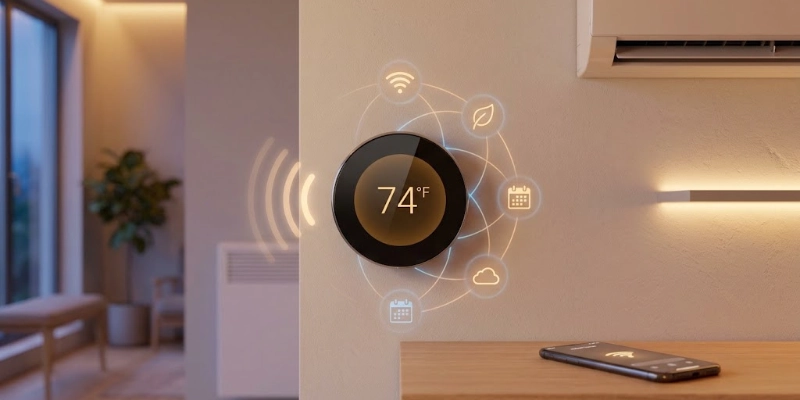
Unlike a basic thermostat, it can offer features such as phone control, automatic schedules, temperature sensors, and smart home connections. Some models can also adjust the temperature based on your habits or whether someone is at home.
What Does a Smart Thermostat Do?
It can perform several useful tasks, including:
- Controls heating and cooling: It tells your HVAC system when to heat or cool your home.
- Maintains a selected temperature: It works to keep the room close to the temperature you set.
- Connects to Wi-Fi: This allows the device to communicate with your phone and other connected devices.
- Allows remote control: You can change the temperature through a mobile app, even when you are away.
- Automates temperature settings: You can create schedules or use automatic features to change the temperature at different times.
Why Is It Called “Smart”?
The term “smart” refers to the extra technology built into these gadgets. They can use sensors, Wi-Fi, automation, and software to make temperature control easier.
Some models can also learn your routine, detect when people are home, or connect with other smart home devices. However, the available features depend on the model you choose.
How Does a Smart Thermostat Work?
A smart thermostat works by checking the temperature in your home and telling your heating or cooling system when to run. It combines sensors, software, Wi-Fi, and your HVAC system to manage the temperature with less manual effort.
How the Process Works
The process is quite simple. The device keeps checking the temperature and compares it with the level you have chosen. When a change is needed, it sends a signal to your heating or cooling system.
Here is how the process works step by step:
- Sensors check the room temperature
Built-in sensors measure the current temperature and send the reading to the device. - You choose a target temperature
You set the temperature you want, such as 22°C or 72°F. - The device compares both temperatures
It checks the current room temperature against your chosen setting. - It communicates with the HVAC system
If the room is too warm or too cold, it tells the heating or cooling system to start. - The system runs until the temperature changes
Once the room gets close to your selected temperature, the system can stop or reduce its operation. - Automatic features can adjust the settings
Depending on the model, it may change the temperature according to a schedule, detect whether someone is home, or learn your usual habits.
What Role Does Wi-Fi Play?
Wi-Fi connects the device to your home network. It can allow you to control settings through a smartphone app and communicate with other connected home devices.
What Do the Sensors Do?
Sensors collect information such as room temperature. Some models also use motion or occupancy sensors to determine whether someone is nearby.
How Does the Smartphone App Help?
The app gives you another way to manage the temperature. You can check the current setting, change it, create schedules, and sometimes view energy reports.
How Does It Connect to Your HVAC System?
The thermostat communicates with your heating or cooling equipment through its wiring. It sends commands when the system needs to heat or cool the home.
What Is the Role of the Internet or Cloud?
When internet access is available, the device can communicate with online services. This helps provide features such as remote control, software updates, data syncing, and access through your phone when you are away from home.
In simple terms: the sensors check the temperature, the device decides what needs to happen, and the HVAC system carries out the action. Connected features then make it possible to manage the process remotely or automatically.
What Are the Main Features of a Smart Thermostat?
These devices offer more than basic temperature control. They can use Wi-Fi, sensors, schedules, and software to make heating and cooling easier to manage.
However, not every model includes all of these features, so it is important to check the specifications before buying.
Wi-Fi Connectivity
It connects to your home network, which allows the device to communicate with online services and other compatible systems.
- Connects the device to your home Wi-Fi network.
- Allows communication with mobile apps and other connected devices.
- Supports remote access when you are away from home.
Remote Temperature Control
You can check or change the temperature from another location using a connected device.
- Lets you change the temperature using a smartphone or tablet.
- Useful when you are away and want to adjust your home’s temperature.
- Some apps also let you check the current temperature and settings.
Automatic Scheduling
You can set different temperature levels for specific times, such as morning, afternoon, and night.
- Allows you to create different temperature settings for different times.
- You can set one temperature for the morning and another for the night.
- Helps reduce the need for manual adjustments.
Learning Your Routine
Some models observe your regular preferences and use them to make future settings more convenient.
- Some models can learn your usual temperature preferences.
- They may notice when you normally change the temperature.
- Certain devices can use this information to create automatic settings.
Occupancy Detection
Built-in sensors can detect movement or activity and recognize when a room is being used.
- Uses motion or other sensors to detect activity.
- Some models can recognize when a home is empty.
- It can adjust the temperature based on whether people are present.
Geofencing
This feature uses your phone’s location to recognize when you move away from or return to your home.
- Uses your phone’s location to determine when you leave or return.
- The device can change the temperature when you move outside or inside a set area.
- This feature usually requires permission to access your phone’s location.
Energy Usage Reports
Some models show information about your heating and cooling activity, helping you understand your energy habits.
- Some models show information about heating and cooling use.
- Reports can help you understand your temperature habits.
- Certain apps may also provide tips for using less energy.
Smart Home Integration
It can work with compatible smart home platforms and devices, making it easier to manage different parts of your home together.
- Can connect with other compatible smart home devices.
- Some models work with smart speakers, sensors, and home automation systems.
- This allows different devices to work together.
Voice Control
Compatible models allow you to use voice commands to perform supported actions without touching the device.
- Some models support voice commands through compatible smart assistants.
- You may be able to ask for a temperature change without opening the app.
- Available commands depend on the device and connected platform.
Multi-Room or Zone Control
Some systems use extra sensors or separate zones to monitor conditions in different parts of the home.
- Some systems support additional sensors in different rooms.
- They can provide temperature information from more than one area.
- This can be useful in larger homes where rooms may have different temperatures.
Note: Features vary by model, brand, and HVAC system. A basic connected model may offer only remote control and scheduling, while advanced models can include sensors, learning, energy reports, and wider smart-home support.
What Are the Benefits of a Smart Thermostat?
A smart thermostat can make temperature management easier and give you more control over your home’s heating and cooling. However, the actual benefits can vary depending on your HVAC system, settings, climate, and daily habits.
- It lets you set and maintain the temperature you want, while some models use extra sensors to improve temperature readings.
- You can check and change the temperature from your phone when you are away from home.
- Automatic schedules reduce the need to adjust the temperature manually throughout the day.
- It can help reduce unnecessary heating or cooling, which may lower energy use in some homes.
- Some models can automatically change settings based on schedules, occupancy, or learned preferences.
- It can connect with compatible smart home platforms, speakers, and voice assistants.
- You can adjust the temperature before you return home or change the settings when your plans suddenly change.
- Energy reports on some models can help you understand your heating and cooling habits.
- It can make everyday temperature management easier by handling routine changes automatically.
- Actual energy savings are not guaranteed and depend on factors such as your HVAC system, weather, home, settings, and daily usage.
Are There Any Drawbacks?
Although these devices offer useful features, they also have some limitations that you should consider before buying one.
- They usually cost more upfront than basic thermostats.
- Installation can be more difficult, especially if your existing wiring is not compatible.
- Some models need a C-wire or a power adapter to operate properly.
- Wi-Fi is often needed for features such as remote access and online services.
- The number of settings and features can make some models harder to learn at first.
- Compatibility varies between different heating and cooling systems, so you should check your HVAC system before buying.
- Some advanced functions may require extra sensors, which can increase the overall cost.
- A weak or unstable internet connection can affect certain connected features.
- Software or app problems may sometimes prevent you from using some functions as expected.
Smart Thermostat vs Traditional Thermostat
The main difference is how much control and automation each type offers. A traditional thermostat focuses on basic temperature adjustment, while a connected model can provide extra features such as remote access and scheduling.
| Feature | Smart Thermostat | Traditional Thermostat |
| Wi-Fi | Usually available | Not available |
| Phone control | Yes | No |
| Remote access | Yes | No |
| Automatic schedules | Yes | Limited or no |
| Learning features | Available on some models | No |
| Smart home integration | Available on compatible models | No |
| Energy reports | Available on some models | No |
| Manual control | Yes | Yes |
Quick Verdict
A traditional thermostat is a good choice if you only need simple temperature control. A smart model is better if you want features such as remote access, scheduling, and home automation.
Types of Smart Thermostats
Different models are designed for different needs. Some focus on learning your habits, while others are built for remote access, larger homes, or specific heating and cooling systems.
- Learning Models
These models can study your usual temperature settings and daily habits. Over time, they may use this information to create a more suitable schedule with less manual input.
- App-Controlled Models
These devices mainly focus on control through a smartphone app. They are useful for people who want to change settings remotely, create schedules, and manage their home’s temperature from one place.
- Multi-Room Models
These systems can work with additional sensors placed in different rooms. They provide temperature information from several areas, which can be useful when some rooms are warmer or cooler than others.
- HVAC-Specific Models
These models are designed to work with particular types of heating and cooling equipment. They may support systems with features such as heat pumps, multi-stage heating, or specific HVAC configurations, so compatibility should be checked before purchase.
What Heating and Cooling Systems Can It Control?
Not every thermostat works with every heating and cooling system. Before buying one, you should check whether it supports your existing HVAC equipment and wiring.
It may work with systems such as:
- Central air conditioning: It can control when the central AC turns on and off to maintain the selected temperature.
- Furnaces: Many models can work with gas, oil, or electric furnaces, depending on their wiring and system requirements.
- Heat pumps: Some devices support heat pumps and can manage both heating and cooling modes.
- Boilers: Certain models can control boiler-based heating systems, but compatibility varies.
- Electric heating: Some units support electric heating systems, including certain baseboard and other setups.
- Multi-stage HVAC systems: Compatible models can control systems with more than one heating or cooling stage for better performance.
- Zoned systems: Some setups can work with separate zones, allowing different areas of a home to have individual temperature control.
Always check the manufacturer’s compatibility guide before buying. Your existing wiring, HVAC type, and system configuration can affect whether a particular model will work correctly.
What is a C-Wire and Why Does It Matter?
A C-wire, or common wire, is one of the wires used to provide continuous power to a thermostat. It can help a connected thermostat stay powered while it communicates with your HVAC system and runs features such as Wi-Fi.
What Does a C-Wire Do?
The C-wire provides a steady flow of low-voltage power to the thermostat. This can be important for models that need continuous electricity to keep their screen, sensors, Wi-Fi, and other features working.
Does Every Smart Thermostat Need a C-Wire?
No. Some models can work without one, while others require a C-wire for proper operation. The requirement depends on the model and your HVAC system.
You should always check the manufacturer’s wiring requirements before buying.
What If Your Home Does Not Have One?
If your existing system does not have a C-wire, you may still have several options:
- Choose a model that supports installation without a C-wire.
- Use a compatible power adapter if the manufacturer provides one.
- Have a professional install the required wiring.
- Check whether your existing HVAC setup has another supported power option.
Do not assume that every thermostat will work without a C-wire. Check the installation guide and compatibility information for your specific HVAC system before making a purchase.
How to Install a Smart Thermostat
Installing a connected thermostat can be simple when your HVAC system and wiring are compatible. The exact process can vary between models, so always follow the manufacturer’s instructions.
Check HVAC Compatibility
Before starting, make sure the new device supports your heating and cooling system. Check the wiring requirements, C-wire needs, and other compatibility details.
Turn Off Power
Switch off the power to your HVAC system from the appropriate circuit breaker. This helps reduce the risk of electrical damage or injury during installation.
Remove the Old Thermostat
Carefully remove the cover and mounting plate of the existing unit. Avoid pulling or disconnecting the wires until you know where each one is connected.
Label the Wires
Use the labels provided with your new device or mark each wire according to its original terminal. This makes it easier to connect them correctly later.
Install the New Device
Attach the new mounting plate, connect the wires to the correct terminals, and secure the main unit in place. Follow the installation guide because wire connections can differ between models.
Connect It to Wi-Fi
Turn the power back on and follow the on-screen instructions to connect the device to your home network.
Set Up the App
Download the manufacturer’s app if required and follow the setup instructions. You may need to create an account, pair the device, and select your preferred settings.
Test Heating and Cooling
Try both heating and cooling modes to make sure the HVAC system responds correctly. Check that the temperature changes as expected and that the device communicates properly with the system.
Safety Note: If you’re unsure about electrical wiring, installation, or HVAC compatibility, use a qualified professional instead of attempting the work yourself.
How Much Energy Can a Smart Thermostat Save?
A smart thermostat does not automatically reduce your energy bill just because you install it. The amount of energy you save depends on how you use it, your HVAC system, your home, the weather, and your temperature settings.
- Better temperature control can reduce waste: Adjusting heating and cooling based on your needs can help avoid unnecessary system use.
- Automatic schedules can help: You can set different temperatures for times when you are sleeping, working, or away from home.
- Remote control can be useful: You can change the settings when your plans change instead of leaving the system running at the same level.
- Your daily habits matter: Someone who already manages their thermostat carefully may see less improvement than someone who often forgets to change the settings.
- Your HVAC system also matters: Older or less efficient equipment may have different energy-use patterns than newer systems.
- Weather affects results: Extreme heat or cold can increase heating and cooling demand regardless of the thermostat you use.
- Certified models can offer stronger evidence: Programs such as ENERGY STAR evaluate qualifying models using established testing methods to identify products with energy-saving performance.
In short, there is no single amount of energy that every household will save. The biggest benefit comes from using the available scheduling and automatic features wisely rather than simply installing the device and expecting lower bills.
How to Choose the Right Smart Thermostat
Choosing the right model is not only about price or the number of features. You should first make sure it works with your HVAC system and then consider which functions are actually useful for your home.
- Check HVAC Compatibility
Make sure the model supports your heating and cooling equipment before buying. Check the manufacturer’s compatibility list and compare it with your current system.
- Check for a C-Wire
Find out whether your existing wiring includes a C-wire and whether the model requires one. If you do not have one, check if the manufacturer offers another supported power option.
- Choose the Features You Actually Need
Think about which functions will be useful in your daily life. You may want remote access, scheduling, occupancy detection, learning features, or energy reports, but you do not need to pay extra for features you will never use.
- Consider App Quality
If you plan to control the device from your phone, look for an app that is easy to use and has the controls you need. A simple and reliable app can make everyday use much easier.
- Check Smart Home Compatibility
If you already use smart home products, make sure the model works with your preferred platform and compatible devices. This can make it easier to manage different devices together.
- Look at Sensor Support
Additional sensors can be useful if different rooms in your home have different temperatures. Check how many sensors the system supports and what they can detect.
- Consider Installation Requirements
Some models are easier to install than others. Check the wiring, power requirements, HVAC compatibility, and whether professional installation may be needed.
- Compare Price and Long-Term Value
Do not choose a model based only on its purchase price. Consider its features, installation cost, possible energy benefits, and how well it meets your needs over time.
- Check Warranty and Support
Look at the warranty period and the type of customer support offered by the manufacturer. Good support can be helpful if you have installation, connection, or software problems later.
Smart Thermostat Maintenance Tips
Regular maintenance can help keep the device working properly and make its features more reliable. Simple checks are usually enough for everyday care.
- Keep the sensors clean: Gently remove dust from the sensors so they can measure room conditions accurately.
- Check the Wi-Fi connection: Make sure the device stays connected to your home network, especially if you use remote features.
- Update the app and firmware: Install available updates to improve performance, security, and compatibility.
- Review temperature schedules: Check your schedules from time to time and remove settings that no longer match your routine.
- Replace batteries when needed: If your model uses batteries, replace them when the device shows a low-battery warning.
- Watch for unusual HVAC behavior: If the heating or cooling system starts running unexpectedly or does not respond correctly, check the settings and wiring before assuming the thermostat is the cause.
- Keep vents and air filters maintained: Clean vents and replace dirty filters as recommended for your HVAC system to support proper airflow and efficient operation.
Is a Smart Thermostat Worth It?
Whether it is worth buying one depends on your home, HVAC system, and how you manage temperature settings. The extra features can be useful for some people but unnecessary for others.
It May Be Worth It If:
- You want to adjust the temperature from your phone when you are away.
- You often forget to change the temperature when leaving or returning home.
- You want schedules that handle temperature changes automatically.
- You already use smart home devices and want your thermostat to work with them.
- You want more control over your heating and cooling habits.
- You like using features such as occupancy detection, geofencing, or energy reports.
It May Not Be Necessary If:
- You only need simple manual temperature control.
- Your existing HVAC system is not compatible with the model you want.
- You rarely change the temperature throughout the day.
- You do not need Wi-Fi, app control, or other connected features.
- You prefer a simple device with fewer settings.
- The extra purchase and installation cost does not provide enough value for your needs.
Bottom line: A connected model can be a useful upgrade if you want more control and automation. If your current thermostat already meets your needs, upgrading may not be necessary.
Conclusion
A smart thermostat is a connected device that gives you more flexible control over your home’s heating and cooling. Its main value comes from features that can make everyday temperature management simpler without requiring constant manual changes.
Before buying one, check that it works with your HVAC system, wiring, and power setup. Also consider whether its extra features are useful for your daily routine. If you want easier control, scheduled settings, and connected home features, it can be a worthwhile upgrade. If you prefer simple manual operation, your existing thermostat may already be enough.
FAQs
Still unsure? Review the FAQs before you decide.
It is used to control the heating and cooling system in your home. It can adjust temperature settings based on schedules or other settings you choose. Some models also offer remote access and automatic features.
Many models use Wi-Fi for online and remote features. However, some basic functions may still work without a network connection. Check the product instructions to know which features require Wi-Fi.
Yes, many models can still control your HVAC system if the internet goes down. However, features such as remote access, cloud services, and some app functions may stop working. The exact behavior depends on the model.
It can help reduce energy use by making it easier to manage heating and cooling. However, savings are not guaranteed and depend on your home, HVAC system, weather, and settings. Good scheduling and sensible temperature choices can make a bigger difference.
No, not every model requires a C-wire. Some can use other power methods or work with systems that do not have one. Always check the wiring requirements before buying.
Yes, many models have a mobile app for remote control. You can usually check the current setting and make changes from your phone. Some apps also provide schedules, alerts, or usage information.
Yes, many models can control central air conditioning systems. However, compatibility depends on the type of AC and its wiring. Check the manufacturer’s compatibility guide before installation.
Some models can learn your usual temperature preferences and daily patterns. They may use this information to suggest or create automatic settings. This feature is not available on every model.
Some models are designed for simple DIY installation. The process can still involve wiring, so you should understand your HVAC setup before starting. If you are unsure about the wiring, it is safer to hire a qualified professional.
A Wi-Fi thermostat mainly uses a network connection to provide features such as remote access. A smart model can offer additional functions such as learning, sensors, automation, and smart home integration. The exact features vary between products.
Many can work for several years with normal use. Their lifespan depends on build quality, power supply, software support, and how they are used. Check the manufacturer’s warranty and support period when comparing models.
It can be a good choice if you want easier temperature management and connected features. It may not be necessary if you prefer simple manual controls or your current system already meets your needs. Always check HVAC compatibility before making a purchase.






- Be Respectful
- Stay Relevant
- Stay Positive
- True Feedback
- Encourage Discussion
- Avoid Spamming
- No Fake News
- Don't Copy-Paste
- No Personal Attacks
- Be Respectful
- Stay Relevant
- Stay Positive
- True Feedback
- Encourage Discussion
- Avoid Spamming
- No Fake News
- Don't Copy-Paste
- No Personal Attacks
