What is a Hard Drive? Types, Uses & Features
Published: 22 Dec 2025
Have you ever thought about where your computer saves your photos, videos, games, and files? When you save something, it does not stay on the screen. It is kept safely inside the computer.
But how does the computer remember everything, even when it is turned off? What part helps you open your files again? Here we will learn about this important computer part in a very easy way.
What is a Hard Drive?
A hard drive is a part of a computer that keeps your files safe for a long time. It stores things like pictures, videos, games, and programs. Even if you turn off the computer, the saved information stays there.
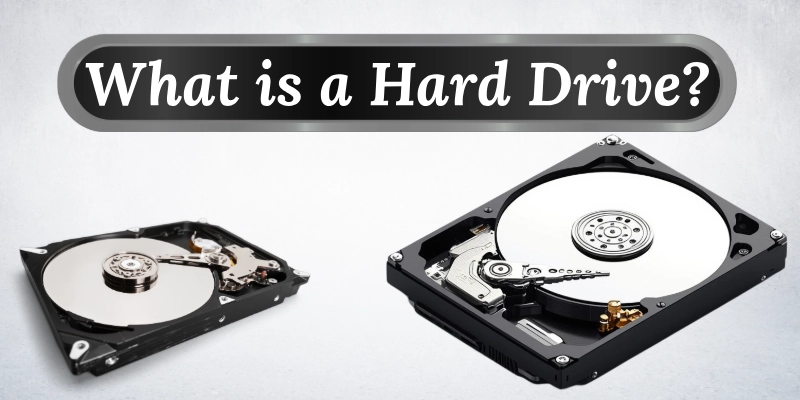
This part works like the computer’s memory that does not forget anything.
- Saves your files safely.
- Helps open programs faster.
- It can keep a lot of data.
- Works quietly inside the computer.
- Lets you keep files in order with folders.
What Does a Hard Drive Store?
It can keep many different types of information safe on a computer. It holds all the important things you need to use your computer properly.
Some common things stored are:
- Operating system: The main program that makes your computer work.
- Software and apps: Programs you use for work, study, or fun.
- Photos, videos, and documents: Your personal files, memories, and important papers.
For example, when you save your holiday pictures or school projects on a computer, they are stored safely on the hard drive so you can open them anytime.
How a Hard Drive Works?
It may look simple from the outside, but it does an important job inside your computer. It saves and retrieves all your files so you can use them anytime.
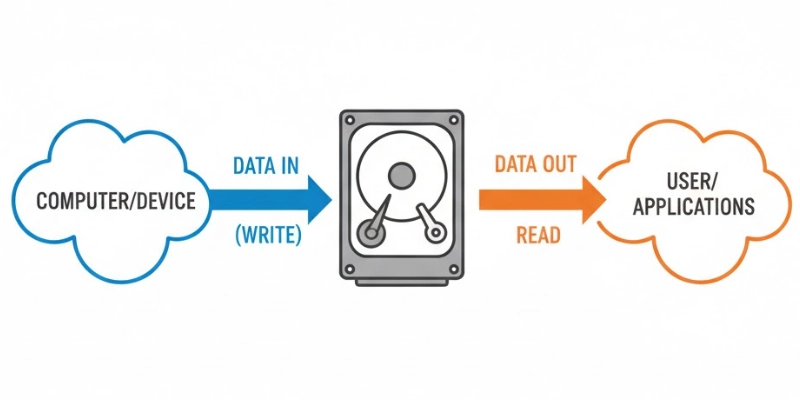
Data Storage Basics
It keeps information in digital form, which means everything is stored as tiny numbers called 0s and 1s. This is how the computer understands and remembers your files.
Reading and Writing Data
- Writing data: When you save a file, the hard drive writes the information and keeps it safe.
- Reading data: When you open a file, the hard drive reads the saved information and sends it to the computer so you can see it.
Think of it like a notebook: writing is putting your notes on paper, and reading is looking at your notes later.
Inside the Hard Drive
Inside a hard drive, there are a few main parts that make it work:
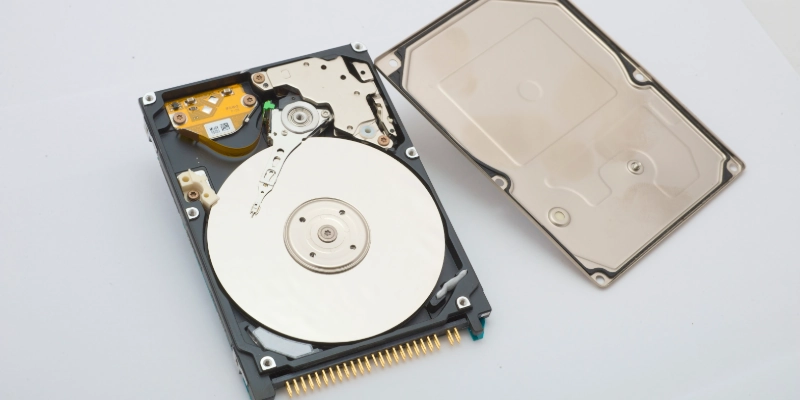
- A disk where all the information is stored.
- A small arm that moves across the disk to read and write data.
- A motor that spins the disk quickly so the arm can reach data fast.
Even though it has moving parts, the hard drive works quietly and keeps your files safe all the time.
Types of Hard Drives
Hard drives come in different types, each designed to store data in a specific way. Some are fast, some are large, and some can be carried easily.
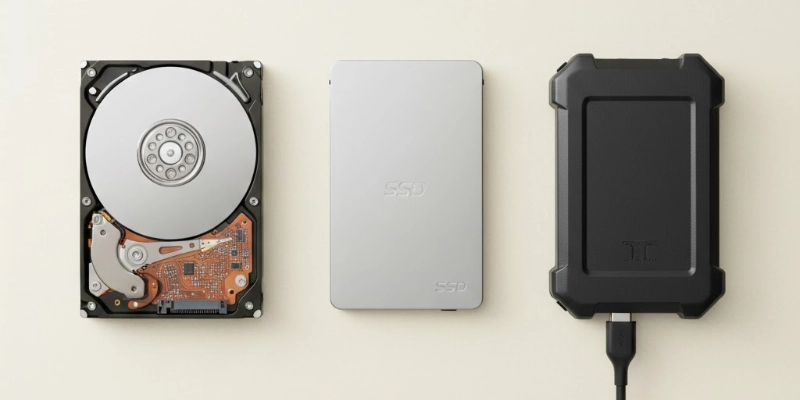
Here are some types of drives given below.
- HDD (Hard Disk Drive): Uses spinning disks to store data. It is a traditional and cost-effective storage option.
Example: A 1TB desktop hard drive for storing movies and documents. - SSD (Solid State Drive): Has no moving parts and works much faster than HDD. It opens files and programs quickly.
Example: A 500GB laptop SSD for faster booting and app loading. - External Hard Drive: A portable device you can carry and connect to any computer. It is useful for backups and transferring files.
Example: A 2TB USB external drive to save photos and videos.
Features of a Hard Drive
A hard drive has several important features that affect how it stores and accesses your data. These features help you choose the right storage for your needs.
Let’s look at some features.
- Storage Capacity: It shows how much information the drive can hold, usually measured in GB or TB.
- Speed: This determines how quickly files and programs can be opened or saved.
- Size and Form Factor: Drives come in different sizes for laptops and desktops, such as 2.5-inch and 3.5-inch.
- Durability: Indicates how strong the drive is and how well it protects data from damage.
Uses of a Hard Drive
A hard drive is an essential part of a computer that helps store and manage all your important data. It keeps your files safe, runs programs, and ensures your computer works smoothly.

It can also be used to back up information and protect it from loss.
- Operating System: It keeps the main system files so the computer can start and run properly.
- Personal Files: You can store photos, videos, documents, and other important files safely.
- Software and Games: Programs and games are saved on the drive for easy access and use.
- Backup and Data Protection: Drives can be used to back up important data and protect it from loss.
Advantages and Disadvantages
Hard drives are useful for storing and accessing data, but they also have some limits. The table below shows the main benefits and drawbacks in simple terms.
| Pros | Cons |
| It can store a lot of data like files, photos, and videos. | It can be damaged if dropped or hit. |
| Keeps data safe even when the computer is off. | Slower than RAM for accessing information. |
| Many affordable options are available. | Traditional drives (HDDs) are slower than newer SSDs. |
| Easy to save, open, and organize files. | Data can be lost by accident, a virus, or failure. |
| Works with most desktops and laptops. | Requires careful handling to avoid damage. |
Tips for Beginners Using Hard Drives
Using a hard drive is easy, but beginners should follow some simple tips to keep their data safe and the drive working well.
- Always save copies of important files on another drive or cloud storage.
- Safely eject the drive before unplugging to avoid data loss.
- Use antivirus software to protect files from malware and viruses.
- Pick a drive with enough space for your current and future needs.
- Avoid dropping or hitting the drive to prevent damage.
Conclusion
A hard drive is an important part of a computer that helps store and protect your files, programs, and system data. It comes in different types and sizes, has many useful features, and needs careful handling. By understanding how it works and following simple tips, beginners can keep their data safe and make the most of their storage.
Found this helpful? Drop your thoughts in the comments below!
FAQs
Curious to learn more? Explore our FAQs for quick answers!
It is a part of a computer that keeps all your files, programs, and system data. It stores information permanently, even when the computer is off. It acts like the computer’s long-term memory.
Yes, its main job is to store data, but it also helps the computer access files quickly. It stores the operating system, software, and personal files. It does not work like RAM, which is temporary memory.
The two main types are HDD (Hard Disk Drive) and SSD (Solid State Drive). HDD uses spinning disks to save data. SSD has no moving parts and is faster.
It is called a “hard drive” because it uses a hard disk inside to store data. The disk is solid and durable compared to old floppy disks. It “drives” the storage of information inside the computer.
Most computers have at least one hard drive. Some computers have more than one for extra storage. Laptops usually have one, while desktops can have multiple drives.
Another name is “disk drive” or “storage drive.” Some people also call it a “storage device.” It is the part that keeps your files and programs.
Memory depends on the drive size, usually from 128GB to several terabytes (TB). Larger drives can store more files and programs. The right size depends on your needs.
Data is stored on disks inside the drive called platters. A small arm reads and writes information on these disks. The data stays safe even when the computer is off.
Speed depends on the type of drive and its design. HDDs are slower because they have spinning disks. SSDs are faster since they have no moving parts.
No, hard drive space is long-term storage, while RAM is temporary memory. RAM helps run programs quickly, but loses data when the computer is off. Hard drive space keeps files permanently.



- Be Respectful
- Stay Relevant
- Stay Positive
- True Feedback
- Encourage Discussion
- Avoid Spamming
- No Fake News
- Don't Copy-Paste
- No Personal Attacks
- Be Respectful
- Stay Relevant
- Stay Positive
- True Feedback
- Encourage Discussion
- Avoid Spamming
- No Fake News
- Don't Copy-Paste
- No Personal Attacks
