What is a Laptop Cooling Pad and How It Works
Published: 29 Apr 2026
Does your laptop get hot during work or gaming? If you are wondering what is laptop cooling pad?, it is a simple tool with built-in fans that helps keep your laptop cool and improves airflow.
Too much heat can slow performance, damage the battery, and shorten your laptop’s life. In this guide, you will learn how a laptop cooling pad works, its benefits, and how to choose the right one.
What is a Laptop Cooling Pad?
A cooling pad is a simple accessory placed under a laptop to help control heat. It usually comes with built-in fans that improve airflow around the device and prevent excess heat from building up.
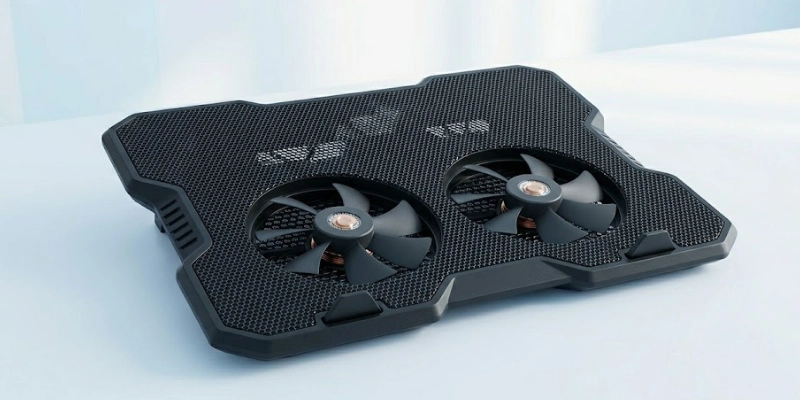
Since laptops have limited space for ventilation, they can become warm during long work sessions, gaming, or heavy software use. This extra support helps maintain better temperature levels and keeps performance more stable.
- Placed underneath the laptop for better airflow.
- Includes built-in fans for extra cooling support.
- Helps reduce heat during long hours of use.
- Supports stable performance while working or gaming.
- Can also improve comfort with adjustable height options.
How Does a Laptop Cooling Pad Work?
A cooling pad helps manage heat by improving airflow and supporting better ventilation under your laptop. It keeps the device cooler during long work sessions, gaming, or heavy tasks.
Airflow Improvement
Built-in fans push cool air toward the bottom vents of the laptop. This helps fresh air move around the system and reduces trapped heat.
Heat Dissipation
Better ventilation allows heat to escape more easily. This helps lower the internal temperature and supports smoother performance.
Ergonomic Elevation
The raised design lifts the laptop slightly above the desk. This creates more space for air circulation and also makes typing more comfortable.
USB Power Source
Most cooling pads work through a USB connection. You simply plug it into your laptop, and the fans start running without needing extra power.
Types of Laptop Cooling Pads
Different cooling pads are made for different needs. Some focus on strong airflow, while others improve comfort or add extra style. Choosing the right type depends on how you use your laptop.
Active Cooling Pads
These come with built-in fans that push cool air toward the laptop. They are great for heavy use like gaming, editing, and long work sessions.
Passive Cooling Pads
These do not use fans. They rely on materials like aluminum or mesh to improve airflow and help heat escape naturally.
Gaming Cooling Pads
These are designed for gaming laptops and usually have larger or high-speed fans. They provide stronger cooling for devices that produce more heat.
Adjustable Ergonomic Cooling Pads
These offer height and angle adjustment for better comfort. They improve posture while also allowing better air circulation under the laptop.
RGB Cooling Pads
These include cooling features along with colorful RGB lighting. They are popular among gamers who want both performance and a stylish setup.
Key Features of a Laptop Cooling Pad
Before choosing a cooling pad, it is important to check its main features. These details affect cooling performance, comfort, and daily use.
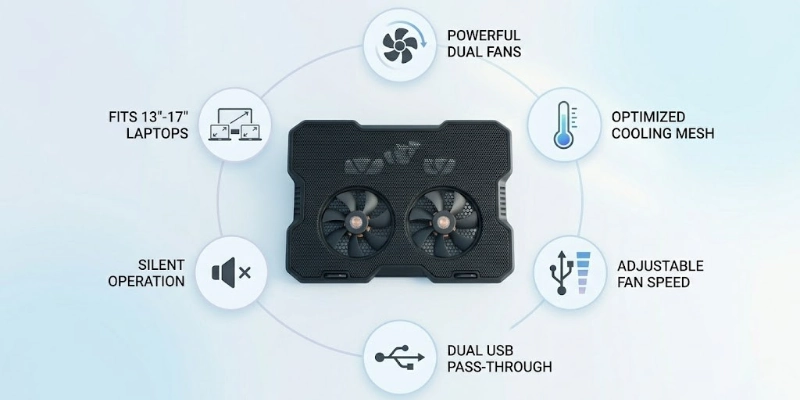
Number of Fans
Some models have one large fan, while others use multiple smaller fans. More fans can provide wider airflow, while a single fan may offer focused cooling.
Fan Speed Control
Many cooling pads allow you to adjust the fan speed. This helps you choose stronger cooling for heavy tasks or lower speed for quiet use.
Noise Level
Some fans run very quietly, while others make more noise for a stronger performance. A balance between cooling and low noise is often the best choice.
Build Material
Plastic models are lightweight and affordable, while aluminum mesh designs offer better heat transfer and stronger durability.
Laptop Size Compatibility
Cooling pads come in different sizes to support laptops from 13-inch to 17-inch or larger. Choosing the right size ensures better stability and airflow.
Extra USB Ports
Some options include extra USB ports for connecting devices like a mouse, keyboard, or USB drive, adding more convenience for daily use.
Benefits of Using a Laptop Cooling Pad
A cooling pad offers several practical advantages, especially if you use your laptop for long hours or heavy tasks.
- Overheating: Helps keep your laptop temperature under control during extended use.
- Performance: Stable temperature reduces lag and keeps your system running smoothly.
- Lifespan: Less heat means less stress on internal components over time.
- Comfort: A cooler laptop makes long working sessions more comfortable.
- Gaming: Supports demanding activities like gaming, editing, and multitasking.
Limitations of Laptop Cooling Pads
A cooling pad can help manage heat, but it is not a complete solution for all laptop problems. It mainly supports external cooling and has a few practical limits.
- Hardware: Cannot fix internal overheating or faulty components.
- Compatibility: The cooling effect may vary across different laptop models.
- Portability: Adds an extra item to carry with your laptop.
- Noise: Some fans can produce noticeable sound during use.
- Power: Depends on USB power, which may slightly reduce laptop battery life.
Laptop Cooling Pad vs Laptop Stand
Both help improve laptop use, but they serve different purposes. One focuses on temperature control, while the other focuses on comfort and posture.
| Feature | Cooling Pad | Stand |
| Purpose | Cooling | Ergonomics |
| Airflow | Strong | Basic |
| Heat Control | High | Low |
| Comfort | Medium | High |
| Noise | May produce sound | Silent |
| Portability | Medium | High |
| Best For | Gaming, heavy use | Office, study, typing |
| Power | USB powered | No power needed |
Who Needs a Laptop Cooling Pad?
A cooling pad is useful for anyone who uses a laptop for long hours or runs heavy tasks that generate heat. It helps keep performance stable and prevents the system from slowing down due to overheating.
- Gamers: Helps manage high temperatures during intense gaming sessions.
- Creators: Supports video editing, design, and other heavy software work.
- Programmers: Keep systems stable during long coding and multitasking.
- Students: Useful for extended study, browsing, and online classes.
- Hot climates users: Helps reduce extra heat in already warm environments.
How to Choose the Best Laptop Cooling Pad?
Choosing the right cooling pad depends on your laptop type, usage, and comfort needs. Focus on the features that actually improve cooling and usability instead of extra looks or branding.
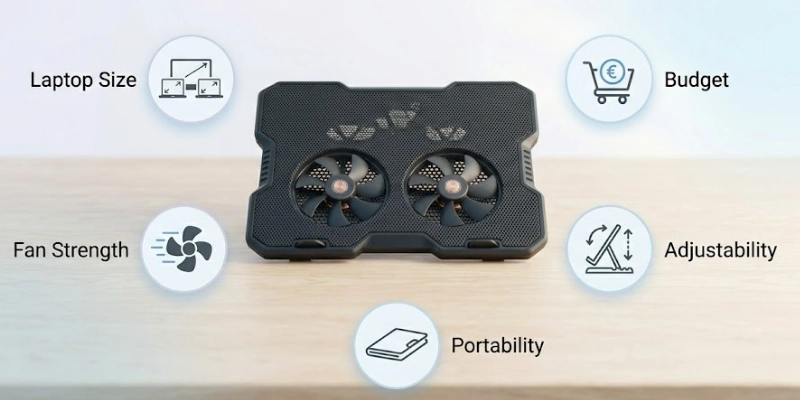
- Laptop size: Make sure it fits your laptop (13″, 15″, 17″ or larger) for proper support and airflow.
- Fans: Check the number and size; bigger or multiple fans usually give better cooling.
- Portability: Choose a lightweight and slim design if you travel often.
- Adjustability: Height and angle settings improve comfort and airflow.
- Budget & brand: Pick a reliable brand within your budget for better durability and performance.
Popular Laptop Cooling Pad Brands
Several brands are well-known for making reliable cooling pads that improve airflow and help manage laptop heat during long use.
- Cooler Master: Known for durable build quality and strong cooling performance
- Havit: Popular for budget-friendly and quiet multi-fan designs
- KLIM: Focuses on powerful airflow and gaming-oriented cooling pads
- TopMate: Offers feature-rich models with adjustable settings and LCD controls
- Targus: Trusted brand for ergonomic and office-friendly cooling pads
These brands are commonly used for different needs, from casual study use to heavy gaming and professional work.
Tips for Better Laptop Cooling
Simple habits can improve your laptop’s temperature control and overall performance.
- Clean vents: Remove dust from air vents regularly for better airflow.
- Hard surface: Always place your laptop on a flat, solid surface.
- Vent clearance: Keep air vents open and never block them.
- Thermal paste: Replace it if your laptop is old or overheats often.
- Room airflow: Use your laptop in a well-ventilated or cool room.
Conclusion
A cooling pad helps improve airflow, reduce heat, and keep your laptop running smoothly during long or heavy use. It is a simple tool that supports better performance and comfort.
For users facing overheating issues, it is a smart and affordable investment that can also help protect your laptop’s hardware over time. If your laptop often gets hot, using a cooling pad is a practical and easy solution.
FAQ
Here are some FAQs related to the laptop cooling pad given below.
A cooling pad is used to reduce laptop heat during long use. It improves airflow under the device using built-in fans or a raised design. This helps keep the laptop more stable during work or gaming.
Yes, they do help lower the temperature of a laptop. The effect depends on the model and laptop type. They work best when combined with proper ventilation and clean vents.
Yes, gaming laptops often get very hot during heavy use. A cooling pad helps manage that extra heat and improves performance stability. It is especially useful for long gaming sessions.
No, a cooling pad does not damage a laptop when used correctly. It simply improves airflow and cooling. Make sure you use a good-quality pad to avoid any issues.
It can reduce temperature by a few degrees, usually around 2°C to 10°C. The exact drop depends on the cooling pad and the laptop’s condition. Results are better when your laptop vents are clean and unblocked.
A laptop cooling pad is mainly used to prevent overheating during long hours of usage. It improves airflow under your laptop and keeps the temperature stable. This helps especially when you are gaming, studying, or working on heavy software.
A laptop cooling pad works by using built-in fans to push cool air toward the laptop’s base. This helps remove heat from internal components like the CPU and GPU. As a result, your device stays cooler and performs more efficiently.
A laptop cooling pad is very useful for gaming laptops because they generate high heat during gameplay. It helps maintain stable performance and prevents sudden lag or shutdowns. Many gamers use it as a simple cooling solution for a better gameplay experience.
You may not always need a laptop cooling pad for basic tasks like browsing or typing. However, it becomes helpful if your laptop heats up quickly or feels slow during use. It is a low-cost way to improve comfort and performance.
A laptop cooling pad can indirectly improve performance by keeping the system temperature low. When a laptop stays cool, it avoids thermal throttling, which slows down speed. This makes your device more stable during multitasking and heavy workloads.






- Be Respectful
- Stay Relevant
- Stay Positive
- True Feedback
- Encourage Discussion
- Avoid Spamming
- No Fake News
- Don't Copy-Paste
- No Personal Attacks
- Be Respectful
- Stay Relevant
- Stay Positive
- True Feedback
- Encourage Discussion
- Avoid Spamming
- No Fake News
- Don't Copy-Paste
- No Personal Attacks
