What is a Gaming PC? Guide to Components, Types, Tips for Gamers
Published: 12 Mar 2026
Video games have become very popular around the world. Many people enjoy playing games because they offer fun, competition, and realistic graphics. Many gamers prefer powerful computers for a better experience.
You may wonder, “What is a gaming PC?” and why gamers use it. A gaming PC is a computer designed to run video games smoothly with better performance. It is different from a normal computer because it has stronger hardware. For example, many modern games require powerful hardware to run smoothly with high graphics.
What is a Gaming PC?
It is a computer made to play video games smoothly. It is designed to handle modern games that need strong performance and better graphics.
This is one of the types of computers; it usually has more powerful components than a regular PC. It often includes a strong processor, a dedicated graphics card, more RAM, and faster storage.
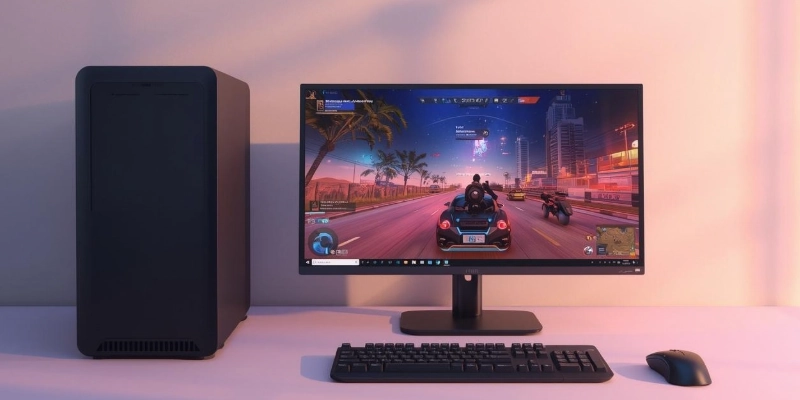
Because of these powerful components, it can run games with clear graphics, fast speed, and smooth performance. This helps players enjoy games without lag or slow loading.
In simple words, it is a computer built to give a better and more enjoyable gaming experience.
Key Components of a Gaming PC
A gaming PC works best because of its strong parts that handle games smoothly. These components make sure the system runs fast, shows clear graphics, and avoids lag.
- CPU (Processor)
The CPU is like the brain of the computer. It controls how fast games run and how smoothly the system works. A stronger CPU helps the gaming PC handle complex tasks and big games without slowing down.
Example: Popular processors come from Intel or AMD. - GPU (Graphics Card)
The GPU is responsible for showing images and graphics in games. A powerful graphics card makes games look clear, detailed, and realistic. It also helps the system run games at higher settings.
Example: NVIDIA GeForce or AMD Radeon cards. - RAM (Memory)
RAM helps the computer run multiple tasks at the same time. More RAM means games can load faster and switch between tasks without lag.
Example: 16GB or 32GB RAM is common for gaming PCs. - Storage (SSD/HDD)
Storage holds all your games and files. SSDs are faster than HDDs, so games start quickly, and load screens are shorter.
Example: A 1TB SSD is ideal for modern gaming. - Cooling System
A good cooling system keeps the gaming PC from overheating while running heavy games. It keeps performance stable for long play sessions.
Example: Fans, liquid cooling, or heat sinks.
These components work together to make a gaming PC fast, smooth, and capable of running modern games without problems.
Types of Gaming PCs
Gaming PCs come in different types, depending on how they are made and used. Each type has its own advantages for players.
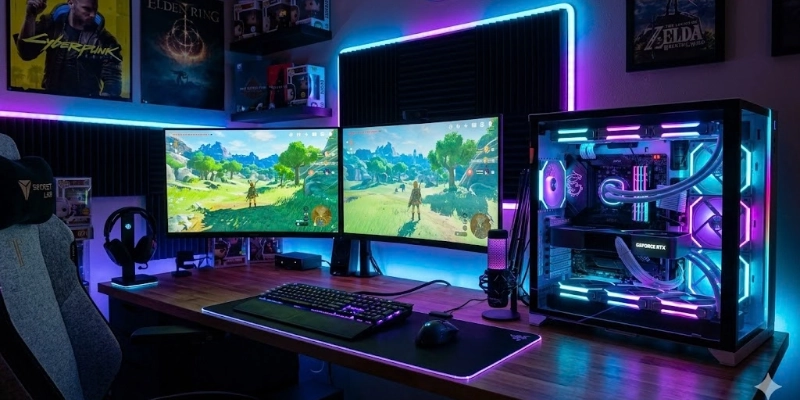
Here are some types given below.
- Prebuilt Gaming PCs
These are ready-made computers assembled by companies. They come with all the parts installed and are easy to use. Users can start gaming right after buying them.
Example: Popular prebuilt gaming PCs from Dell or HP. - Custom-Built Gaming PCs
Custom-built PCs are made by users who choose each component themselves. This allows more control over performance, design, and upgrades.
Example: Users can pick their own CPU, GPU, RAM, and storage for the best setup. - Gaming Laptops
Gaming laptops are portable computers designed for gaming. They are smaller than desktops but still offer good performance.
Example: Gaming laptops from ASUS or MSI.
Each type of gaming PC serves different needs: prebuilt for convenience, custom-built for flexibility, and laptops for portability.
Benefits and Disadvantages
It offers many advantages for players, like better graphics and smooth gameplay. However, it also has some downsides, such as higher cost and bigger size.
| Benefits | Drawbacks |
| Better graphics and visuals. | More expensive than normal PCs. |
| Smooth gameplay, high frame rates. | Uses more electricity. |
| Can upgrade parts easily. | Big size for desktop PCs. |
| Runs most modern games. | May need tech knowledge for upgrades |
| Good for streaming and content creation. | It can be harder to maintain. |
Tips Before Buying a Gaming PC
Before buying a gaming PC, it’s important to plan carefully. These simple tips can help you get the best system for your needs:
- Budget: Know how much you can spend so you can choose a PC that fits your price range.
- Graphics Card: A good GPU improves game visuals and performance.
- RAM and Storage: Make sure the PC has enough memory and fast storage for smooth gaming.
- Cooling System: A good cooling setup keeps the PC from overheating during long gaming sessions.
- Reviews: See what other users say about the PC to avoid problems and make a smart choice.
These tips make it easier to buy a PC that runs games smoothly and lasts longer.
Examples of Popular Games
Many players use it to play modern games that need strong hardware. Some popular games include:
- Fortnite: A battle royale game with fast action and detailed graphics.
- Call of Duty: Warzone is a shooter game with realistic visuals and smooth gameplay.
- Minecraft: A creative building game that can run better on powerful PCs.
- Cyberpunk 2077: A high-graphics role-playing game that needs a strong system.
These games show why a good gaming PC is important for smooth performance and better visuals.
Conclusion
It is a computer made for smooth and fast gaming with strong hardware. It gives better graphics, speed, and performance than regular PCs. For a fun and lag-free gaming experience, a gaming PC is the best choice.
FAQs
Still have questions? Discover the answers and find the perfect gaming PC for you!
It runs video games smoothly with high graphics and fast speed. It handles heavy tasks like streaming or video editing. It keeps gameplay steady without lag or crashes.
Yes, it can do regular tasks like browsing and office work. It works just like a normal computer for everyday use. You also get extra speed and better multitasking.
A strong processor, a good graphics card, and enough RAM. Fast storage like SSD helps games load quickly. A good cooling system keeps it from overheating.
CPU, GPU, and RAM are the most important parts. They control speed, graphics, and smooth gameplay. Upgrading these three improves overall performance a lot.
A mid-range computer with a decent CPU and GPU is enough. 16GB RAM and an SSD make games run smoothly. It should be easy to upgrade later for better performance.
A desktop usually gives higher performance and easy upgrades. Laptops are portable but may be less powerful. Choose based on your need for mobility or strong hardware.
Look for a balance between price and performance. Check CPU, GPU, RAM, and storage before buying. Read reviews to see if it runs popular games well.
At least 16GB is ideal for most modern games. 32GB is good if you stream or run heavy software. More RAM helps multitasking without slowing down games.
No, it can handle video editing, streaming, and other tasks. It works well for any high-performance computing need. Gaming is just one of its main uses.
Yes, but it may struggle with heavy games or high graphics. Older or weak computers can only run simple or older games. Performance will be slower, and graphics may not be smooth.




- Be Respectful
- Stay Relevant
- Stay Positive
- True Feedback
- Encourage Discussion
- Avoid Spamming
- No Fake News
- Don't Copy-Paste
- No Personal Attacks
- Be Respectful
- Stay Relevant
- Stay Positive
- True Feedback
- Encourage Discussion
- Avoid Spamming
- No Fake News
- Don't Copy-Paste
- No Personal Attacks
