What is a Bluetooth Speaker & How Does it Works
Published: 10 Dec 2025
A Bluetooth speaker is a small wireless speaker that plays sound from your phone, laptop, or other devices without using cables. It works using Bluetooth technology, which lets devices connect over a short distance.
Bluetooth speakers are portable, easy to connect, and can be used almost anywhere, making music, videos, or calls more enjoyable.
This guide will explain the Bluetooth speaker basics in a simple and friendly way so you can use them confidently.
What is a Bluetooth Speaker?
A Bluetooth speaker is a portable device that plays wireless audio from another gadget like a phone, tablet, or laptop. Instead of using cables, it receives sound through wireless signals. When you turn it on, the speaker listens for a Bluetooth signal from your device and then plays whatever audio you send.
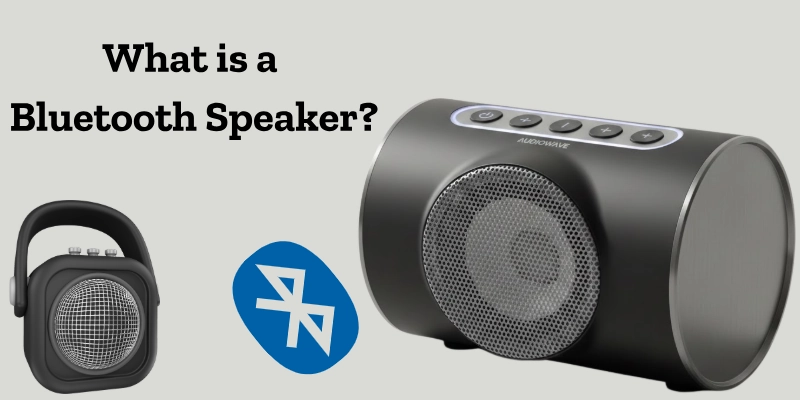
Bluetooth technology is a short-range wireless system that lets two devices connect and share data. It works by sending small packets of audio through radio waves. This means your music or video sound can travel from your phone to the speaker without any physical connection.
Because of this simple wireless system, a wireless speaker is easy to carry, quick to connect, and perfect for everyday use.
Key Parts of a Bluetooth Speaker
A wireless speaker is made up of several important speaker components that work together to produce clear, wireless sound.
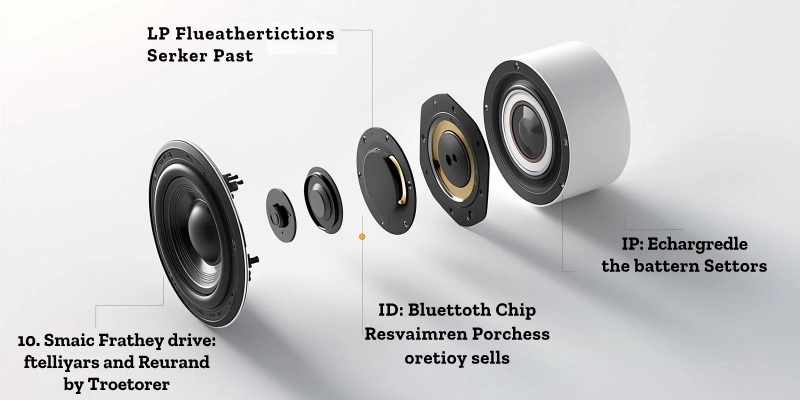
Here are the main parts:
Speaker Driver
The speaker driver is the part that creates the actual sound. It vibrates to produce music, voices, and other audio. Bigger drivers usually give louder and deeper sound, while smaller ones are used in compact speakers.
Bluetooth Chip
The Bluetooth chip is the brain of the wireless connection. It receives the signal from your smartphone or laptop and sends the audio information to the speaker driver. Without this chip, the speaker cannot connect or play wireless sound.
Battery
Most Bluetooth speakers have a built-in rechargeable battery. It stores power so you can use the speaker anywhere, at home, outside, or while traveling, without plugging it in all the time.
Control Buttons
Control buttons let you operate the speaker easily. Common buttons include power on/off, volume up/down, play/pause, and a dedicated Bluetooth pairing button. These buttons make the speaker simple to use for beginners.
How a Bluetooth Speaker Connects to Your Phone?
Connecting a wireless speaker to your phone is very easy. The whole process follows three simple steps: turning on Bluetooth, doing Bluetooth pairing, and then playing music.
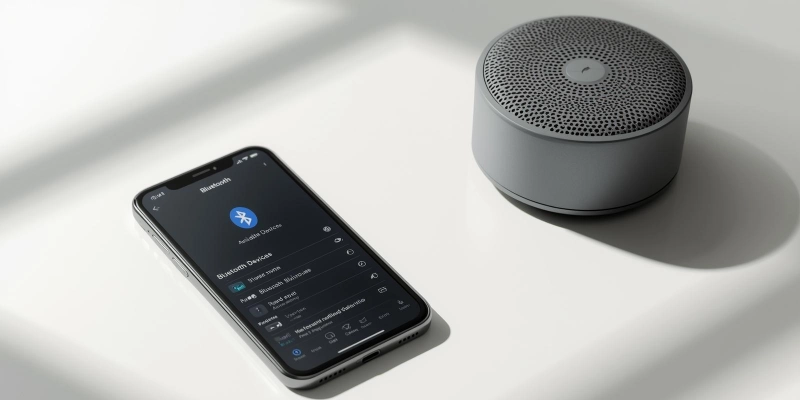
Here is a short wireless connection guide for beginners.
- Turn on the Bluetooth speaker:
Press the power button. Most speakers make a small sound or show a blinking light when they are ready to pair. - Open Bluetooth on your phone:
Go to Settings on your Android or iPhone. Turn on the Bluetooth switch. - Pair the devices:
Your phone will show a list of nearby devices. Tap the name of the speaker, such as “JBL Go,” “Boat Stone,” or “Mi Speaker.” - Wait for the connection:
Once paired, the speaker will make a sound or show a steady light. - Play your audio:
Open any music, video, or podcast app on your phone. The sound will come from the speaker automatically.
Example: Pairing on Android or iPhone
You power on your portable speaker. On your phone, you open Bluetooth settings and turn Bluetooth on. A name like “Sony SRS” or “JBL Clip” appears. You tap it once, and your phone connects in a few seconds. Now you can play songs, watch videos, or listen to calls through the speaker, all wirelessly.
How Do Bluetooth Speakers Work?
Bluetooth speakers let you play music or audio from your phone without wires. They use Bluetooth signals to send sound from your device to the speaker, making listening simple and portable.
Bluetooth Signal Process
Bluetooth speakers play sound by using wireless signals. When you play music on your phone, it sends a Bluetooth signal to the speaker. The speaker’s Bluetooth chip receives this signal and passes it to the speaker driver, which produces the sound you hear.
In simple steps:
Phone → Bluetooth Signal → Speaker Chip → Sound
This process allows music or calls to play without any wires, making it very convenient.
Role of Battery
The battery powers both the Bluetooth chip and the speaker driver. The battery life of Bluetooth speakers depends on their size:
- Bigger batteries last longer and let you play music for hours.
- Smaller batteries are lighter but need frequent charging.
A strong battery lets you use your speaker anywhere, even outdoors, without plugging it in.
Sound Output Process
The audio driver is the part that turns electrical signals into sound waves. When the Bluetooth chip sends the audio signal, the driver vibrates to create the sound output, letting you hear music, voices, or videos clearly.
Types of Bluetooth Speakers
Bluetooth speakers come in different types, each designed for specific uses. Here’s a simple guide for beginners:
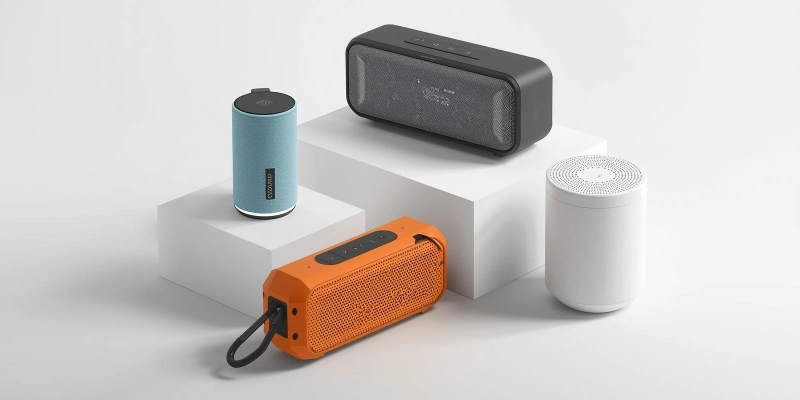
Portable Mini Bluetooth Speakers
Portable speakers are small, lightweight, and easy to carry anywhere. These mini speakers are perfect for travel, picnics, or small rooms. Despite their size, they can deliver clear sound and a quick wireless audio connection.
Example: JBL Go is a popular mini speaker that fits in your bag and can play music on the go.
Home Bluetooth Speakers
Home Bluetooth systems are larger speakers designed for better sound quality at home. They are ideal for living rooms, parties, or home theaters. These home audio speakers often produce richer bass and louder sound than mini versions.
Example: Bose Home Speaker provides powerful sound for your home while staying wireless and easy to control.
Waterproof / Outdoor Bluetooth Speakers
Outdoor speakers are made to handle water, dust, and rough use. These waterproof speakers are great for pools, beaches, hiking, or camping. They combine portability with durability.
Example: JBL Charge is waterproof and can play music outside without worrying about rain or splashes.
Smart Bluetooth Speakers (Alexa, Google)
Smart speakers have built-in voice assistants like Alexa or Google Assistant. These voice assistant speakers can play music, answer questions, control smart devices, and more, all wirelessly.
Example: Echo Dot is a smart speaker that lets you play music and control home devices using your voice.
Benefits and Drawbacks of Bluetooth Speakers
Bluetooth speakers make listening to music easy, portable, and wireless, offering flexibility and convenience. However, they can have shorter battery life, lower sound in some models, and occasional connection issues.
| Benefits | Drawbacks |
| Bluetooth speakers are wireless, so you do not need cables to play music. | Some Bluetooth speakers have a shorter battery life, so they need frequent charging. |
| They are portable and lightweight, making it easy to carry them anywhere. | Portable speakers often have smaller sound output, which may not be loud enough for large spaces. |
| These speakers are easy to connect to phones, tablets, or laptops. | The sound quality of some budget Bluetooth speakers may be lower compared to wired speakers. |
| Many Bluetooth speakers are waterproof or durable, allowing you to use them outdoors or near water. | Bluetooth connection may sometimes lag or disconnect, especially with older devices. |
| They allow flexible placement, so you can place them anywhere without worrying about wires. | Advanced features like voice assistants are only available in smart or premium speakers. |
Tip: To improve the Bluetooth range, keep your phone or device close to the speaker, avoid walls or large objects between them, and make sure both devices use the latest Bluetooth version.
Real-Life Use Cases of Bluetooth Speakers
Bluetooth speakers are helpful in many everyday situations. They let you enjoy music, videos, or calls easily, both at home and on the go.
- At home, Bluetooth speakers can play music, podcasts, or videos in any room, making it easier to watch movies or relax without cables.
- For outdoor activities like picnics, beach trips, or hiking, portable mini speakers are perfect because they are easy to carry and provide good sound anywhere.
- Bluetooth speakers are ideal for parties, as they provide loud, clear music without the need for large audio systems.
- During study or work sessions, small Bluetooth speakers help students or professionals hear lessons, calls, or videos more clearly; for example, a student can use a mini speaker during online classes.
Using Bluetooth speakers in daily life shows how versatile they are as daily life gadgets. They combine convenience, portability, and good sound for almost any situation.
Bluetooth Speaker vs Wired Speaker
Choosing between a Bluetooth speaker and a wired speaker depends on your needs. This table compares them in simple terms for beginners.
| Feature | Bluetooth Speaker | Wired Speaker |
| Connection Type | Connects wirelessly using Bluetooth signals. | Connects with cables to your device. |
| Portability | Highly portable and easy to carry anywhere. | Limited portability due to cables and size. |
| Setup | Easy to set up with simple Bluetooth pairing. | Requires plugging in and managing wires. |
| Sound Quality | Good sound, may be less powerful in small speakers. | Usually stronger and clearer sound quality. |
| Battery / Power | Runs on battery; needs charging. | Works directly from a power source, no charging needed. |
| Best For | Travel, outdoor use, small rooms, casual listening. | Home audio, studio use, and situations needing high-quality sound. |
Tip: This table helps beginners understand the main differences between wired vs wireless speakers and choose the right one based on convenience, portability, and sound needs.
Conclusion
Bluetooth speakers are convenient, portable, and versatile devices that let you enjoy music, videos, and calls without the hassle of wires. They come in different types, sizes, and features to suit various needs, from home use to outdoor adventures. Understanding their components, connection process, and key features helps you choose the right speaker for everyday life.
Portable, powerful, and wireless, find your perfect wireless speaker and start listening anywhere!
FAQs
Still have questions? Explore more tips and guides to get the most out of your Bluetooth speaker!
A wireless speaker lets you play audio from your devices without using wires. It makes listening to music, videos, or calls easy. It is portable and convenient for everyday use.
Yes, Bluetooth speakers work without the internet. They connect directly to devices using Bluetooth signals. Internet is only needed if your audio source requires streaming.
The main use is to play sound wirelessly from phones, tablets, or laptops. It allows you to enjoy music, videos, and calls anywhere. It provides better audio quality than built-in device speakers.
Most Bluetooth speakers work up to 30 feet (10 meters) from the device. Newer models with Bluetooth 5.0 can reach up to 100 feet (30 meters). Walls and obstacles may reduce the range.
Yes, you can connect a Bluetooth speaker to a laptop. Turn on Bluetooth on both devices and pair them. Once connected, the laptop audio plays through the speaker.
Battery life depends on the speaker size and model. Small speakers last about 4–8 hours. Larger or premium speakers can last 12 hours or more.
A wireless speaker converts electrical signals into sound. It amplifies audio for clear listening. It plays music or calls wirelessly from connected devices.
It should have clear sound with strong bass. It should have a long battery life for uninterrupted use. It should be durable and portable for easy use anywhere.



- Be Respectful
- Stay Relevant
- Stay Positive
- True Feedback
- Encourage Discussion
- Avoid Spamming
- No Fake News
- Don't Copy-Paste
- No Personal Attacks
- Be Respectful
- Stay Relevant
- Stay Positive
- True Feedback
- Encourage Discussion
- Avoid Spamming
- No Fake News
- Don't Copy-Paste
- No Personal Attacks
