What is a Dvorak Keyboard and How Does it Boost Typing
Published: 4 Nov 2025
Did you know there’s a keyboard layout made to type faster and easier than QWERTY? It’s called the Dvorak keyboard. The Dvorak typing layout helps you type quickly with less finger movement.
It was designed to make typing more comfortable and reduce hand strain. Many people find it easier to learn and use it once they get used to the new layout.
In this article, you will learn what is Dvorak keyboard, its history, layout, uses, and how it compares with QWERTY.
What is a Dvorak Keyboard?
The Dvorak keyboard is an alternative keyboard layout designed to make typing more comfortable and efficient than the traditional QWERTY layout. It was created to help people type faster with less effort.

The Dvorak keyboard layout arranges letters based on how often we use them in English. The most common letters are placed under your strongest fingers, so you don’t need to move your hands much. This makes typing smoother and less tiring.
Example:
On a Dvorak keyboard, the home row (the middle row where your fingers rest) includes the most used letters like A, O, E, U, I, D, H, T, N, and S. This setup helps your fingers stay on the home row most of the time, making typing faster and easier.
History of the Dvorak Keyboard
The Dvorak keyboard layout was created by Dr. August Dvorak and his brother-in-law, Dr. William Dealey, in the 1930s. They wanted to design a layout that was easier and faster to use than the old QWERTY keyboard.
Why was it made?
They noticed that the QWERTY layout caused too much finger movement and slowed down typing. So, they studied typing patterns and created a new system to reduce strain and increase speed.
When It Became Popular:
The Dvorak keyboard gained attention in the mid-20th century when tests showed that typists could reach higher speeds with it. However, because QWERTY was already widely used, the Dvorak layout never fully replaced it.
Layout of the Dvorak Keyboard
The Dvorak keyboard layout is designed so that most typing happens on the home row. This helps reduce finger movement and makes typing faster and more comfortable.
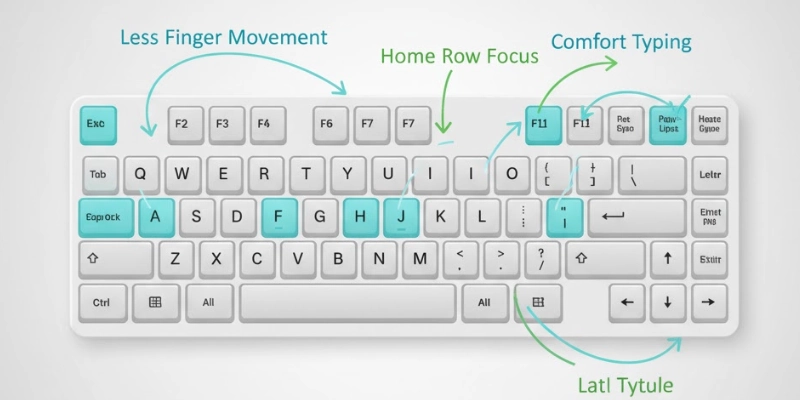
Here’s a simple Dvorak keyboard layout chart comparing it with the QWERTY layout:
| Row | QWERTY Layout | Dvorak Layout |
| Top Row | Q W E R T Y U I O P | ‘,. P Y F G C R L |
| Home Row | A S D F G H J K L ; | A O E U I D H T N S |
| Bottom Row | Z X C V B N M , . / | ; Q J K X B M W V Z |
Design Goal
The Dvorak keyboard design focuses on keeping your fingers on the home row as much as possible. It puts the most-used letters where your fingers naturally rest, which increases typing speed and reduces hand strain.
Types of Dvorak Keyboards
There are a few types of Dvorak keyboards designed for different typing needs. Each version is made to give comfort and better control for specific users.
| Type | Description | Best For |
| Standard Dvorak | Used with both hands for regular typing. | Everyday users and typists. |
| Left-Handed Dvorak | All main letters are typed using the left hand. | One-handed users or people with limited right-hand use. |
| Right-Handed Dvorak | All main letters are typed using the right hand. | Right-handed typists or one-handed users. |
| Programmer Dvorak | Includes special symbols for easy coding. | Software developers and programmers. |
The left-handed Dvorak and right-handed Dvorak layouts help users type smoothly with one hand, while the programmer Dvorak layout makes typing symbols faster during coding.
How the Dvorak Keyboard Works?
The Dvorak keyboard layout is built on a smart typing logic. It places the most common letters under your strongest fingers to make typing easier.
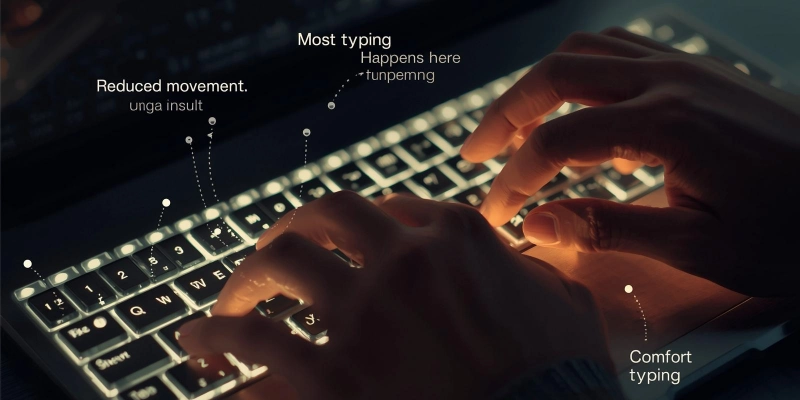
It also switches between the left and right hands while typing, which helps keep a steady rhythm. This design reduces awkward finger stretches and makes typing smoother and faster.
Example of Typing Efficiency:
In a QWERTY layout, many common letters are spread out across the keyboard, causing more finger movement. But in the Dvorak layout, common words like “THE” and “AND” can be typed using only the home-row keys.
This simple design shows how the Dvorak keyboard works efficiently and comfortably for everyday typing.
Dvorak Keyboard vs QWERTY Keyboard
The difference between QWERTY and Dvorak layouts is mainly in comfort, speed, and finger movement. The Dvorak vs QWERTY comparison below shows how they differ in key features.
| Feature | Dvorak Keyboard | QWERTY Keyboard |
| Typing Speed | Faster for trained users | Slower but common |
| Finger Movement | Less | More |
| Learning Time | Takes practice | Familiar to most |
| Ergonomics | Comfortable and efficient | Can cause strain |
| Availability | Less common | Standard everywhere |
| Use Case | For speed and comfort | General use |
The Dvorak keyboard offers better speed and comfort once you get used to it, while QWERTY remains the standard layout used worldwide.
Advantages and Disadvantages of the Dvorak Keyboard
The Dvorak keyboard layout has both good and bad sides. Let’s look at the benefits and drawbacks of the Dvorak layout in a simple comparison table.
| Advantages | Disadvantages |
| Increases typing speed for trained users | Takes time to learn and adapt |
| Reduces finger movement and hand strain | Not widely available on public computers |
| Improves typing comfort and rhythm | May confuse users switching between layouts |
| Helps prevent typing-related fatigue | Some shortcuts differ from QWERTY |
| Ideal for long typing sessions | Limited use in schools and offices |
The advantages and disadvantages of the Dvorak keyboard depend on your typing habits. If you practice and use it daily, you’ll enjoy faster, smoother, and more comfortable typing. But for beginners, switching from QWERTY can feel challenging at first.
Where the Dvorak Keyboard is Used?
The Dvorak keyboard is used by many professional typists, writers, and programmers who want to type faster and with more comfort. It’s also helpful for people who feel hand pain or strain from using the QWERTY layout for long hours.
Many developers prefer the Dvorak keyboard for programmers because it allows smoother typing and quick access to important keys.
The best part is that the uses of the Dvorak keyboard are not limited to any one system; it works on all modern operating systems, including Windows, macOS, and Linux. Anyone can easily switch their computer’s layout settings to try Dvorak anytime.
How to Change Keyboard Layout to Dvorak?
It’s very easy to switch your computer to the Dvorak keyboard layout. You don’t need new hardware, just change your settings. Here’s how to use a Dvorak keyboard on different systems:
- For Windows:
Go to Settings → Time & Language → Keyboard → Add Layout → Dvorak.
Once added, you can switch between QWERTY and Dvorak anytime. - For macOS:
Open System Preferences → Keyboard → Input Sources → Add Dvorak.
You can then select Dvorak from the top menu bar whenever you want. - For Linux:
Go to Settings → Keyboard Layout → Choose Dvorak.
You can also use shortcut keys to switch layouts quickly.
Changing your layout is simple and reversible, so you can try Dvorak without losing your old settings.
Future of the Dvorak Keyboard
The future of the Dvorak keyboard looks bright as more people learn about ergonomic typing and hand comfort. With growing awareness of health and efficiency, more users may switch to this layout in the coming years.

Even though it’s still used by a small group, the Dvorak layout is highly valued among speed and productivity lovers. Modern computers, laptops, and even mobile devices now support the modern Dvorak layout through easy software changes.
As technology advances, the Dvorak layout may become more common for people who want both comfort and speed while typing.
Conclusion
Now you know the Dvorak keyboard’s meaning and why it was created. It’s a special keyboard layout designed to make typing faster, easier, and more comfortable than the old QWERTY system.
In this what is Dvorak keyboard summary, we saw how its design focuses on finger comfort, typing efficiency, and better hand movement. While it takes some time to learn, the results are worth it for anyone who types a lot.
The Dvorak keyboard may not be everywhere yet, but for those who master it, typing becomes smoother and smarter!
FAQs
Check out these frequently asked questions to understand this smart keyboard layout even better.
The Dvorak keyboard is used to make typing faster and more comfortable. It helps reduce finger movement and hand strain. Many people use it for better speed and accuracy.
Yes, many typists, writers, and programmers use the Dvorak keyboard. It’s also popular among people who want to type more efficiently. Though not common, it has a loyal user base worldwide.
Yes, you can easily switch between Dvorak and QWERTY layouts in your computer settings. Both layouts can be used on the same keyboard. You can change them anytime without extra tools.
Yes, the Dvorak layout is designed to be easier on your hands. It reduces unnecessary finger movement. This helps prevent hand pain and typing fatigue.
Go to Settings and open Time & Language, then select Keyboard. Click “Add Layout” and choose Dvorak. You can switch layouts anytime from the taskbar.
The Dvorak keyboard has a different letter order than QWERTY. Its home row includes A, O, E, U, I, D, H, T, N, and S. These letters are placed for comfort and easy access.
The Dvorak layout works by placing common letters under your strongest fingers. It helps you type faster with less hand movement. The design makes typing smooth and efficient.
The name “Dvorak” comes from its creator, Dr. August Dvorak. He designed the layout in the 1930s. His goal was to make typing faster and more comfortable.





- Be Respectful
- Stay Relevant
- Stay Positive
- True Feedback
- Encourage Discussion
- Avoid Spamming
- No Fake News
- Don't Copy-Paste
- No Personal Attacks
- Be Respectful
- Stay Relevant
- Stay Positive
- True Feedback
- Encourage Discussion
- Avoid Spamming
- No Fake News
- Don't Copy-Paste
- No Personal Attacks
