What is a Wireless Microphone? Features, Types & Tips
Published: 5 Jul 2026
Have you ever wondered “what is a wireless microphone?” and why so many people use it today? It has become a popular choice for content creators, live performers, teachers, and broadcasters because it allows people to move freely without being limited by cables. But how does it work, and is it the right option for your needs?
Here, you will learn how this technology works, its main types, key features, benefits, common uses, and simple tips for choosing the right one. By the end, you will have a clear understanding of whether it is the best choice for your setup.
Table of Contents
What is a Wireless Microphone?
A wireless microphone is a device that captures your voice or other sounds and sends the audio to a receiver without using a cable. Instead of a physical wire, it uses radio frequencies or other wireless signals to transmit sound over a short distance.
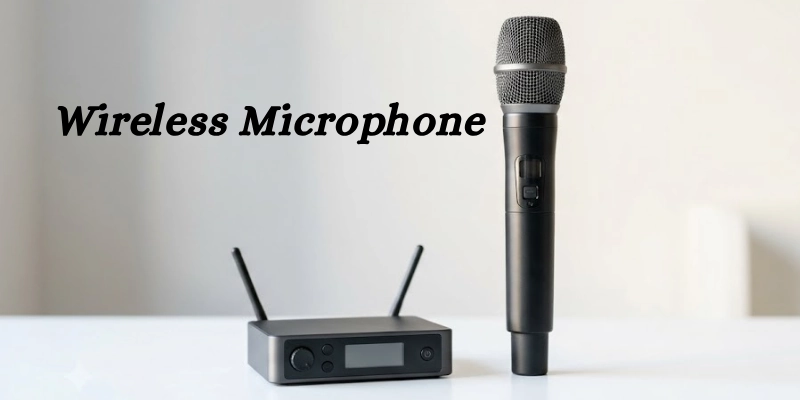
This technology gives users more freedom to move while speaking, singing, or performing. It is commonly used at concerts, classrooms, business meetings, places of worship, TV shows, and video production because it makes communication easier and keeps the setup neat.
Most systems include two main parts: a microphone with a built-in transmitter and a receiver connected to a speaker, camera, or audio system. The transmitter sends the audio signal, and the receiver picks it up so the sound can be heard clearly.
How Does a Wireless Microphone Work?
A wireless system works by changing your voice into an audio signal, sending it through the air, and then converting it back into sound. Here is a simple step-by-step explanation.
- Capturing Sound
The microphone picks up your voice or other sounds. Inside the device, the sound waves are converted into electrical signals that can be processed and transmitted.
- Wireless Signal Transmission
The transmitter sends the audio signal to a receiver without using a cable. Depending on the system, it may use Radio Frequency (RF), UHF, VHF, or digital wireless technology to carry the signal over a short distance.
- Receiver Unit
The receiver collects the wireless signal from the transmitter. It then converts the signal back into an audio signal that other equipment can use.
- Audio Output
After the signal is processed, the sound is sent to a speaker, audio mixer, camera, computer, or recording device. This allows the audience to hear the audio clearly or record it for later use.
- Power Source
Most systems run on batteries because they do not have a power cable connected to the microphone. Some models use replaceable batteries, while others come with built-in rechargeable batteries that can be charged after use.
Types of Wireless Microphones
There are different types available for different needs. Choosing the right one depends on how and where you plan to use it.
- Handheld Wireless Microphones:
This type is easy to hold and use. It is a popular choice for singers, presenters, event hosts, and public speakers because it delivers clear sound and is simple to operate.
- Lavalier (Lapel) Wireless Microphones:
A lavalier, also called a lapel microphone, is a small microphone that clips onto your clothing. It is ideal for interviews, presentations, online videos, and recording because it keeps your hands free while capturing your voice clearly.
- Headset Wireless Microphones:
This type is worn around the head, with the microphone placed close to the mouth. It is commonly used by fitness instructors, theater performers, and stage presenters who need to move freely while speaking.
- Clip-On Wireless Microphones:
Clip-on microphones are lightweight and easy to attach to clothing. They are a good option for meetings, training sessions, online content, and other situations where hands-free operation is important.
- Instrument Wireless Systems:
These systems are made for musical instruments such as guitars, bass guitars, and other electronic instruments. They allow musicians to move around the stage without being connected by an audio cable.
Wireless Transmission Technologies
Different systems use different wireless technologies to send audio from the microphone to the receiver. Each option has its own strengths and is suitable for different situations.
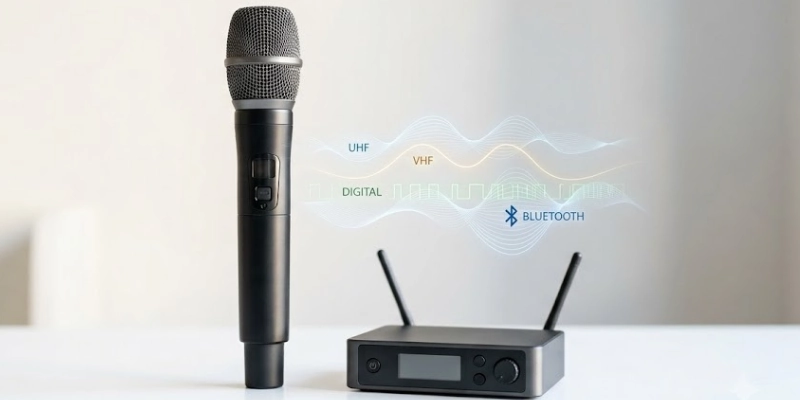
Here are some transmission technologies:
UHF Wireless Microphones
UHF (Ultra High Frequency) systems are widely used for professional events and live performances. They usually offer a longer operating range, stable signal quality, and better performance in busy environments.
VHF Wireless Microphones
VHF (Very High Frequency) systems are a budget-friendly choice for basic use. They work well for small events, classrooms, and home applications where long-range performance is not required.
2.4 GHz Digital Wireless Microphones
These systems use modern digital technology to transmit audio. They are easy to set up, provide clear sound, and are commonly used for video recording, online meetings, content creation, and presentations.
Bluetooth Microphones
Bluetooth microphones connect directly to compatible smartphones, tablets, and other devices over a short distance. They are convenient for casual recording, video calls, and mobile content creation, but they usually have a shorter range than other wireless systems.
Key Features of a Wireless Microphone
Before choosing a model, it is helpful to understand the features that affect its performance. These features can improve sound quality, ease of use, and overall reliability.
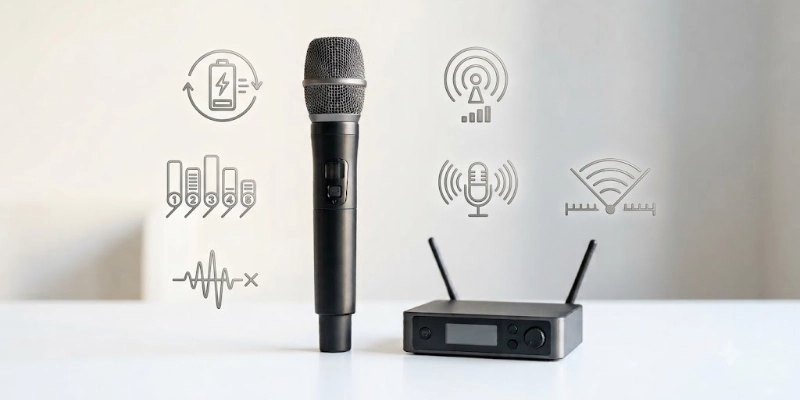
Some features are given below.
- Wireless Freedom
One of the biggest benefits is the freedom to move without being limited by cables. This makes it easier to walk around while speaking, performing, or recording.
- Transmission Range
Transmission range is the maximum distance between the microphone and the receiver while keeping a stable connection. A longer range is useful for large stages, events, and outdoor use.
- Audio Quality
Good audio quality means clear and natural sound with little delay. Many modern systems are designed to reduce distortion and provide smooth voice transmission.
- Battery Life
Battery life determines how long the device can be used before it needs new batteries or recharging. Some models use replaceable batteries, while others include built-in rechargeable batteries.
- Multiple Channel Support
Some systems support multiple channels, allowing several microphones to work at the same time. This helps reduce signal interference and is useful for meetings, performances, and events with multiple speakers.
- Noise Reduction
Many models include built-in noise reduction to reduce unwanted background sounds and signal interference. This helps deliver clearer audio, especially in busy or noisy environments.
Benefits and Limitations
The table below highlights the main advantages and disadvantages to help you decide if this type of microphone is the right choice for your needs.
| Benefits | Limitations |
| Easy movement | Battery required |
| No cable mess | Signal interference |
| Clean setup | Higher cost |
| Professional look | Limited range |
| Fast setup | Needs charging or battery replacement |
| Easy to carry | Performance may vary with obstacles |
| Great for live events | May need frequency adjustment |
| Perfect for presentations | Not ideal for every environment |
Common Uses of Wireless Microphones
These microphones are used in many industries because they provide freedom of movement and a clean setup. Here are some of the most common uses.
- Live Concerts:
Singers and performers use them to move freely on stage without being limited by cables. - Public Speaking:
Speakers, trainers, and event hosts use them to communicate clearly while walking around during presentations. - Podcasting:
Many podcasters use wireless audio systems to record conversations comfortably, especially when recording with multiple people. - YouTube and Content Creation:
Content creators use them to record clear audio for vlogs, tutorials, interviews, and social media videos while moving naturally. - Online Teaching:
Teachers and trainers use them during online classes and virtual lessons to improve audio quality and make teaching more comfortable. - Weddings and Events:
They are commonly used by wedding hosts, officiants, DJs, and event organizers to ensure clear communication throughout the event. - Broadcasting and Television:
TV presenters, reporters, and production teams rely on them to deliver clear and consistent audio during live and recorded programs.
Wireless Microphone vs Wired Microphone
Both options have their own advantages. The right choice depends on where and how you plan to use the microphone.
| Feature | Wireless | Wired |
| Sound Quality | Very good | Excellent |
| Reliability | Good | Excellent |
| Mobility | High | Limited |
| Setup | Easy | Simple but uses cables |
| Cost | Higher | Lower |
| Battery | Required | Not required |
| Best For | Live events, presentations, videos | Studios, podcasts, home recording |
Which One is Better?
A wireless microphone is the better choice if you need freedom to move during presentations, performances, teaching, or video recording. A wired microphone is a better option when you want the most reliable connection, do not need to move around, and prefer a lower-cost setup.
How to Choose the Best Wireless Microphone?
Choosing the right microphone depends on your needs, budget, and the devices you use.
Here are the most important factors to consider before buying.
- Purpose of Use
Start by deciding how you will use it. Some models are better for singing, while others are designed for recording, presentations, streaming, or online meetings.
- Microphone Type
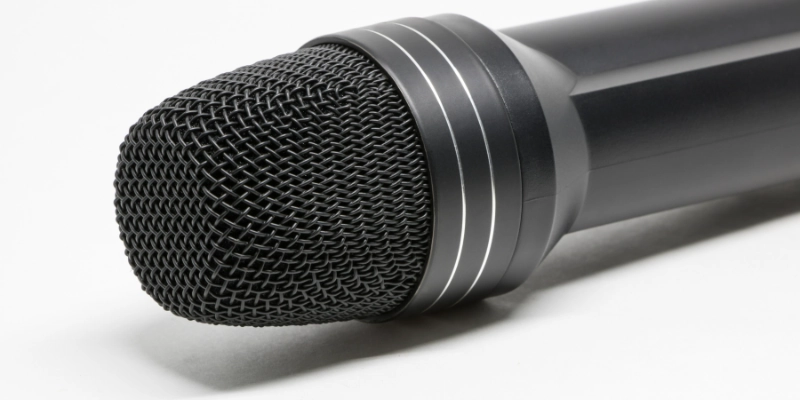
Choose the style that matches your activity. Handheld models are great for speaking and singing, lavalier microphones work well for videos and interviews, and headset models are ideal when you need both hands free.
- Transmission Technology
Look at the wireless technology it uses. UHF systems are suitable for professional events; digital systems offer easy setup and clear audio, while Bluetooth is best for short-range mobile use.
- Battery Performance
Check how the microphone is powered. Some models use replaceable batteries, while others include rechargeable batteries that can be used again after charging.
- Operating Range
Think about the distance you need between the microphone and the receiver. A longer range is helpful for large halls, outdoor events, and stages, while a shorter range is usually enough for small rooms.
- Compatibility
Make sure the system works with your equipment, such as cameras, audio mixers, smartphones, computers, or speakers. This helps avoid connection problems later.
- Budget and Brand
Set a budget before you buy and compare trusted brands. A good-quality model may cost more, but it often provides better sound, longer life, and more reliable performance.
Popular Wireless Microphone Brands
Many trusted brands offer reliable products for beginners, content creators, professionals, and live performers. Here are some of the most popular names in the market.
| Brand | Best Known For |
| Shure | Professional live performances and public speaking |
| Sennheiser | High-quality audio and reliable wireless systems |
| Rode | Content creation, podcasting, and video recording |
| Sony | Broadcasting, filmmaking, and professional production |
| Audio-Technica | Clear sound for recording and live events |
| DJI | Compact systems for vloggers and mobile creators |
| Hollyland | Affordable wireless solutions for video production |
| BOYA | Budget-friendly microphones for beginners and creators |
These brands offer products at different price points, so you can choose one that fits your needs and budget. Before buying, compare features, compatibility, battery life, and operating range to find the best option for your setup.
Tips for Maintaining a Wireless Microphone
Proper care helps your equipment last longer and perform reliably. Follow these simple maintenance tips.
- Always check the battery level before use. Replace disposable batteries or recharge built-in batteries to avoid unexpected power loss.
- Keep the microphone, receiver, and accessories in a protective case when not in use. Store them in a clean, dry place away from heat and moisture.
- Wipe the microphone with a soft, dry cloth after use. Clean the grille and other removable parts as recommended by the manufacturer.
- Some modern systems receive firmware updates that improve performance and fix issues. Install updates when they are available.
- Keep the receiver away from devices that may cause signal interference. If needed, switch to a different channel or frequency for a more stable connection.
Common Wireless Microphone Problems and Solutions
Even the best systems can face occasional problems. The good news is that most issues are easy to fix with a few simple steps.
| Problem | Solution |
| Signal dropouts | Move closer to the receiver and remove obstacles between the devices. |
| Static noise | Change the channel or frequency and keep away from other wireless devices. |
| Battery issues | Replace or recharge the batteries before use. |
| Pairing problems | Turn both devices off and on again, then pair them following the user manual. |
| Audio distortion | Lower the input gain, speak at a normal distance, and check the audio settings. |
Future Trends in Wireless Microphones
Wireless audio technology continues to improve, making microphones easier to use and more reliable.
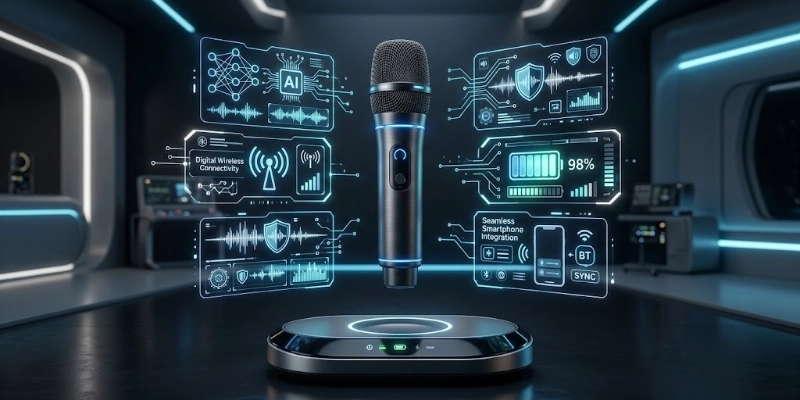
Here are some trends that are expected to shape future models.
- AI-Powered Audio Processing
Artificial intelligence is helping improve voice clarity by reducing background noise and automatically adjusting audio levels.
- Improved Digital Wireless Technology
New digital systems are providing more stable connections, lower audio delay, and better sound quality in different environments.
- Longer Battery Life
Manufacturers are developing batteries that last longer on a single charge, allowing users to record or perform for extended periods.
- Better Smartphone Integration
Future models are expected to offer faster and easier connections with smartphones and tablets, making mobile recording more convenient.
- Enhanced Noise Cancellation
Advanced noise cancellation technology will continue to improve, helping deliver clearer audio by reducing unwanted background sounds, even in busy locations.
Conclusion
A wireless microphone offers clear audio, greater freedom, and a cleaner setup, making it a smart choice for many situations. Whether you need it for content creation, live events, teaching, or presentations, the right model can improve your overall experience.
Choose one that matches your needs, budget, and equipment to enjoy reliable performance and high-quality sound.
FAQs
Have a question in mind? Browse the FAQs below for helpful answers and practical tips.
What is a wireless microphone used for?
It is used to capture clear audio without a cable. People use it for live events, videos, presentations, online classes, and interviews. It allows users to move around more freely.
How does a wireless microphone work?
It captures your voice and changes it into an audio signal. The signal is sent to a receiver through wireless technology. The receiver then sends the sound to a speaker or recording device.
Are wireless microphones better than wired microphones?
Both have their own advantages. A wireless model is better for moving around, while a wired model offers a direct and stable connection. The best choice depends on your needs.
Do wireless microphones need Wi-Fi?
No, most models do not use Wi-Fi. They usually work with radio frequencies or digital wireless technology. Some Bluetooth models connect directly to compatible devices.
How far can a wireless microphone transmit?
The operating range depends on the model and the environment. Basic systems work over shorter distances, while professional systems can cover much larger areas. Obstacles may reduce the signal range.
Can I connect a wireless microphone to my smartphone?
Yes, many models support smartphones. Some connect through Bluetooth, while others require a receiver or adapter. Always check compatibility before buying.
How long do wireless microphone batteries last?
Battery life varies between models. Many systems work for several hours on a full charge or a new set of batteries. Recharge or replace the batteries before important events.
Can I use more than one wireless microphone at the same time?
Yes, many systems support multiple microphones together. Each one uses a different channel or frequency. This helps prevent signal interference.
Can I use a wireless microphone outdoors?
Yes, it can be used both indoors and outdoors. For the best results, keep the receiver within the recommended range. Avoid large obstacles that may weaken the signal.
How do I choose the right wireless microphone?
Start by thinking about how you will use it. Consider the microphone type, operating range, battery life, and device compatibility. Choose a model that fits your budget and requirements.



- Be Respectful
- Stay Relevant
- Stay Positive
- True Feedback
- Encourage Discussion
- Avoid Spamming
- No Fake News
- Don't Copy-Paste
- No Personal Attacks
- Be Respectful
- Stay Relevant
- Stay Positive
- True Feedback
- Encourage Discussion
- Avoid Spamming
- No Fake News
- Don't Copy-Paste
- No Personal Attacks
