What Is an SD Card: Types, Uses, and How It Works
Published: 29 Oct 2026
What is an SD card? It is a small removable storage device that saves digital files like photos, videos, documents, and music. Many cameras, smartphones, tablets, drones, and other electronic devices use it to store or transfer data.
Although they look simple, they come in different sizes, storage capacities, and speed ratings. Choosing the right one depends on your device and how you plan to use it, whether for everyday photos or high-quality video recording.
Table of Contents
What Is an SD Card?
An SD card stands for Secure Digital card. It is a small flash storage device designed to save digital information and move files between compatible gadgets. Unlike a traditional hard drive, it has no moving parts, making it lightweight and easy to carry.
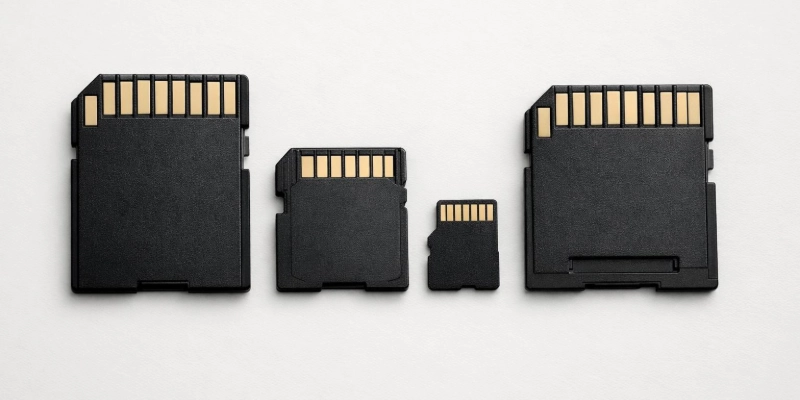
They are widely used because they offer a simple way to add storage without replacing a device’s built-in memory. Many people use them to keep important files, create backups, or expand storage on supported devices.
What Does an SD Card Do?
They helps devices store and manage digital data. Instead of keeping everything in internal storage, compatible devices can save files directly to the card.
Its main functions include:
- Storing photos, videos, music, and documents.
- Expanding storage on supported devices.
- Moving files between compatible devices.
- Keeping backups of important data.
How Does an SD Card Work?
They use flash memory, which stores information electronically without needing constant power. This allows your files to remain saved even after the device is turned off.
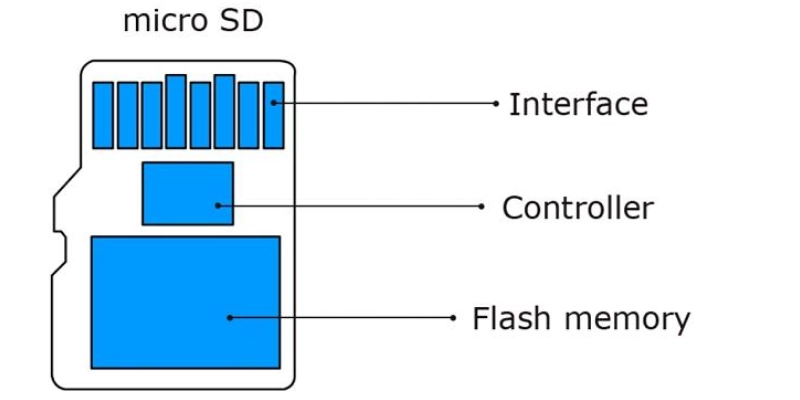
They come in different physical sizes, and each size is designed for different kinds of devices. The physical size is different from storage capacity, which is a separate classification.
The most common formats range from the larger standard SD card to the much smaller microSD card used in many portable devices.
Standard SD Card
It is the largest version in the SD family. It is commonly used in digital cameras, camcorders, and some laptops that include a built-in SD card slot.
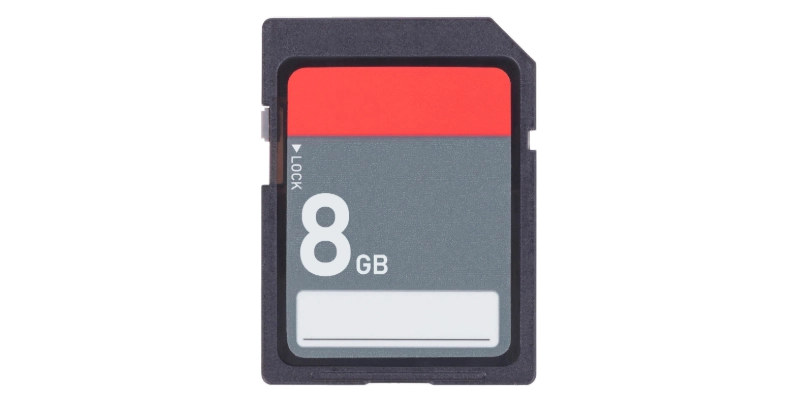
Because of its larger size, it is easier to handle and insert into compatible devices.
MiniSD Card
It is a smaller version that became popular in older mobile phones. Today, it is rarely used because newer devices have mostly switched to microSD cards.
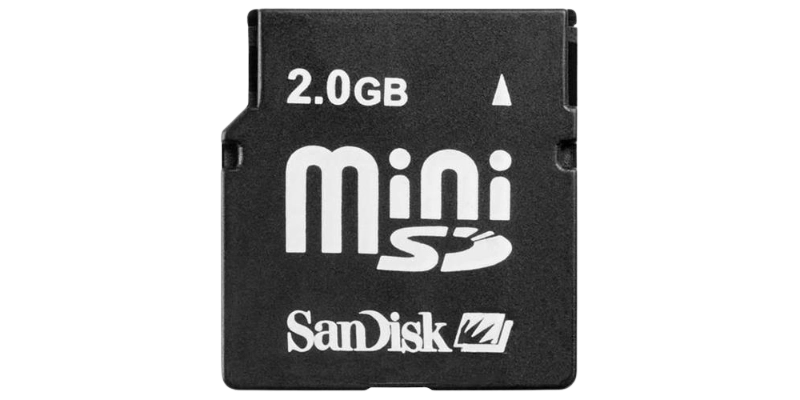
You may still find them in older electronics, but they are uncommon in modern products.
MicroSD Card
It is the smallest and most widely used format today. It is commonly found in compatible smartphones, tablets, action cameras, drones, security cameras, and gaming devices.
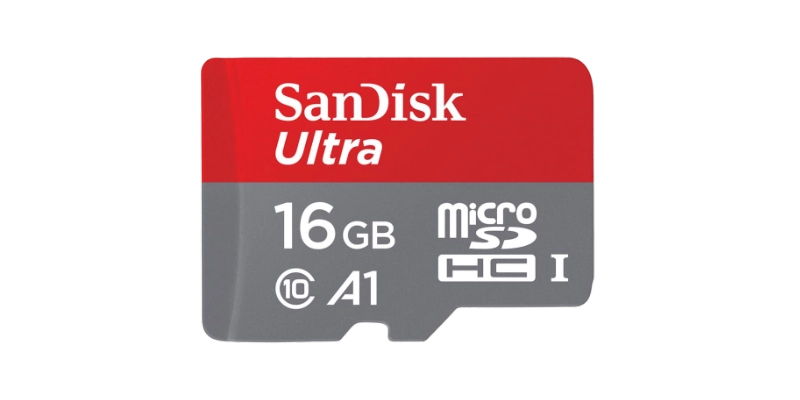
Many microSD cards include an SD card adapter, allowing them to work in standard SD card slots.
What Are the SD Card Capacity Types?
Storage capacity standards define how much data a card can officially support. These standards are set by the SD Association, and each one has its own supported capacity range.
Knowing these categories helps you choose a card that works with your device.
SD Card
The original SD standard supports storage capacities of up to 2GB. These cards were common in older digital cameras and early portable devices.
Today, they are rarely used because modern devices usually require larger storage.
SDHC Card
SDHC stands for Secure Digital High Capacity. These cards support capacities above 2GB up to 32GB, making them suitable for everyday photography, music, and documents.
Many older cameras and other devices support SDHC cards.
SDXC Card
SDXC stands for Secure Digital Extended Capacity. These cards support capacities above 32GB up to 2TB under the official standard.
They are popular for recording Full HD and 4K videos because they provide much more storage.
SDUC Card
SDUC stands for Secure Digital Ultra Capacity. This newer standard supports capacities above 2TB up to 128TB according to the SD Association specification.
While the standard allows extremely large capacities, support depends on whether a device is designed to work with SDUC cards.
Capacity Comparison Table
They come in different capacity types, and each type supports a specific storage range. Understanding these differences can help you choose the right card for your device and storage needs. The following table compares the main card capacity types and their common uses.
| Capacity Type | Storage Range | Common Uses |
| SD | Up to 2GB | Older devices |
| SDHC | Above 2GB to 32GB | Photos and everyday files |
| SDXC | Above 32GB to 2TB | Large videos and media |
| SDUC | Above 2TB to 128TB | Future high-capacity storage |
What Are the Speed Classes of SD Cards?
Speed ratings show how quickly an SD card can save data. This matters when taking continuous photos or recording high-resolution video because slow cards may struggle to keep up.
The SD Association separates speed classes from bus-interface speeds, so these ratings focus on minimum sustained write performance rather than interface technology.
Speed Class
The original Speed Class system uses numbers to indicate minimum sequential write speeds. Higher numbers generally provide better performance for recording media.
| Speed Class | Minimum Write Speed |
| Class 2 | 2 MB/s |
| Class 4 | 4 MB/s |
| Class 6 | 6 MB/s |
| Class 10 | 10 MB/s |
Class 10 remains one of the most common ratings for general photography and video recording.
UHS Speed Class
UHS stands for Ultra High Speed, and these ratings indicate minimum sustained write performance for compatible devices.
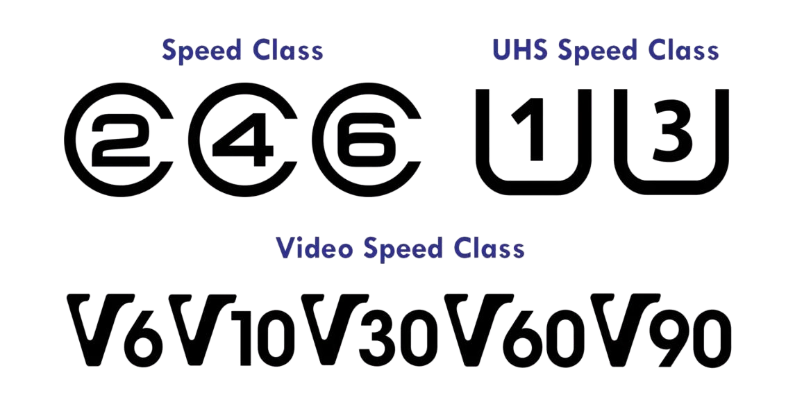
The two main ratings are:
- U1: At least 10 MB/s
- U3: At least 30 MB/s
U3 cards are often recommended for 4K video recording on supported devices.
Video Speed Class
The Video Speed Class system was designed for modern video recording. These ratings help users choose cards that can handle higher video resolutions and frame rates.
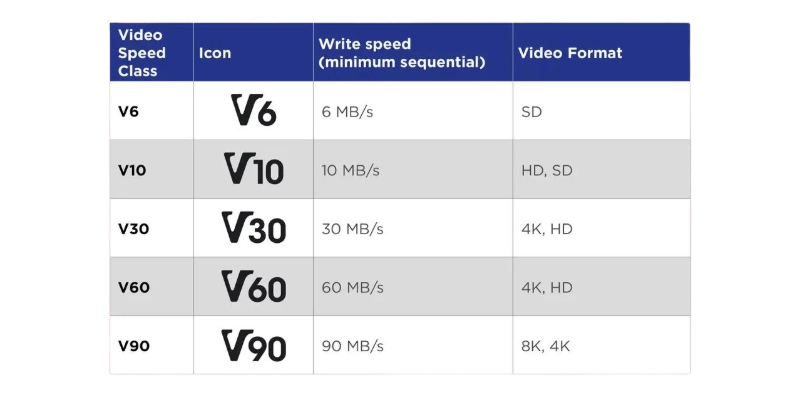
Common ratings include:
| Video Speed Class | Minimum Write Speed |
| V6 | 6 MB/s |
| V10 | 10 MB/s |
| V30 | 30 MB/s |
| V60 | 60 MB/s |
| V90 | 90 MB/s |
Higher ratings are useful for professional cameras recording demanding video formats.
Read Speed vs. Write Speed
Read speed measures how quickly a device can open or copy files from the card. Write speed measures how fast new data can be saved onto it.
Manufacturers often advertise maximum read speeds because they are higher than write speeds. In real-world use, actual performance depends on both the card and the device being used.
What Are SD Cards Used For?
They are useful because they work with many different types of electronics. Their small size and portability make them an easy way to carry important files from one compatible device to another.
Different devices use them for different purposes, from photography to gaming and security recording.
Digital Cameras
Digital cameras rely on them to store captured photos and videos. Many photographers also save RAW images, which require more storage than standard JPEG files.
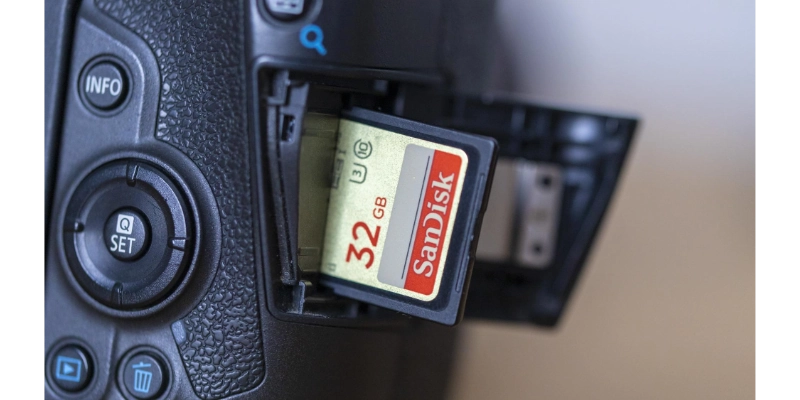
Choosing the right speed rating becomes especially important when shooting bursts of photos or recording high-quality video.
Smartphones and Tablets
Many compatible smartphones and tablets allow users to expand storage with a microSD card. This makes it easier to keep more photos, videos, music, and downloaded files.
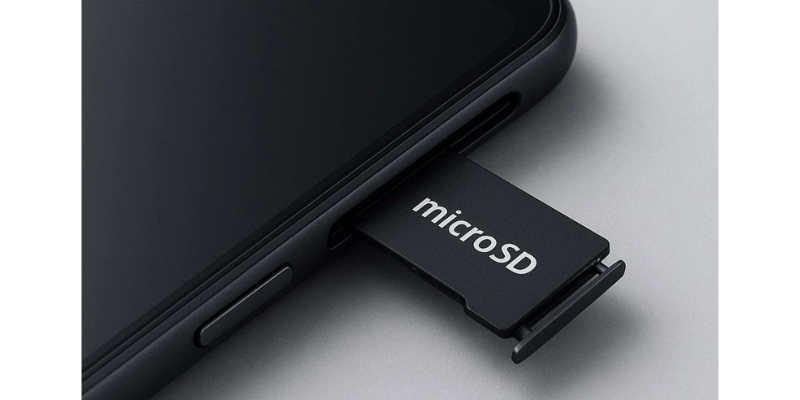
Not every phone supports expandable storage, so checking compatibility is important before buying a card.
Computers and Laptops
Computers and laptops often use them for quick file transfers. Some models include built-in SD card readers, while others require an external card reader.
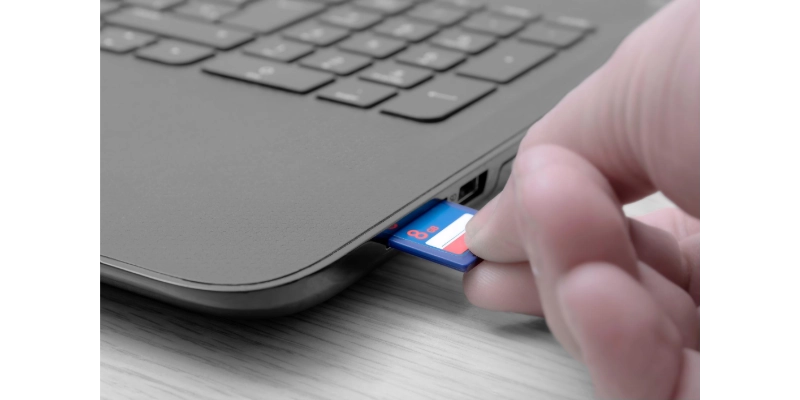
People commonly use them to move photos from cameras to computers.
Gaming Devices
Some handheld gaming devices use memory cards to expand storage for games and saved data. This gives players more space without deleting existing content.
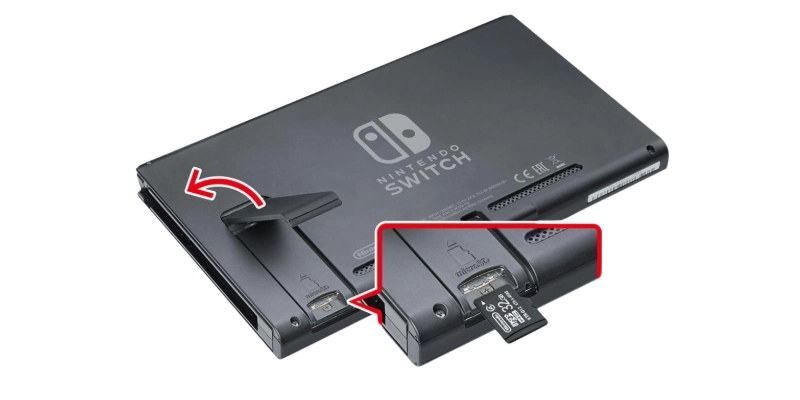
Using a compatible card helps games load and save properly.
Security Cameras and Drones
Security cameras often record footage directly onto a microSD card, allowing continuous recording without a separate storage device. Drones also use fast microSD cards to capture aerial photos and high-resolution videos.
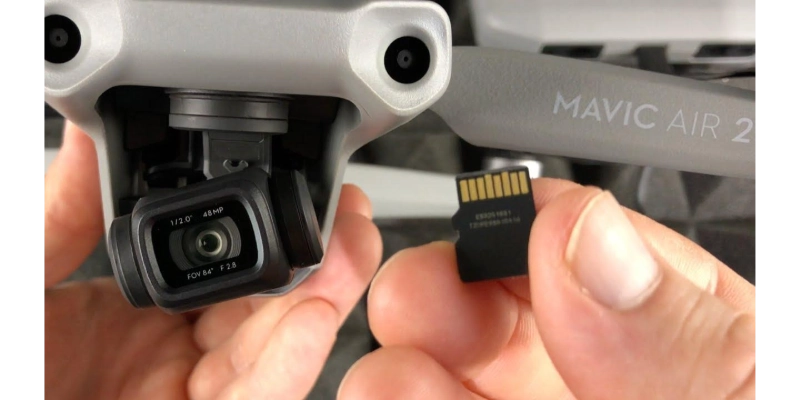
For these devices, speed and reliability are especially important because they write data continuously.
What Is the Difference Between an SD Card and a MicroSD Card?
An SD card and a microSD card use the same underlying storage technology, but they differ mainly in physical size. A microSD card is simply a smaller form factor within the SD family.
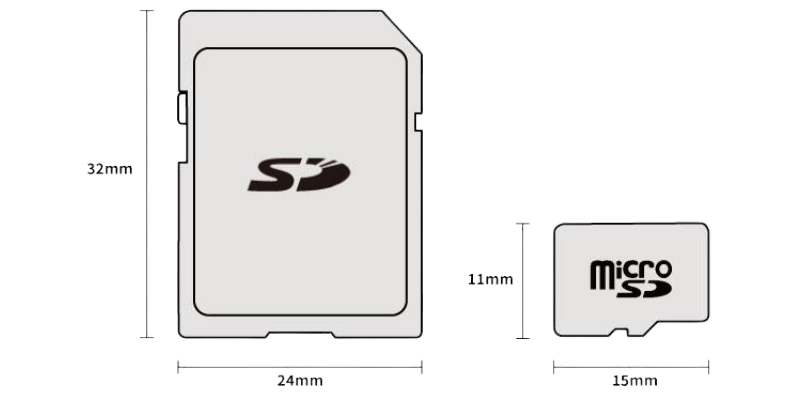
Many microSD cards include an adapter, allowing them to fit into standard SD card slots.
| Feature | SD Card | MicroSD Card |
| Size | Larger | Smaller |
| Common Use | Cameras and laptops | Phones, drones, action cameras |
| Adapter | Not needed | Often included |
| Technology | Flash memory | Flash memory |
How to Choose the Right SD Card
Choosing the right card is easier when you match it with your device’s requirements. A larger capacity or faster rating is not always necessary if the device cannot use those features.
Looking at compatibility, storage needs, speed, and reliability can help you make a better choice.
Check Compatibility
Always check your device’s manual before buying a card. Different devices may support different physical sizes, capacity standards, and interfaces.
Using an unsupported card may prevent the device from recognizing it.
Choose the Right Capacity
Storage needs vary depending on how you use your device. Someone taking everyday photos needs less space than someone recording long videos.
A simple guide is:
- 16GB to 32GB: Everyday photos and documents.
- 64GB to 256GB: Full HD and 4K video.
- 512GB and above: Large media collections and professional use.
Check the Speed Rating
Choose a speed rating that meets your device’s minimum requirements. Buying a faster card can help in some situations, but the device itself must support those speeds.
For video recording, matching the recommended speed class is especially important.
Consider Reliability
Buying from a trusted seller helps reduce the risk of counterfeit products. Genuine cards are more likely to provide consistent performance and long-term reliability.
It is also a good habit to keep backups of important files because no storage device is guaranteed to last forever.
What Are the Advantages and Disadvantages of SD Cards?
They are popular because they combine portability with convenient storage. However, like any storage device, they also have some limitations that users should know before relying on them for important data.
Advantages
They make storing and transferring files much easier because they are lightweight and compatible with many devices. They are also available in different storage capacities and performance levels.
Some of their biggest benefits include:
- Small and portable.
- Convenient for transferring files.
- Available in different capacities and performance levels.
- Reusable when properly maintained.
Disadvantages
Despite their convenience, they can become damaged or corrupted over time. Their performance also depends on both the card and the device being used.
Some common drawbacks are:
- Easy to lose or physically damage.
- Can fail or become corrupted.
- Performance varies by card and device.
- Not every card works with every device.
How to Use an SD Card
Using it is straightforward, but following the correct steps helps protect your files. Proper handling also reduces the chance of damaging the card or losing important data.
Insert the Card
Locate the correct card slot on your device before inserting the card. Make sure the card is facing the correct direction and gently push it into place until it fits securely.
Forcing the card into the slot can damage both the card and the device.
Transfer Files
After inserting the card into a compatible device or card reader, you can copy files between the card and your computer. Most operating systems recognize them automatically, making file transfers similar to using a USB drive.
Safely removing the card after transferring files helps prevent data corruption.
Format the Card
Formatting prepares the card for use with a compatible device. It usually erases all existing files, so creating a backup first is important.
Many cameras and other devices include a built-in formatting option that is often recommended for the best compatibility.
Conclusion
It is a simple but important storage device that helps people save, move, and protect digital files across many compatible devices. Whether you use a camera, smartphone, drone, gaming device, or computer, choosing the right card depends on its physical size, storage capacity, speed rating, and device compatibility.
Understanding these differences makes it easier to select the best option for your needs and get reliable performance from your SD card for years to come.
FAQs
Still have questions? Check out the FAQs below to learn more about their types, storage capacity, speed, uses, and compatibility.
SD stands for Secure Digital, a type of memory card used to store digital information. It saves files such as photos, videos, music, and documents in flash memory. It is commonly used in digital cameras, laptops, and other compatible electronic devices.
It is used to store, transfer, and access digital files across compatible devices. It can hold photos, videos, music, documents, and other types of data. Many people use them to expand device storage, transfer camera photos to a computer, or save video recordings from drones and security cameras.
It is a type of memory card, but the term memory card covers several different storage formats. Other examples include microSD cards and older formats such as CompactFlash cards. Although these cards serve similar purposes, their physical sizes, storage capacities, and device compatibility can vary.
SD, SDHC, and SDXC are memory card standards that mainly differ in their supported storage capacities. The original SD standard supports up to 2GB, while SDHC cards support capacities above 2GB up to 32GB. SDXC cards support capacities above 32GB up to 2TB, making them suitable for storing larger photo and video collections.
Yes, it can increase the available storage of a device that supports expandable memory. You can use it to save additional photos, videos, music, and other files without filling the device’s internal storage. However, not every smartphone, tablet, or laptop supports them, so check your device’s specifications before purchasing one.
Yes, you can use a microSD card in a standard SD card slot with a compatible SD card adapter. The adapter makes the smaller microSD card fit into the larger slot without changing how the stored data works. Before using it, make sure your device supports the card’s capacity standard and speed requirements.
The amount of data an SD card can hold depends on its storage capacity and card standard. Original SD cards support up to 2GB, SDHC cards support up to 32GB, and SDXC cards support capacities up to 2TB. The SDUC standard supports capacities above 2TB up to 128TB, although actual availability and device compatibility depend on the product and equipment.
They do not have a fixed expiration date, but they can wear out after extended use. Their flash memory has a limited number of write and erase cycles, and frequent recording can gradually reduce their lifespan. To help protect your files, use a reliable card, avoid removing it while data is being written, and replace it if you notice repeated errors or performance problems.
Yes, it can lose data because of physical damage, file corruption, accidental deletion, or memory failure. Removing the card while files are being saved or interrupting a transfer can also damage stored data. To reduce the risk of losing important photos and documents, back up your files regularly and safely eject the card before removing it from a computer.
The easiest way to find a compatible it is to check your device’s user manual or official specifications. Look for the supported physical size, storage capacity standard, and required speed rating before buying a card. You should also check whether your device supports SD, SDHC, SDXC, or SDUC, because physical fit alone does not guarantee compatibility.


- Be Respectful
- Stay Relevant
- Stay Positive
- True Feedback
- Encourage Discussion
- Avoid Spamming
- No Fake News
- Don't Copy-Paste
- No Personal Attacks
- Be Respectful
- Stay Relevant
- Stay Positive
- True Feedback
- Encourage Discussion
- Avoid Spamming
- No Fake News
- Don't Copy-Paste
- No Personal Attacks
