What is a Modem – Easy Guide for Fast Home Internet
Published: 5 Apr 2026
A modem is a device that connects your computer or Wi-Fi router to the internet. If you are wondering “what is a modem”, it is simply a tool that sends and receives data between your home network and your internet provider.
They are very important for internet connectivity because, without them, you cannot access websites, watch videos, or use online apps. They act as a bridge between your devices and the internet, making sure data moves smoothly and quickly.
What Does “Modem” Stand For?
“Modem” stands for Modulator-Demodulator. It is a combination of two terms: modulator and demodulator.
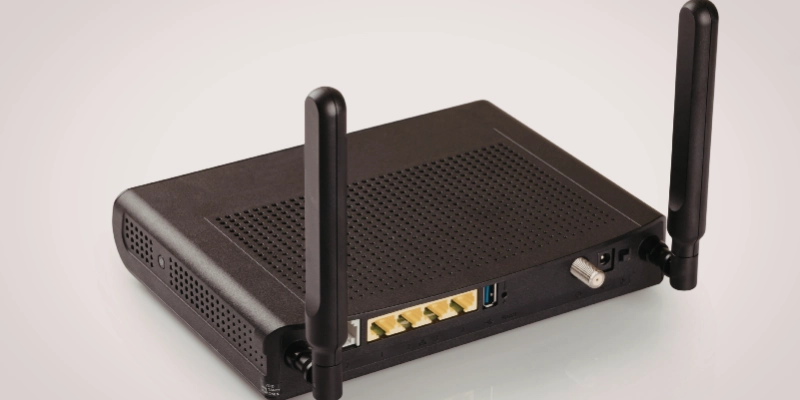
A modulator converts digital data from your device into signals that can travel through cables or phone lines. A demodulator then changes those signals back into digital data that your computer or router can understand.
The name perfectly reflects its main purpose, converting data so devices can communicate and connect to the internet easily.
How a Modem Works?
It works as a bridge between your device and the internet. It helps in sending and receiving data by converting signals into the right form.
Digital vs. Analog Signals (Basics)
Your computer uses digital signals (0s and 1s), but internet data often travels through cables as analog signals (waves). These two types are different, so they need to be converted.
Modulation (Digital to Analog)
It takes digital data from your device and converts it into analog signals. This process is called modulation, which allows the data to travel through cables or phone lines.
Demodulation (Analog to Digital)
When data comes back from the internet, it is in analog form. It changes it back into digital data using demodulation, so your device can understand it.
Communication with ISP
It connects to your Internet Service Provider (ISP). It sends your requests (like opening a website) to the ISP and receives data in return, making internet communication smooth and possible.
Key Functions of a Modem
It plays an important role in making internet communication simple and possible for users. It helps connect your devices to the online world.
Enable Internet Access
It allows your computer or router to connect to the internet, making it possible to browse websites, stream videos, and use online apps.
Facilitate Data Communication
It sends and receives data between your device and the internet, ensuring smooth and fast communication.
Connect Networks to Broader Infrastructures
It links your home or office network to your Internet Service Provider (ISP), connecting you to the global Internet.
Role in Home vs Business Networking
In homes, they are used for basic tasks like browsing and streaming. In businesses, they support larger networks, handle more data, and ensure stable and secure connections.
Types of Modems
There are different types of modems, and each one works with a specific technology to provide internet access.
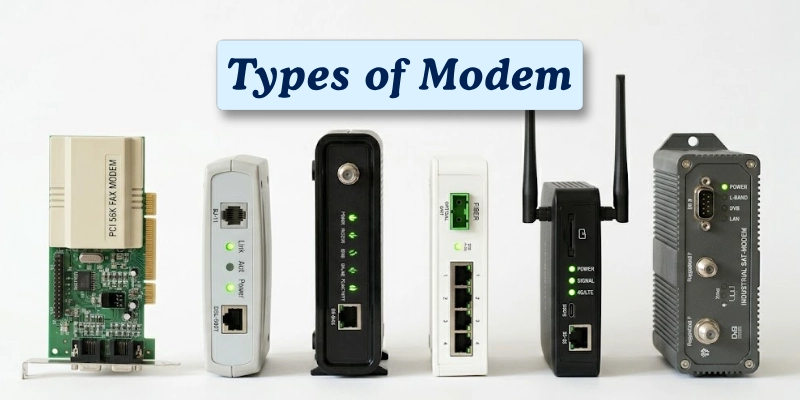
Below are the main types explained in simple terms.
Dial-Up Modems
Dial-up modems are one of the earliest types of modems. They use telephone lines to connect to the internet.
These modems are very slow and cannot be used while making phone calls. Today, they are mostly outdated and replaced by faster technologies.
DSL Modems
DSL (Digital Subscriber Line) modems also use telephone lines but offer much faster speeds than dial-up.
They allow users to use the internet and make phone calls at the same time, making them more convenient for home use.
Cable Modems
Cable modems use the same infrastructure as cable TV networks to provide internet access.
They offer higher speeds than DSL and are widely used in homes for streaming, gaming, and browsing.
Fiber-Optic Modems
Fiber-optic modems use light signals to transmit data through fiber cables.
They provide very high-speed internet and are considered the fastest and most reliable option available today.
Wireless & Mobile Broadband Modems
These modems use cellular networks like 4G and 5G to provide internet access.
They are portable and can be used anywhere with network coverage, often in the form of USB dongles or mobile hotspots.
Specialty Modems
Specialty modems include devices like satellite modems and other niche types.
They are used in special situations, such as remote areas where regular internet connections are not available, or in specific industries with unique networking needs.
Modem vs Router
A modem and a router have different roles in your network. The modem brings internet to your home, while the router shares it with multiple devices. Here’s a simple comparison:
| Modem | Router |
| It connects your home to the internet. | A router shares the internet with multiple devices. |
| It usually connects to only one device at a time. | It allows many devices to connect at the same time. |
| It converts signals so your devices can understand data. | It manages data traffic between devices on the network. |
| A router is needed to share the internet with multiple devices. | A router is needed to share internet with multiple devices. |
| Examples include DSL, cable, and fiber modems. | Examples include home and office Wi-Fi routers. |
What’s Inside a Modem?
It is more than just a small box; it has several components that make internet access possible. Understanding what’s inside helps you see how it works.
- Hardware Basics
Inside it, there are small electronic components like DSPs (Digital Signal Processors) that convert signals, and interfaces that connect to your computer, router, or cables. These parts handle the data flow between your devices and the internet.
- Firmware and Protocols
They have firmware, which is software built into the device to control its functions. They also use protocols, or rules, to communicate with your Internet Service Provider (ISP) and other network devices.
- Standards (e.g., DOCSIS for Cable)
Different types of modems follow different standards to ensure they work properly. For example, cable modems use DOCSIS, which defines how data is transmitted over cable TV networks efficiently and reliably.
Speed and Performance
The speed and performance of a modem determine how fast you can browse, stream, or download online. Knowing what affects it helps you choose the right modem.
What Determines Modem Speed?
Modem speed depends on the type of technology it uses (DSL, cable, fiber), your ISP plan, and the quality of cables or network lines.
Mbps vs. Older Dial-Up Metrics
Modern modems are measured in Mbps (Megabits per second), which shows how fast data is transmitted. Older dial-up modems were much slower, usually under 0.056 Mbps.
Practical User Expectations
With a good modem, you can expect smooth web browsing, HD streaming, and online gaming. Older modems or low-speed connections may cause buffering, slow downloads, and interruptions.
How to Choose the Right Modem?
Picking the right modem is important for a fast and smooth internet experience. A good choice can save you frustration and improve connectivity at home or work.
Matching to ISP Service
Make sure the modem is compatible with your Internet Service Provider (ISP). Some ISPs require specific models or approved standards for proper connection.
Types of Connections Supported
Check that the modem supports your connection type, such as DSL, cable, fiber, or mobile broadband, so it works with your home setup.
Future-Proofing and Features
Look for modems with extra ports, regular firmware updates, and higher speed capabilities. This helps your modem stay useful as your internet needs grow.
Troubleshooting Common Modem Problems
Even the best modems can face issues sometimes. Knowing how to fix common problems can keep your internet running smoothly.
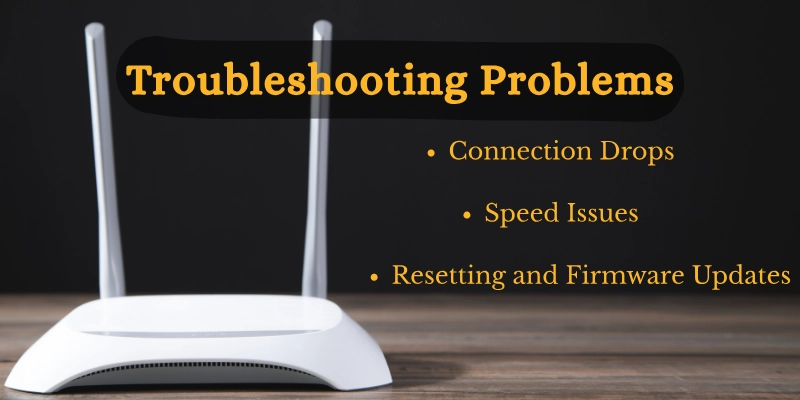
Connection Drops
If your internet keeps disconnecting, check cables, ensure the modem is placed properly, and verify that your ISP is not having outages.
Speed Issues
Slow internet may be caused by an overloaded network, an outdated modem, or poor signal quality. Restarting the modem or upgrading your plan can help.
Resetting and Firmware Updates
Sometimes a simple reset solves many problems. Keeping your modem’s firmware updated ensures it works efficiently and fixes known bugs.
Conclusion
Modems are essential devices that connect your home or office to the internet. We discussed what a modem is, how it works, its types, and key features to consider when choosing one.
They play a crucial role in our digital lives, enabling smooth browsing, streaming, gaming, and communication.
Choosing the right modem and keeping it updated ensures a fast, reliable, and trouble-free internet experience.
FAQs
Got more questions? Check out our FAQs section to find quick answers and helpful tips about modems!
Yes, you can connect a modem directly to a computer or laptop using a cable. Only one device usually works at a time. This setup works for basic internet access.
Most modems do not provide Wi-Fi on their own. You need a separate router or a modem-router combo for wireless connections. Modems alone only provide a wired connection.
Replace your modem if it is old, slow, or stops getting firmware updates. Newer modems support faster internet speeds. This keeps your connection reliable and secure.
No, a modem connects your home to the internet. A router shares the internet with multiple devices. They serve different but connected purposes.
Yes, a router cannot provide internet by itself. You still need a modem unless your device is a combo unit. The modem brings the connection, and the router shares it.
Some devices combine both functions in one unit. They act as a modem and router together. This is convenient for home networks.
A modem converts signals between your home network and the internet. It allows your devices to send and receive data. Without it, you cannot access online services.
A modem usually lasts about 3–5 years. Lifespan depends on usage and updates. Replacing it on time ensures fast and reliable internet.
Yes, a modem sets the maximum internet speed for your devices. A slow or old modem limits Wi-Fi performance. Upgrading can improve your connection quality.





- Be Respectful
- Stay Relevant
- Stay Positive
- True Feedback
- Encourage Discussion
- Avoid Spamming
- No Fake News
- Don't Copy-Paste
- No Personal Attacks
- Be Respectful
- Stay Relevant
- Stay Positive
- True Feedback
- Encourage Discussion
- Avoid Spamming
- No Fake News
- Don't Copy-Paste
- No Personal Attacks
