What is an RGB keyboard? Complete Beginner Guide & Uses
Published: 18 May 2026
Have you ever seen a keyboard glow with bright rainbow colors and wondered why people love it so much? What is an RGB keyboard? It is more than just a colorful keyboard. An RGB keyboard uses special lights that can show many different colors and effects.
Gamers, streamers, and PC users enjoy these keyboards because they make setups look modern, exciting, and personal. RGB keyboards have become very popular as gaming accessories continue to grow. Many people now want gadgets that not only work well but also match their style and mood.
In this guide, you will learn how RGB keyboards work, their main features, different types, benefits, and why they are such a big trend in the gaming world.
What Is an RGB Keyboard?
An RGB keyboard is one of the types of keyboards that uses colorful LED lights under the keys. These lights can show different colors and effects to create a more stylish and personalized look.
Many gamers and PC users enjoy this feature because it makes their setup feel more modern and visually appealing.
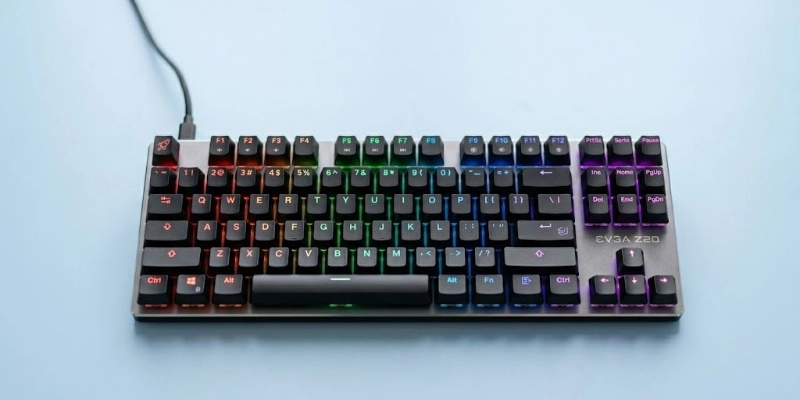
The keyboard combines three colors to produce many unique shades and lighting styles. A small lighting system inside the device controls the color effects, speed, and brightness.
Popular lighting modes include:
- Rainbow patterns
- Wave effects
- Single-color glow
- Lights that react while typing
Some advanced models even allow users to customize each key separately.
Quick Overview
People often choose RGB keyboards because they:
- Add style to a desk setup
- Improve visibility in dark rooms
- Offer customizable lighting effects
- Create a better gaming atmosphere
What Does RGB Mean?
RGB stands for Red, Green, and Blue. These are the three main colors used in digital lighting and display technology. By mixing these colors at different brightness levels, devices can create millions of unique color combinations.
Red, Green, and Blue Colors
The RGB system works by combining three basic light colors:
- Red
- Green
- Blue
When these colors mix together in different ways, they produce many other colors. For example:
- Red + Green = Yellow
- Red + Blue = Purple
- Green + Blue = Cyan
- All three together = White light
This simple color mixing method is widely used in modern electronics and lighting systems.
How RGB Creates Millions of Colors?
RGB lighting can produce a huge number of color options by changing the intensity of each color value. Every color uses a scale that usually ranges from 0 to 255.
For example:
- (255, 0, 0) = Pure Red
- (0, 255, 0) = Pure Green
- (0, 0, 255) = Pure Blue
- (255, 255, 255) = White
By adjusting these values, devices can create millions of custom colors and lighting effects. This allows users to personalize their setup with unique styles and themes.
Common customization options include:
- Rainbow lighting
- Static colors
- Breathing effects
- Reactive key lighting
- Audio-sync effects
RGB Lighting in Gaming Peripherals
RGB lighting is now common in many gaming accessories and PC components. It adds a modern appearance and helps users create matching setups.
Popular devices that use RGB lighting include:
- Keyboards
- Gaming mice
- Headsets
- PC fans and cases
- Gaming controllers
- Mouse pads
Many gaming brands also provide software that lets users control colors, brightness, and lighting patterns across multiple devices at the same time.
How Does an RGB Keyboard Work?
These keyboards use small LED lights and software controls to create colorful lighting effects.
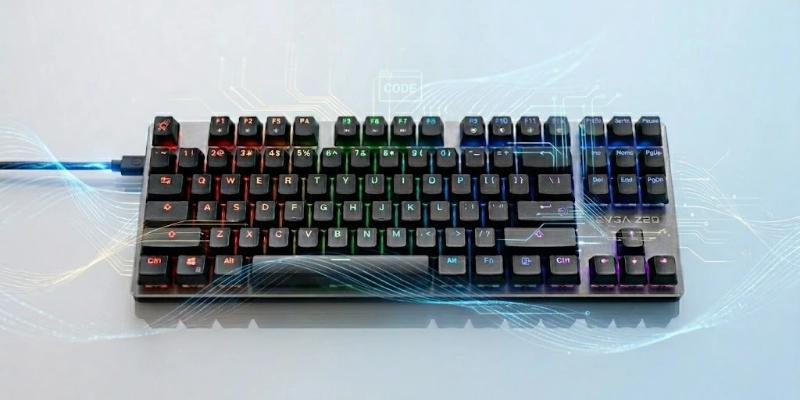
The system works through a combination of hardware and customization tools that manage colors, brightness, and animations.
LED Lighting System
Inside the keyboard, tiny LED lights sit under the keys. These LEDs produce different colors and lighting effects while you type or play games.
Depending on the model, the lighting system may support:
- Single-zone lighting
- Multiple lighting zones
- Per-key illumination
- Adjustable brightness levels
Some advanced keyboards place an individual LED under every key, which allows separate color customization for each button.
Software Customization
Most RGB keyboards include software that lets users control the lighting settings. These apps help users personalize colors, effects, and animations easily.
Using the software, users can:
- Change keyboard colors
- Adjust the lighting speed
- Select animation effects
- Control brightness
- Assign colors to specific keys
Many gaming brands also allow syncing effects with other devices like gaming mice, headsets, and PC fans.
Lighting Profiles
Lighting profiles are saved settings that store specific color themes and effects. Users can switch between profiles depending on their activity or mood.
Common profile types include:
- Gaming mode
- Work setup
- Rainbow effects
- Low-brightness night mode
- Custom personal themes
Some keyboards even save profiles directly in onboard memory, so settings remain active on different computers.
Power & Connectivity
Most RGB keyboards receive power through a USB connection. The USB cable sends both electricity and data between the keyboard and the computer.
Common connection types include:
- Wired USB connection
- Wireless Bluetooth models
- USB-C support on modern keyboards
The LED lighting system uses a small amount of power, which allows the keyboard to run lighting effects continuously while connected to the PC or laptop.
Types of RGB Keyboards
RGB keyboards come in different styles for different users. Some focus on gaming performance, while others are designed for portability, quiet typing, or compact desk setups. Understanding these types helps users choose the right keyboard for their needs.
- Membrane RGB Keyboards
Membrane keyboards use a soft rubber layer under the keys instead of separate mechanical switches. They are popular because they are budget-friendly and quieter during typing.
- Mechanical RGB Keyboards
Mechanical keyboards use individual switches under every key. These switches provide faster response times, better durability, and a more satisfying typing feel.
- Wireless RGB Keyboards
Wireless models connect without a cable using Bluetooth or wireless receivers. They offer a cleaner desk setup and easier portability.
- Compact RGB Keyboards
Compact keyboards reduce size by removing extra keys. They save desk space and make setups look cleaner and more organized.
- Gaming RGB Keyboards
Gaming keyboards are designed for better performance during gameplay. They often include advanced features for speed, control, and customization.
Key Features of an RGB Keyboard
Modern RGB keyboards include many features that improve both appearance and performance. Some features focus on gaming speed, while others help users customize their typing experience.
- Customizable Lighting Effects
One of the biggest attractions is the ability to change lighting styles and animations. Users can personalize the keyboard to match their setup or mood.
- Per-Key RGB Lighting
Some advanced models support individual key customization. This feature allows each key to display a separate color.
- Macro Support
Macro support allows users to program specific keys for shortcuts or repeated actions. A single key press can perform multiple commands automatically.
- Mechanical Switch Options
Mechanical keyboards use different switch types that affect sound, typing feel, and responsiveness. The most common options are Red, Blue, and Brown switches.
- Anti-Ghosting & N-Key Rollover
These features improve keyboard accuracy during fast typing or gaming sessions.
Anti-Ghosting
Anti-ghosting prevents missed key presses when multiple buttons are pressed together.
N-Key Rollover
N-key rollover allows the keyboard to detect many key presses at the same time without errors.
- Dedicated Media Controls
Some keyboards include special buttons or wheels for media functions. These controls help users manage audio and playback without leaving games or applications.
Benefits and Limitations of RGB Keyboards
RGB keyboards are popular because they improve both appearance and user experience, especially for gaming and personalized setups. At the same time, they may not suit every user due to cost and extra features that are not always necessary. Below is a simple comparison.
| Benefits | Limitations |
| Better gaming look | Higher price than normal keyboards |
| Easy key visibility in the dark | Uses more power |
| Custom lighting styles | Software setup can be complex |
| Improved gaming experience | Not important for all users |
| Faster key recognition | Extra features may feel unnecessary |
Who Should Buy an RGB Keyboard?
RGB keyboards are not necessary for everyone, but they are a great choice for users who want a mix of performance, style, and personalization in their setup.
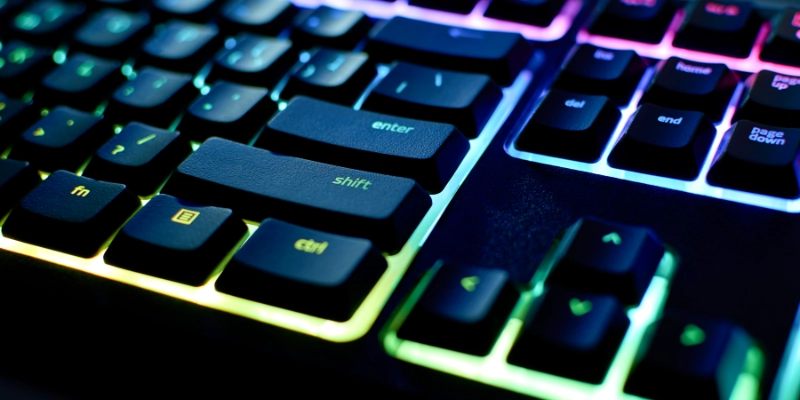
Gamers
Gamers are the main users of RGB keyboards. The lighting effects help create a gaming atmosphere, and customizable keys can improve reaction time and control during gameplay. It also makes gaming setups look more dynamic and immersive.
Content Creators and Streamers
Streamers and content creators often use RGB keyboards to make their setup more visually appealing on camera. The lighting effects can match their brand style, theme, or overall studio design, helping create a more professional look.
Programmers Working at Night
People who code or work late at night benefit from RGB lighting because it improves key visibility in dark environments. Custom lighting setups can also highlight important shortcut keys and improve workflow efficiency.
Users Who Enjoy PC Customization
Some users simply enjoy building and customizing their PC setup. RGB keyboards allow full control over colors, effects, and themes, making the workspace more personal and visually attractive.
RGB Keyboard vs Backlit Keyboard
RGB keyboards and backlit keyboards both use lighting under the keys, but they are designed for different types of users. One focuses on full customization and visual effects, while the other keeps things simple and practical.
| Feature | RGB Keyboard | Backlit Keyboard |
| Lighting | Multi-color (many shades) | Single-color only |
| Customization | High-level control | Limited options |
| Effects | Animations & modes | Basic steady glow |
| Appearance | Modern & flashy | Simple & clean |
| Cost | Usually higher | Usually cheaper |
Which One Is Better?
- RGB Keyboard: Better for gamers, streamers, and users who like customization and visual effects. It enhances setup style and gaming atmosphere.
- Backlit Keyboard: Better for office users, students, and people who prefer a simple design and lower cost. It focuses on basic visibility without extra features.
How to Choose the Best RGB Keyboard?
Choosing the right RGB keyboard depends on how you plan to use it, your comfort needs, and your budget. Different features affect performance, feel, and customization, so it is important to understand each factor before buying.
Keyboard Type
The first choice is between mechanical and membrane keyboards.
Mechanical keyboards offer better speed, durability, and a more responsive feel, making them ideal for gaming and heavy typing. Membrane keyboards are softer, quieter, and more affordable, which makes them suitable for casual users or office work.
Switch Preferences
Mechanical keyboards come with different switch types that change how the keys feel and sound.
- Linear switches feel smooth and fast, often preferred for gaming
- Tactile switches give a small bump for feedback
- Clicky switches are louder and provide strong typing feedback
Your choice depends on whether you prefer speed, comfort, or audible feedback.
Lighting Customization
RGB lighting quality varies from keyboard to keyboard. Some models offer basic effects, while others provide advanced control through software.
Better keyboards allow users to:
- Change colors and effects easily
- Adjust brightness and speed
- Create custom lighting profiles
- Sync lighting with other devices
Connectivity
Keyboards come in wired and wireless options.
Wired keyboards provide stable performance with no delay, making them ideal for gaming. Wireless keyboards offer a cleaner setup and more flexibility, but they require charging or battery management.
Build Quality
Build material affects durability and typing experience.
Plastic frames are lighter and more affordable, while aluminum frames feel stronger and more premium. A solid build also reduces keyboard flex and improves long-term use.
Budget and Brand
Budget plays a major role in your choice.
Entry-level keyboards are affordable and cover basic features, while premium models offer better switches, stronger build quality, and advanced RGB customization. Trusted brands usually provide better durability, software support, and overall user experience.
Popular RGB Keyboard Brands
RGB keyboards are made by many well-known gaming and peripheral companies. These brands focus on performance, durability, and lighting customization, making them popular among gamers and PC users.
- Razer
Razer is one of the most popular gaming brands. It is known for its strong RGB ecosystem called Chroma, which offers advanced lighting effects and deep customization across devices.
- Corsair
Corsair is famous for high-quality mechanical keyboards and powerful software control through iCUE. It provides per-key RGB lighting and a wide range of premium gaming keyboards.
- Logitech
Logitech offers reliable RGB keyboards with smooth performance and strong build quality. It focuses on user-friendly software and balanced features for both gaming and productivity.
- SteelSeries
SteelSeries is known for competitive gaming keyboards with advanced features like fast response switches and customizable RGB lighting. It is popular among esports players.
- HyperX
HyperX keyboards are valued for their solid build quality, simple RGB customization, and good typing feel. They are often recommended for both beginners and gamers.
- Redragon
Redragon is a budget-friendly brand that offers mechanical RGB keyboards at affordable prices. It is popular among users who want gaming features without high cost.
Tips for Maintaining an RGB Keyboard
Proper care helps keep an RGB keyboard working smoothly and also maintains its lighting performance and lifespan.
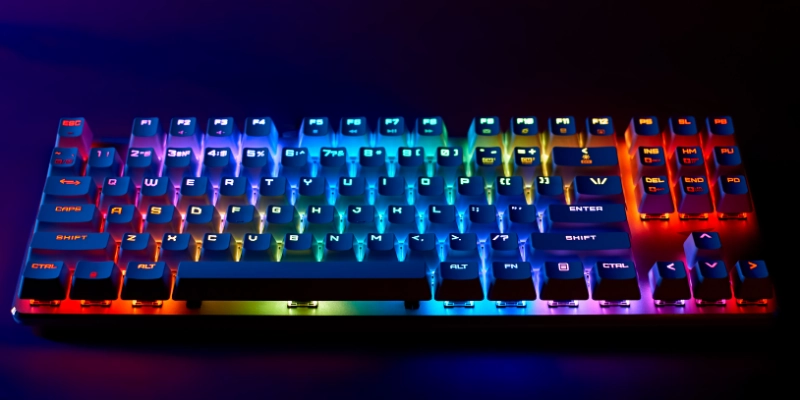
Simple maintenance habits can prevent damage and improve long-term use.
- Clean the keyboard keys regularly using a soft brush or microfiber cloth to remove dust and keep the keys working smoothly.
- Keep the keyboard away from dust, food, and liquid spills to prevent internal damage and key malfunction.
- Update the keyboard firmware and software regularly to improve performance, fix bugs, and access new RGB features.
- Manage cables properly and avoid tight bending or pulling to protect the wire and maintain a clean setup.
Conclusion
RGB keyboards combine style and functionality in a simple way. They offer customizable lighting, better visibility in low light, and a more engaging typing or gaming experience, which is why they are widely used today.
They continue to be popular in both gaming and productivity setups because they balance performance and personalization. Beginners can start with basic models, while enthusiasts can choose advanced versions for better control and features.
FAQs
Still have questions about RGB keyboards? Check out the FAQs below to get quick and clear answers before making your choice.
An RGB keyboard is used for typing, gaming, and general computer tasks with customizable lighting effects. It allows users to personalize their setup with different colors and styles. It also helps create a more modern and visually appealing workspace.
RGB keyboards do not directly improve gaming skills or performance. They can make key visibility easier during fast gameplay, which may slightly improve comfort. Some users also find it easier to identify important keys quickly.
RGB keyboards are worth it for users who enjoy customization, lighting effects, and a stylish setup. They often provide a better visual experience and sometimes stronger build quality. For basic use, a simple keyboard may be enough.
Yes, most RGB keyboards allow you to turn off the lighting completely. This can be done through software settings or keyboard shortcuts. It is useful for a distraction-free or minimal setup.
RGB keyboards use a small amount of extra power due to LED lighting. The difference is usually very low and does not significantly affect performance or battery life. Most users do not notice any major power impact.






- Be Respectful
- Stay Relevant
- Stay Positive
- True Feedback
- Encourage Discussion
- Avoid Spamming
- No Fake News
- Don't Copy-Paste
- No Personal Attacks
- Be Respectful
- Stay Relevant
- Stay Positive
- True Feedback
- Encourage Discussion
- Avoid Spamming
- No Fake News
- Don't Copy-Paste
- No Personal Attacks
