What is a Motherboard? Types, Functions & Full Guide
Published: 22 May 2026
Have you ever wondered what makes all the parts inside a computer work together smoothly? From the processor to the memory and storage, every component needs a central place to connect and communicate. That important part is called the “what is a motherboard?”
It is the main circuit board that links all hardware parts and helps them work as one system. Without this essential component, a computer cannot function properly. It controls communication between different parts and provides the foundation for the entire system.
In this guide, you will learn what it does, why it is important, how it works, and the different types used in modern computers.
What is a Motherboard?
A motherboard is the main printed circuit board (PCB) inside a computer. It connects important parts like the processor, memory, storage devices, and graphics card. This board allows all hardware components to communicate and work together smoothly.
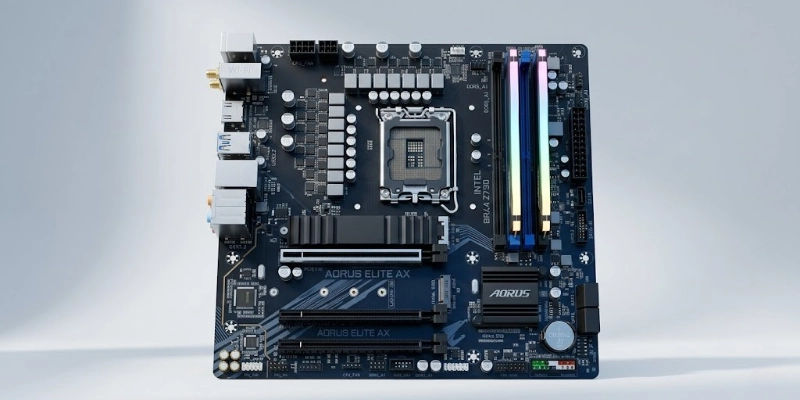
You can think of it as the central hub of a computer. Every major part connects to it in some way. It also provides power to different components and helps the system run correctly.
Without this main board, a computer cannot operate because the hardware would not be able to share data or perform tasks together.
How Does a Motherboard Work?
A motherboard helps all computer parts work together. It connects hardware components, manages communication, and supports the smooth operation of the system.
Data Communication
The motherboard allows different hardware parts to exchange data with each other. For example, the processor can communicate with memory, storage drives, and the graphics card through the circuits on the board. This communication helps the computer perform tasks quickly and correctly.
- The motherboard creates a connection between all major hardware parts.
- It helps components send and receive data smoothly.
- It supports fast communication inside the computer system.
Power Distribution
The motherboard delivers power from the power supply to important computer components. Each connected part receives the electricity it needs to operate properly.
- The motherboard sends power to the processor, memory, storage drives, and graphics card.
- It helps maintain stable power flow across the system.
- It supports safe and efficient computer operation.
Component Coordination
The motherboard manages how hardware devices work together. It helps different parts interact in the correct order so the computer can complete tasks efficiently.
- The motherboard coordinates communication between connected devices.
- It helps hardware components work together without conflicts.
- It supports smooth performance during different computer tasks.
BIOS/UEFI Functionality
The BIOS or UEFI is firmware stored on the motherboard. It starts the computer system and checks that all hardware components work correctly before the operating system loads.
- BIOS or UEFI starts the computer when you press the power button.
- It checks connected hardware components during startup.
- It helps configure system settings and boot options.
- It prepares the computer to load the operating system.
Main Components of a Motherboard
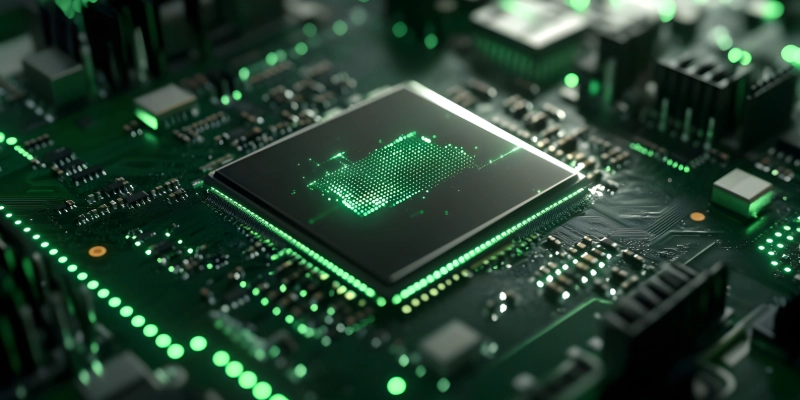
A motherboard contains several important parts that help a computer function properly. Each component has a specific role in connecting, powering, and managing the system.
- CPU Socket
The CPU socket is the place where the processor is installed. It holds the processor securely and creates a connection between the processor and the rest of the computer system. Different processors require different socket types.
- RAM Slots
RAM slots are the areas where memory modules are installed. These slots allow the computer to use temporary memory for faster performance. More memory can improve multitasking and overall system speed.
- Chipset
The chipset controls communication between important computer components. It manages the flow of data between the processor, memory, and storage devices. It also supports different system features and functions.
- Expansion Slots (PCIe)
Expansion slots allow users to add extra hardware components to the computer system. PCIe slots support graphics cards, Wi-Fi cards, sound cards, and other expansion gadgets. These slots help users upgrade and customize their computers.
- Storage Connectors
Storage connectors link storage devices to the computer system. SATA ports connect hard drives and SATA SSDs, while M.2 ports support faster solid-state drives. These connectors help the computer store files, programs, and the operating system.
- Power Connectors
Power connectors deliver electricity from the power supply to the computer system. They provide stable power to the processor, memory, storage devices, and other connected hardware components.
- I/O Ports
I/O ports allow external devices to connect to the computer. USB ports connect accessories like keyboards and flash drives, HDMI ports connect display devices, Ethernet ports provide internet access, and audio ports support speakers and microphones.
- CMOS Battery
The CMOS battery helps save important system settings even when the computer is turned off. It maintains BIOS or UEFI settings and keeps the system clock running correctly.
Types of Motherboards
Different types of motherboards are available for different computer sizes and user needs. Some are designed for standard desktop systems, while others support compact builds or high-performance computers.
- ATX Motherboards: Standard full-size boards that support multiple components and upgrades.
- Micro-ATX Motherboards: Smaller and budget-friendly options for compact desktop systems.
- Mini-ITX Motherboards: Compact boards designed for small PCs and space-saving builds.
- E-ATX Motherboards: Large boards built for high-end systems with advanced features.
- Laptop Motherboards: Custom-designed boards made specifically for portable computers.
Key Features of a Motherboard
A motherboard includes several important features that affect computer performance, compatibility, and upgrade options. These features help users choose the right board for their needs.
CPU Compatibility
CPU compatibility shows which processors the motherboard can support. Some boards are designed for Intel processors, while others support AMD processors. Users must choose a board that matches their processor type and socket.
RAM Support
RAM support determines the type, speed, and maximum memory capacity the system can use. Modern boards commonly support DDR4 or DDR5 memory. Different models also support different memory speeds and RAM sizes.
Connectivity Options
Connectivity options allow users to connect external devices and access networks. Modern boards often include USB ports, Wi-Fi support, Bluetooth, and Ethernet connections for internet access and device communication.
Expansion Capabilities
Expansion capabilities allow users to upgrade their computer systems over time. Many boards support graphics card upgrades, additional storage devices, and other expansion components through PCIe slots and storage connectors.
Overclocking Support
Overclocking support allows users to increase hardware performance beyond standard settings. Some motherboards provide advanced controls for adjusting processor and memory performance for faster operation.
Functions of a Motherboard
A motherboard plays a central role in making a computer work properly. It connects hardware parts, manages communication, and supports overall system operation.
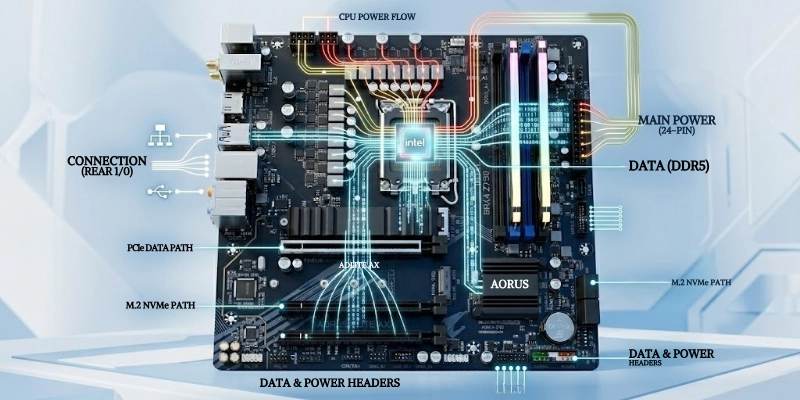
- The motherboard connects all computer components like the processor, memory, storage, and other hardware.
- It enables communication between different hardware parts so they can work together smoothly.
- It provides power distribution to important components to keep the system running.
- It supports storage devices and peripheral devices such as keyboards, mice, and printers.
- It controls system startup through BIOS or UEFI and helps the computer boot correctly.
Motherboard vs CPU
The motherboard and CPU are two of the most important parts of a computer, but they do very different jobs. The motherboard connects all hardware parts, while the CPU processes data and runs instructions. Both work together to make the system function smoothly.
| Motherboard | CPU |
| Connects all parts of the computer. | Processes data and instructions. |
| Links hardware like RAM, storage, and GPU. | Acts as the “brain” of the computer. |
| Distributes power to components. | Performs all calculations and tasks. |
| Supports communication between devices. | Executes programs and software. |
| Includes BIOS/UEFI for startup. | Handles processing speed and performance. |
Benefits of a Good Motherboard
A good motherboard improves overall computer performance, stability, and future upgrade options. It also helps the system run more efficiently with better support for modern hardware.
- A good motherboard provides better performance stability by ensuring all components work smoothly together.
- It offers more upgrade options so users can easily improve RAM, storage, or graphics performance in the future.
- It improves connectivity by supporting modern ports like USB, Ethernet, Wi-Fi, and Bluetooth.
- It provides better cooling support and power management to keep the system safe and efficient.
- It increases overall system reliability by supporting high-quality and compatible hardware components.
Limitations and Common Problems
Even though it is a key part of a computer system, it can still face some limitations and issues that affect performance and reliability.
- It can have compatibility issues when new hardware does not match its socket or chipset.
- Older boards often offer limited upgrade support for modern processors, memory, or storage devices.
- Systems may face overheating or power-related failures under heavy usage or poor power design.
- Physical damage or faulty capacitors can stop the system from working properly.
- Older designs may become outdated quickly and may not support new technologies and features.
How to Choose the Right Motherboard?
Choosing the right board is important because it affects performance, compatibility, and future upgrades. A good choice helps your computer run smoothly and supports your needs for gaming, work, or general use.
- Processor Compatibility:
Make sure it supports your processor type. Some boards work with Intel, while others support AMD, so the socket must match your CPU. - Size:
Select the right size based on your PC case. ATX, Micro-ATX, and Mini-ITX all fit different build sizes and space requirements. - Storage Support:
Check how much memory and storage it supports. Look for DDR4 or DDR5 support and enough slots for SSDs and hard drives. - Slot Requirements:
Consider how many expansion slots you need for graphics cards, Wi-Fi cards, or other upgrades. - Features:
Look for useful ports and features like USB ports, Ethernet, Wi-Fi, and Bluetooth for better connectivity. - Budget and Brand:
Choose a reliable brand that fits your budget while still offering good quality, durability, and customer support.
Popular Motherboard Brands
Several well-known brands manufacture reliable and high-performance computer boards. These companies are popular for quality, durability, and strong feature support.
- ASUS: ASUS is known for high-quality boards that offer strong performance, great stability, and wide options for gaming and professional use.
- MSI: MSI produces feature-rich boards that are popular among gamers and offer good performance tuning options.
- Gigabyte: Gigabyte is known for durable and affordable boards with solid performance for both basic and advanced users.
- ASRock: ASRock offers budget-friendly and innovative boards that provide good value for money.
- Intel: Intel also produces boards designed for stable performance and compatibility with Intel processors.
Tips for Maintaining a Motherboard
Proper care helps improve performance and increases the lifespan of your computer system. Simple maintenance steps can prevent damage and keep everything running smoothly.
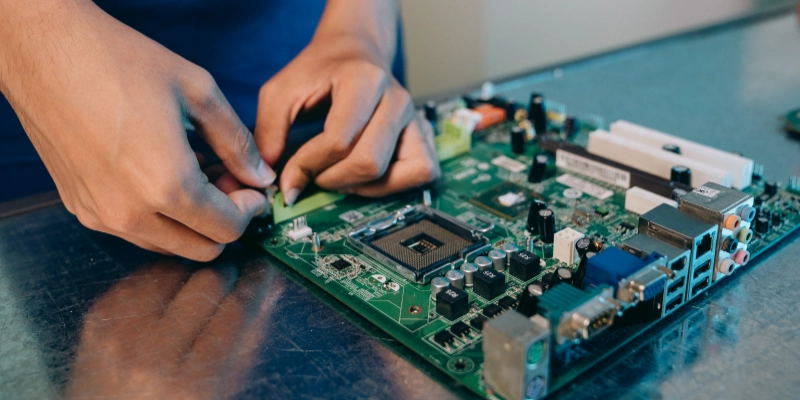
- Keep the PC dust-free by cleaning it regularly to avoid overheating and hardware issues.
- Ensure proper cooling by using good fans or cooling systems to maintain stable temperatures.
- Use a reliable power supply to protect components from sudden power fluctuations or damage.
- Update BIOS carefully only when needed to improve compatibility and system stability.
- Avoid static electricity during installation or handling to prevent damage to sensitive parts.
Conclusion
In simple terms, a motherboard is the main part that connects and controls all hardware in a computer. It allows every component to work together smoothly and keeps the system running properly.
It is essential in every computer because it manages communication between parts, distributes power, and supports overall system performance. Without it, a computer cannot function at all.
For beginners and PC builders, it is always recommended to choose a compatible and reliable board that matches your processor, supports future upgrades, and fits your budget. A good choice will help you build a stable and long-lasting system.
FAQ
Got more questions? Check your system details or ask before building your PC for the best results.
A motherboard connects all the main parts of a computer. It helps them communicate and work together. It also controls how the system runs.
No, a computer cannot work without it. It is the main board that links all hardware. Without it, parts cannot communicate.
ATX is larger and offers more features and upgrade options. Micro-ATX is smaller and more budget-friendly. Both are used for different PC sizes.
It usually lasts around 5 to 10 years. Good care and proper cooling can extend its life. Heat and power issues can reduce its lifespan.
Check the CPU socket type first. Then match RAM type and storage support. Also, make sure it fits your PC case.
The chipset and design affect performance. Better power delivery improves stability. High-quality parts give smoother operation.
Yes, but you may need to change other parts too. It must match your CPU, RAM, and case. Proper compatibility is very important.
It can fail due to overheating or power issues. Physical damage can also cause failure. Regular maintenance helps prevent problems.





- Be Respectful
- Stay Relevant
- Stay Positive
- True Feedback
- Encourage Discussion
- Avoid Spamming
- No Fake News
- Don't Copy-Paste
- No Personal Attacks
- Be Respectful
- Stay Relevant
- Stay Positive
- True Feedback
- Encourage Discussion
- Avoid Spamming
- No Fake News
- Don't Copy-Paste
- No Personal Attacks
