What is a smart TV – Full Guide, Features & Benefits
Published: 12 Apr 2026
If you are wondering “what is a smart TV?”, it is a television that connects to the internet and lets you watch videos, use apps, and enjoy online content. Unlike traditional TVs, it does more than just show cable channels and gives a simple, modern viewing experience.
Today, it is popular because it makes entertainment easy and quick to access. In this article, you will learn how it works and its main features.
What Is a Smart TV?
It is a television that can connect to the internet and do more than just show regular channels. It is designed to give you easy access to online entertainment in one place.
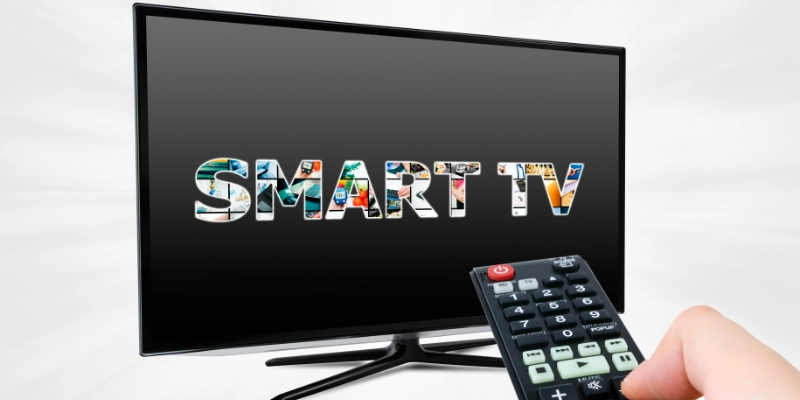
It comes with built-in Wi-Fi or internet connectivity, so you don’t need extra devices to go online. You can connect it to your home network and start using its features right away.
With this, you can stream movies and shows from platforms like Netflix and YouTube, listen to music, and even use different apps directly on your TV screen. It makes watching content simple, fast, and more enjoyable.
How Does a Smart TV Work?
A smart TV works by combining internet connectivity, software, and hardware to deliver online content directly to your screen. It connects to the internet, uses a built-in operating system to run apps, and relies on internal components to process and display content smoothly. This allows you to stream videos, use apps, and enjoy digital entertainment easily.
Internet Connectivity
A smart TV connects to the internet through Wi-Fi or an Ethernet cable. Wi-Fi allows wireless connection, while Ethernet provides a stable wired connection. Once connected, the TV can access online content and services.
Operating System
It runs on a built-in operating system that controls how everything works. Popular platforms include Tizen, webOS, Android TV, Google TV, and Roku OS. These systems provide menus, settings, and access to apps.
Apps and Streaming Services
You can install and use apps like Netflix, YouTube, and Prime Video to watch movies, shows, and videos online. These apps work just like they do on a smartphone.
Hardware Components
Inside, it has basic hardware like a processor (for speed), RAM (for smooth performance), and storage (to save apps and data). These components help the TV run apps and stream content without lag.
Key Features of a Smart TV
A smart TV offers many useful features that make watching and controlling content easier. It combines internet access, apps, and smart tools to improve your entertainment experience and add more convenience to your daily life.
- Streaming Capability
A smart TV allows you to watch movies, shows, and videos online. You can easily access content from different streaming platforms without needing extra devices.
- App Store & Downloads
It comes with an app store where you can download and install apps. This lets you add more entertainment options and services based on your needs.
- Voice Control
Many smart TVs support voice control through built-in assistants. You can change channels, search content, or control settings using simple voice commands.
- Screen Mirroring / Casting
You can connect your smartphone or laptop to the TV screen. This feature allows you to share photos, videos, or presentations easily.
- Smart Home Integration
A smart TV can connect with other smart devices in your home. You can control lights, cameras, or other gadgets directly from your TV.
Types of Smart TVs
Smart TVs come in different types based on display technology and operating systems. Each type offers a different viewing experience, picture quality, and features.
- LED Smart TVs
LED smart TVs use LED backlighting to produce bright and clear images. They are affordable and widely used, making them a common choice for everyday viewing.
- OLED Smart TVs
OLED smart TVs offer better picture quality with deep blacks and rich colors. Each pixel lights up individually, giving a more detailed and realistic display.
- QLED Smart TVs
QLED smart TVs use quantum dot technology to improve brightness and color accuracy. They are ideal for users who want vibrant and sharp visuals.
- 4K and 8K Smart TVs
These smart TVs are defined by their resolution. 4K TVs provide ultra-clear images, while 8K TVs offer even greater detail for a premium viewing experience.
- Android vs Non-Android Smart TVs
Android smart TVs run on Google’s Android system and offer a wide range of apps. Non-Android TVs use other systems like webOS or Tizen, each with its own interface and features.
Smart TV vs Regular TV
Smart televisions and traditional televisions both allow you to watch content, but they work in different ways. One offers modern online features, while the other focuses only on basic viewing through external sources.
| Feature | Smart TV | Regular TV |
| Internet Connectivity | Built-in internet access | No internet access |
| Streaming Apps | Supports online apps | Not available |
| Content Source | Internet + cable/satellite | Cable/satellite or external devices |
| Operating System | Has built-in system | No operating system |
| Smart Features | Voice control, casting, apps | No smart functions |
| Updates | Software updates available | No updates |
| Ease of Use | More advanced experience | Simple usage |
| Price | Usually higher | Usually lower |
Which one is better?
For most users, the modern option is better because it offers online streaming, apps, and extra features in one device. However, a basic television is still fine for simple watching needs.
Advantages of Smart TVs
Smart televisions offer many benefits that make home entertainment easier and more enjoyable. They combine different features in one device, reducing the need for extra equipment.
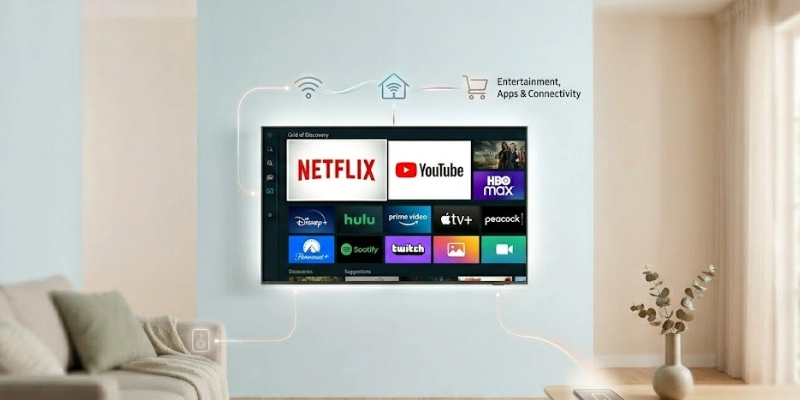
Here are some advantages given below.
- All-in-one entertainment: You can watch TV channels, stream videos, and use apps in a single device.
- No need for extra devices: There is no requirement for separate streaming boxes or players.
- Internet browsing and apps: You can browse the web and use popular apps for movies, music, and more.
- Smart home compatibility: It can connect with other smart devices, allowing easier control from one screen.
Disadvantages of Smart TVs
Although modern televisions offer many useful features, they also have some drawbacks that users should consider.
- Higher cost: They are usually more expensive than basic television sets.
- Privacy and data concerns: Internet-connected devices may collect user data.
- Software updates required: Regular updates are needed to keep apps and the system running smoothly.
- Possible lag or performance issues: Over time, the system may become slow or less responsive.
Popular Smart TV Platforms
Different televisions run on different operating systems, which control how apps and features work. Each platform offers its own interface and experience.
- Android TV / Google TV: A widely used platform that offers access to a large number of apps through the Google Play Store.
- Samsung Tizen: A fast and simple system used in Samsung models, known for smooth performance.
- LG webOS: A user-friendly platform with an easy menu layout and quick navigation.
- Roku TV: Popular for its simple interface and strong focus on streaming services.
- Fire TV: Developed by Amazon, it provides easy access to Prime Video and other entertainment apps.
Common Uses of a Smart TV
Modern televisions are used for more than just watching channels. They offer several everyday functions that improve entertainment and convenience.
- Streaming movies and shows: You can watch content from online platforms anytime.
- Watching YouTube and online videos: Easily access videos for entertainment, learning, or news.
- Gaming: Play games directly or connect gaming consoles for a better experience.
- Video calls and browsing: Some models allow video calling and basic internet browsing.
How to Choose the Right Smart TV
Choosing the right television depends on your needs, room size, and budget. A few simple factors can help you make a better decision.
- Screen size and resolution: Select a screen size that fits your room and choose a clear display quality for better viewing.
- Operating system preference: Pick a system that is easy to use and supports your favorite apps.
- Connectivity options: Check for Wi-Fi, HDMI ports, and other connection features you may need.
- Budget and brand: Choose a model that fits your budget and comes from a trusted brand for better reliability.
Smart TV Safety & Privacy Tips
Using a smart television safely is important because it is connected to the internet. A few simple steps can help protect your privacy and improve security.
- Managing app permissions: Only allow apps to access the features they truly need.
- Turning off voice tracking: Disable voice features when not required to reduce data collection.
- Keeping software updated: Regular updates help fix security issues and improve overall performance.
Do You Need a Smart TV?
A smart television is not necessary for everyone, but it can be very useful depending on how you watch content and use technology at home.
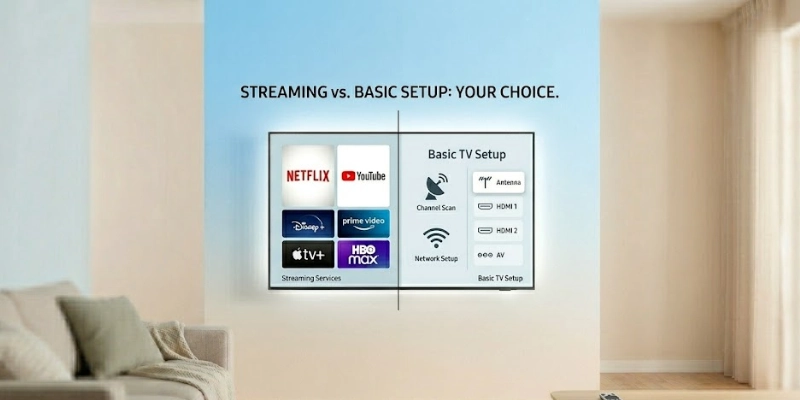
- Who should buy one: It is a good choice for people who enjoy online streaming, apps, and an all-in-one entertainment setup without extra devices.
- Alternatives: If you already have a regular TV, you can still enjoy similar features using streaming devices like Chromecast or Fire TV Stick, which add internet and app support to your existing screen.
Conclusion
Smart televisions bring together internet access, apps, and modern features to make entertainment more flexible and enjoyable. They offer a wide range of functions that go beyond traditional viewing and fit today’s digital lifestyle.
With the growing use of online streaming and connected devices, they are becoming an important part of home entertainment systems.
Overall, choosing a smart TV is a practical option for most users who want convenience, variety, and a modern viewing experience.
FAQs
Got more questions? These quick answers will help you understand things better and make the right choice.
It is used for watching online videos, movies, and shows. You can also use different apps and streaming services on it. It brings internet content directly to your TV screen.
Yes, the internet is needed for most features to work properly. Without it, you cannot use streaming apps or online services. It can still show cable channels without internet.
Yes, it can still work for basic viewing. You can use cable TV or connect external devices. However, online features will not be available.
It depends on your needs and budget. One offers more features and online access. The other is simpler and more affordable.
Yes, you can install apps from the built-in store. Popular apps include YouTube, Netflix, and others. This makes entertainment more flexible.
Most modern TVs support popular streaming apps. However, availability can vary by brand and system. Some may require updates or app downloads.
Yes, you can connect your phone using casting or screen mirroring. This allows you to share photos, videos, and more. It makes viewing easier on a big screen.
Yes, it is generally safe to use online. You should keep the software updated for better security. Also, manage app permissions carefully.
It uses similar power to regular televisions. Usage depends on screen size and brightness settings. Energy-efficient models use less electricity.
Yes, basic viewing is possible without an account. But some apps need a login to access full features. Accounts help save preferences and history.






- Be Respectful
- Stay Relevant
- Stay Positive
- True Feedback
- Encourage Discussion
- Avoid Spamming
- No Fake News
- Don't Copy-Paste
- No Personal Attacks
- Be Respectful
- Stay Relevant
- Stay Positive
- True Feedback
- Encourage Discussion
- Avoid Spamming
- No Fake News
- Don't Copy-Paste
- No Personal Attacks
