What is a Printer and How Does it Work?
Published: 27 Dec 2025
Have you ever wondered how work on a screen comes out on paper? This machine helps turn digital files into paper copies.
People use it at home, in schools, and in offices. A student prints homework, and an office worker prints documents. Now, let us learn about what a printer is in simple words.
What is a Printer?
It is a useful machine that helps bring digital content onto paper in a clear and readable form. People use it to keep records, study notes, and important files in physical form.
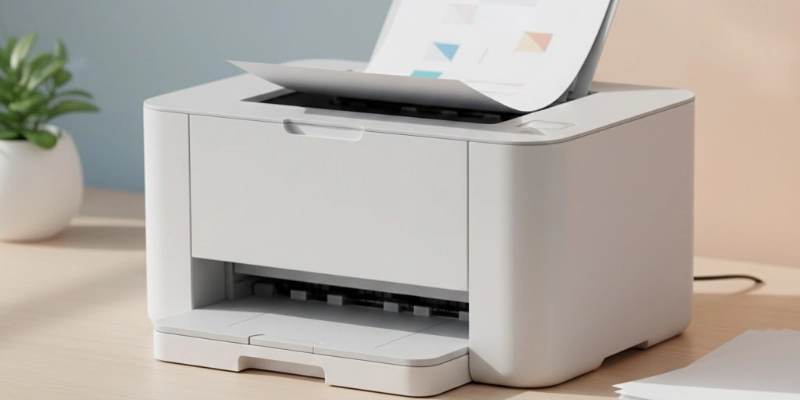
This machine works as an output device because it shows the final result of computer work on paper.
- It creates paper copies of text and images.
- It works with computers, laptops, and smartphones.
- It is helpful for learning, work, and record-keeping.
- It makes sharing information easy without using a screen.
- It is commonly used in homes, schools, and offices.
This simple tool makes digital work more useful in daily life.
Main Parts of a Printer
A printer has a few key parts that work together to print documents and images. Here’s a simple way to understand them using real-life examples:
- Paper Tray: Holds the paper before printing. Think of it like a bookshelf keeping papers ready.
- Ink or Toner Cartridge: Stores the color or black ink. It works like a pen for writing on paper.
- Print Head: Moves the ink onto the paper. It’s like a paintbrush creating letters and pictures.
- Control Buttons: Help you start, stop, or adjust printing. They are like the buttons on a TV remote, controlling what you want.
These parts together make sure your documents come out clearly and correctly.
Types of Printers
Printing devices help us put text and images on paper. Different types are used for different tasks, from home projects to office documents. Here are the main types:
| Type | About |
| Inkjet | Sprays ink drops, best for home and school projects, good for photos. |
| Laser | Uses laser and toner, fast and ideal for offices with many documents. |
| Dot Matrix | Pins strike ribbon, used for bills, invoices, and multi-copy forms. |
| All-in-One | Can print, scan, and copy, easy to use, great for home users. |
How Does a Printer Work?
Printing is the process of putting text or images from a device onto paper. Here’s how it happens step by step:
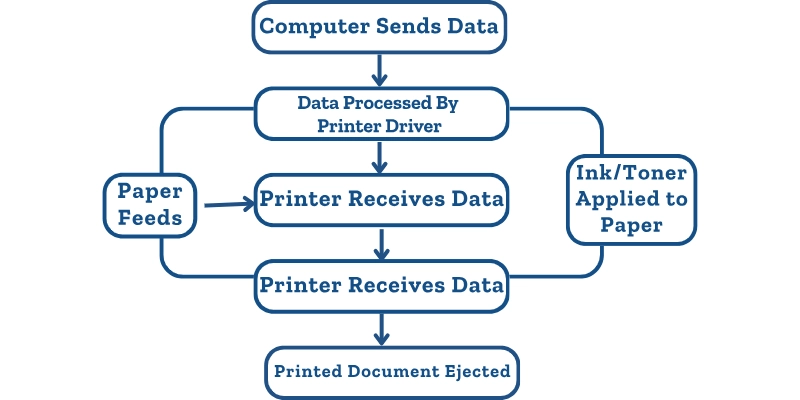
- Command: You open a document or image on your computer, laptop, or mobile device and click “Print.” This tells the machine to start the process.
- Processing: The device converts the file into a format that the printing machine can understand. This ensures that everything appears correctly on paper.
- Receiving: The printing device gets the information from your computer or mobile, usually through a cable, Wi-Fi, or Bluetooth connection.
- Ink or toner: Depending on the type, the machine sprays tiny droplets of ink, uses toner with a laser, or strikes an inked ribbon to form letters and images.
- Output: The paper moves through the machine, and the text or images appear on it. Once done, the printed document comes out ready to use.
Summary: You send a file, the machine understands it, applies ink or toner, and produces a physical copy on paper.
Uses of a Printer
Printing devices are very useful in daily life. They help us create physical copies of digital files quickly. From school work to office documents, their applications are wide and practical.
- Documents: Create copies of letters, forms, or reports.
- Photos: Produce high-quality images for personal or professional use.
- School notes: Make notes, assignments, and study materials.
- Office files: Prepare files, reports, and official documents for work.
Example: People use it daily for school homework, office papers, or family photos.
Advantages and Disadvantages
Printing devices make our work easier by producing physical copies quickly. They are useful at home, school, and offices, but also have some limitations.
| Advantages | Disadvantages |
| Produces hard copies quickly | It can be costly for ink or toner |
| Helps with school and office work | Slower for large volumes |
| Easy to use and convenient | Takes up space on the desk or the room |
| Good for photos and images | Some types can be noisy |
| Saves digital files in print form | Maintenance is sometimes needed |
Printing vs Digital Documents
Sometimes we need physical copies, while other times digital files are enough. Choosing between the two depends on the situation and convenience.
| Feature | Physical Copy | Digital File |
| Accessibility | Needs a device or paper | Can access from any device |
| Cost | Ink, paper, maintenance | Usually free |
| Portability | Bulky if many pages | Easy to carry, no space needed |
| Sharing | Hand over in person | Share instantly online |
| Record Keeping | Good for legal or signed documents | Good for backup and search |
Tips for Beginners Using a Printer
Using a printing device for the first time can be easy if you follow some basic steps. Simple care and smart choices improve results and save money.
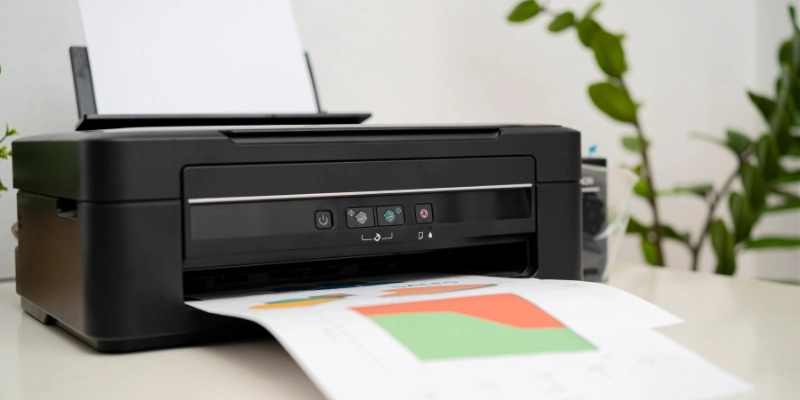
Here are some tips.
- Right type: Pick a device that fits your needs, like home use, office work, or photos.
- Good-quality paper: It gives better results and prevents jams.
- Ink or toner: Print only what is needed and use draft mode for practice prints.
- Cleaning: Keep it dust-free and check for clogs to maintain good quality prints.
Common Problems
Printing devices can face small issues that affect performance. Most of these problems are easy to fix with simple steps.
- Paper jam: Remove stuck paper carefully and check the tray.
- Ink or toner: Replace or refill the cartridge as needed.
- Speed: Use draft mode for quick prints and check device settings.
- Connection issues: Ensure cables, Wi-Fi, or Bluetooth are properly connected.
| Tip: |
|---|
|
Regular maintenance and careful handling prevent most problems. |
Conclusion
A printer is still useful in daily life for school work, office tasks, and personal needs. It helps turn digital files into paper copies that are easy to read, share, and store. By choosing the right type, using good paper, and following simple care tips, anyone can get better results and avoid common problems. When used wisely, it remains a helpful tool for both learning and work.
FAQs
Have questions? Find clear and simple answers in the FAQs below.
It is used to create paper copies of digital text and images. People use it for school work, office files, and personal documents. It helps make information easy to read and share.
It is an output device. It shows the result of digital work on paper. The user sends data, and the device produces the final copy.
Ink is a liquid used for color and image printing. Toner is a dry powder used mainly in laser-based machines. Both help create text and images on paper.
Yes, it can work without the internet. A cable or direct connection is enough for basic tasks. The Internet is only needed for wireless or online features.
Good quality, smooth paper gives better results. Thicker sheets are better for photos and images. Normal A4 paper works well for daily use.
There are inkjet, laser, dot matrix, and all-in-one types. Each is designed for different needs and workloads. The choice depends on use and budget.
Main parts include the cartridge, paper tray, rollers, and print head. These parts work together to move paper and apply ink or toner. Proper care keeps them working well.
There are several main and small parts inside the device. Common ones include rollers, trays, and internal circuits. The number can change by model and type.
The cartridge is the most important part. It holds ink or toner used for printing. Without it, no text or image can appear on paper.
Inkjet types are mostly used at home and in schools. They are affordable and easy to use. Laser types are more common in offices for fast work.




- Be Respectful
- Stay Relevant
- Stay Positive
- True Feedback
- Encourage Discussion
- Avoid Spamming
- No Fake News
- Don't Copy-Paste
- No Personal Attacks
- Be Respectful
- Stay Relevant
- Stay Positive
- True Feedback
- Encourage Discussion
- Avoid Spamming
- No Fake News
- Don't Copy-Paste
- No Personal Attacks
