What are Wireless Headphones & How They Work
Published: 14 Dec 2025
Have you ever wondered how people listen to music or take calls without any wires around them? This article is about wireless headphones and how they make daily life easier. They connect without cables and give freedom to move, which is why many people use them today.
From students to office workers, everyone likes them because they are simple to use and match a fast, modern lifestyle where comfort and ease matter the most.
What Are Wireless Headphones?
Wireless headphones are audio devices that let you listen to sound without using physical wires. They connect to smartphones, computers, tablets, and other devices through Bluetooth technology.
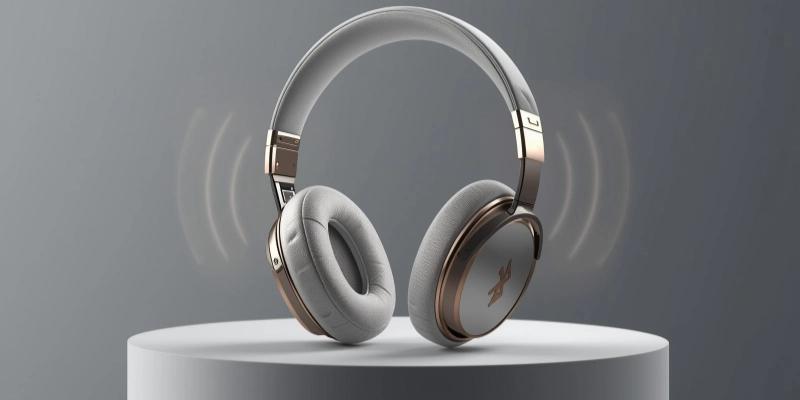
Because there are no cables, they offer a clean and comfortable listening experience and are easy to use in daily life.
- They work using Bluetooth signals instead of plugs
- They are easy to carry and use anywhere
- They are suitable for music, calls, and online classes
- They reduce cable damage and tangling problems
- They support hands-free use for better convenience
How are they different from Wired Headphones?
Unlike wired headphones, these headphones do not need cables to connect to a device. This gives more freedom of movement and makes them ideal for walking, exercising, or traveling.
For example, when you turn on Bluetooth on your smartphone and pair it with the headphones, the phone sends sound signals through Bluetooth, and you can hear audio clearly without any wire connection.
How Wireless Headphones Work?
Wireless headphones work by using Bluetooth technology to connect with devices like phones and laptops. They send sound signals through the air instead of using wires.
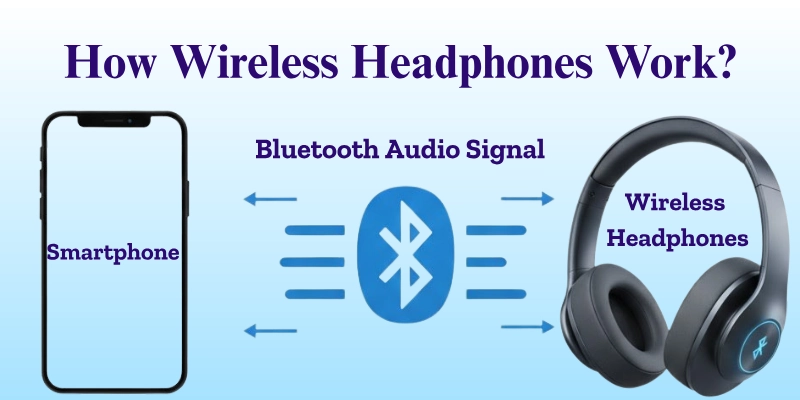
This makes listening easy and comfortable for daily use.
- Bluetooth must be turned on in both the device and the headphones
- The headphones pair with the phone or laptop using Bluetooth signals
- Audio is sent wirelessly from the device to the headphones
- Built-in batteries power the headphones during use
- The headphones need to be charged to continue working properly
Types of Wireless Headphones
Wireless headphones come in different shapes and styles to match different needs. Some are large and comfortable, while others are small and easy to carry. Below are the main types explained in simple words.
| Type | Design | Comfort Level | Portability | Best For |
| Wireless Over-Ear Headphones | Cover the whole ear | Very comfortable for long use | Less portable due to large size | Home use, movies, long music sessions |
| Wireless On-Ear Headphones | Sit on top of the ears | Comfortable for short to medium use | Easy to carry | Daily use, casual listening |
| Wireless Earbuds | Small and fit inside the ears | Comfortable for short use | Very portable | Travel, calls, quick listening |
| True Wireless Headphones | No wires at all, even between earbuds | Light and easy to wear | Extremely portable | Exercise, outdoor use, modern lifestyle |
Features of Wireless Headphones
Wireless headphones come with several useful features that make listening easy and enjoyable. They are designed to give clear sound, long battery life, and convenient controls, making them suitable for daily use, work, or travel.
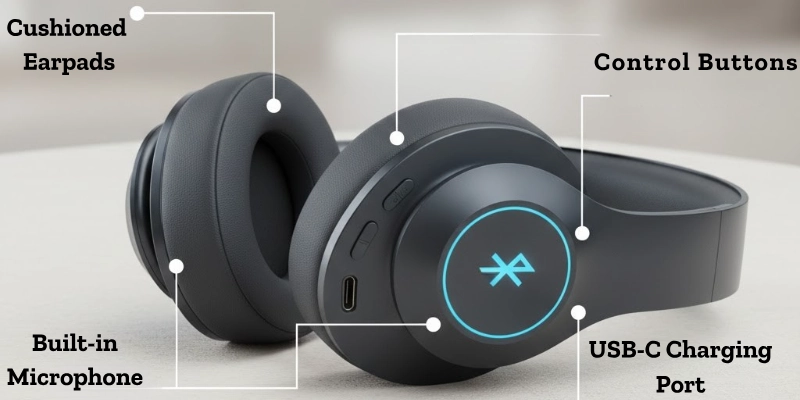
Here are some features given below.
- Sound Quality: Provides clear audio with good bass and adjustable volume for an enjoyable listening experience.
- Battery Life: Can work for several hours on a single charge, depending on the model.
- Noise Cancellation: Reduces background noise so you can focus on music, calls, or videos.
- Built-in Microphone: Allows hands-free calls and online meetings without needing extra devices.
- Control Buttons or Touch Controls: Let you play, pause, adjust volume, or answer calls directly from the headphones.
Uses of Wireless Headphones
Wireless headphones are useful in many everyday activities, making life easier and more enjoyable. They help people stay connected, entertained, and active without the hassle of wires.
- Listening to Music: Enjoy favorite songs with clear sound anywhere, at home, or on the go.
- Watching Movies and Videos: Provides immersive audio for a better viewing experience.
- Online Classes and Meetings: Students and professionals can attend lessons or meetings comfortably, like students using them for online classes.
- Gaming: Gamers can experience clear sound and communicate easily without being tied down by cables.
- Exercise and Travel: Perfect for jogging, workouts, or traveling, offering freedom of movement while listening.
Advantages and Disadvantages of Wireless Headphones
Wireless headphones offer many benefits for daily use, but also come with a few limitations. Understanding both helps you choose the right headphones for your needs.
| Advantages | Disadvantages |
| No cables, so more freedom of movement | Usually more expensive than wired headphones |
| Easy to carry and use anywhere | Require regular charging |
| Comfortable for long use without tangled wires | Sound quality may be slightly lower in some models |
| Suitable for exercise, travel, and daily tasks | Bluetooth connection can sometimes be unstable |
| Built-in features like a microphone, noise cancellation, and controls | Small earbuds can be easy to lose |
Tips for Choosing Wireless Headphones
Choosing the right wireless headphones can make a big difference in comfort and performance. Keep these points in mind to pick headphones that suit your needs.
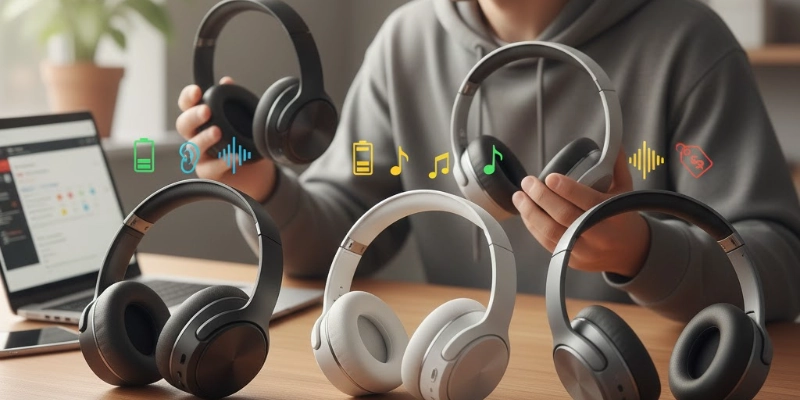
- Check Battery Life: Look for headphones that can last several hours on a single charge.
- Choose Comfortable Design: Over-ear, on-ear, or earbuds, pick what feels best for long use.
- Look for Good Sound Quality: Clear audio and balanced bass improve your listening experience.
- Check Bluetooth Version: Newer versions offer better connection stability and range.
- Set a Budget: Decide how much you want to spend and choose the best option within it.
| Tip |
|---|
|
Beginners can start with mid-range wireless headphones to get good quality without spending too much. |
Conclusion
Wireless headphones make listening to music, watching videos, and attending online classes easier and more comfortable. With features like noise cancellation and built-in microphones, they suit many activities. Choosing a model with good battery life, sound quality, and comfort ensures a convenient, cable-free experience.
Loved this guide? Drop your thoughts in the comments below!
FAQs
Have questions? Check out our FAQs and get all the answers you need!
Yes, they work without internet. They only need Bluetooth to connect. The Internet is not required for playing music or making calls.
You need a device with Bluetooth. Headphones must be charged. Pair them with the device to start using.
Turn on Bluetooth on both devices. Pair the headphones with your phone. Audio plays directly through the headphones.
No, they are not the same. Bluetooth is the technology that connects devices. Wireless headphones use Bluetooth to work.
Yes, they have built-in batteries. Batteries power them to work without wires. They need to be charged from time to time.
Yes, they require charging. Most come with USB or magnetic chargers. Charging keeps them working properly.
Most headphones have an LED light indicator. Green or solid light shows a full charge. Some show battery status on your phone.
It usually takes 1–3 hours. Charging time depends on the model. Some fast-charge in less than an hour.
Bluetooth can sometimes disconnect. It also uses battery power, which needs regular charging.






- Be Respectful
- Stay Relevant
- Stay Positive
- True Feedback
- Encourage Discussion
- Avoid Spamming
- No Fake News
- Don't Copy-Paste
- No Personal Attacks
- Be Respectful
- Stay Relevant
- Stay Positive
- True Feedback
- Encourage Discussion
- Avoid Spamming
- No Fake News
- Don't Copy-Paste
- No Personal Attacks
