What Are VR Gadgets? Complete Easy Guide
Published: 3 Dec 2025
Virtual Reality (VR) is changing how we play, learn, and explore, but what makes VR feel so real? How do we step into a digital world that looks and feels alive? The secret lies in VR gadgets. These special tools help us see, move, and interact inside virtual spaces as if we’re truly there.
So, what are VR gadgets, and why are they so important? In this article, we’ll explore the most exciting virtual reality gadgets and VR accessories that make the whole experience come alive.
What is Virtual Reality (VR)?
Virtual reality is a technology that lets you step into a computer-made 3D world using a VR headset. It tracks your head and hand movements, making the digital space feel real and responsive.
VR is used in many areas today, gaming, education, professional training, virtual travel, and even immersive movies. A digital world you can look around and interact with as if you’re actually there.
What Are VR Gadgets?
VR gadgets are tools and accessories that make the virtual reality experience better. They include things like headsets, controllers, gloves, and sensors that help you see, move, and interact inside a digital world.
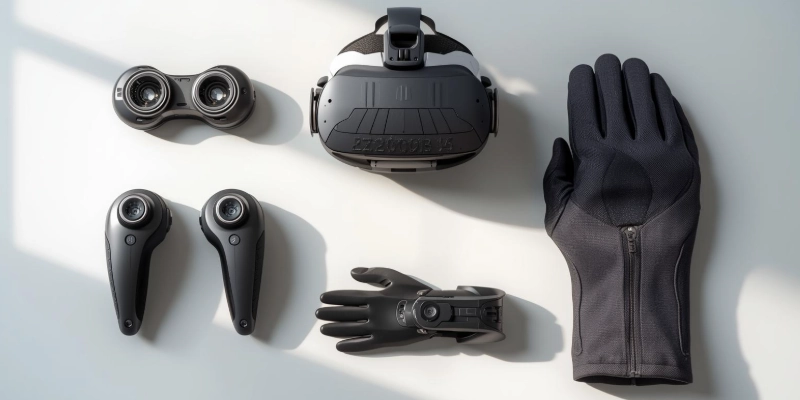
These VR accessories matter because they add comfort, improve movement tracking, make the world feel more realistic, and give you better control. In simple words, they help VR feel smooth, natural, and easy to enjoy.
Types of VR Gadgets
VR becomes exciting and immersive with the right VR gadgets. Let’s explore the main types and how they improve your experience.

Here are some types of VR gadgets.
- VR Headsets
- VR Controllers
- VR Gloves
- VR Tracking Sensors
- VR Treadmills
- VR Haptic Suits
- VR Chairs & Motion Platforms
- VR Cameras
- VR Audio Gadgets
- Comforts & Safety Gadgets
Let’s look at them in detail.
VR Headsets
A VR headset is the main device you wear to see the virtual world in 3D. It tracks your head movements so the environment moves naturally as you look around.
- PC VR headsets: Connect to a computer and offer high-quality graphics.
- Standalone VR headsets: Work independently without a PC.
- Console VR headsets: Designed for gaming consoles.
- Phone-based VR headsets: Use a smartphone for VR experiences.
Important features include field of view, resolution, and refresh rate, which affect clarity, smoothness, and realism.
VR Controllers
VR controllers let you interact with the virtual world. They track your hand movements, gestures, and actions.
- Motion tracking: Follows your hand and body movements in real-time.
- Haptic feedback: Controllers vibrate to simulate touch or impact.
Simple controllers provide basic interaction, while advanced controllers allow full hand tracking for more natural gestures.
VR Gloves
VR gloves, also called haptic gloves, are devices you wear on your hands to feel and interact with virtual objects in a more natural way. They provide touch and pressure feedback, making the virtual world feel realistic.
- Gaming gloves: Designed for immersive gaming experiences, allowing you to feel objects and actions.
- Training gloves: Used in professional training, simulations, or education for realistic hand interactions.
- Advanced haptic gloves: Provide detailed pressure, vibration, and motion feedback for highly realistic VR experiences.
Important features include touch sensitivity, motion tracking accuracy, and haptic feedback, which affect how real objects feel and how precisely your hands are tracked in VR.
VR Tracking Sensors
VR tracking sensors are devices that monitor your position and movements in the virtual space, making sure your real-world actions match what happens in VR. They are essential for accurate and smooth interaction.
- External sensors: Placed around the room to track your headset and controllers precisely.
- Built-in sensors: Integrated into headsets or controllers for easy setup and mobility.
- Hybrid sensors: Combine external and built-in tracking for maximum accuracy and responsiveness.
Important features include tracking range, precision, and latency, which affect how accurately and smoothly your movements are reflected in VR.
VR Treadmills
A VR treadmill lets you walk, run, or move in VR while staying in one place, making the experience more immersive.
- Omni-directional treadmills: Move in any direction—forward, backward, or sideways.
- Limited-direction treadmills: Move only forward and backward.
- Commercial VR treadmills: Used for training, simulations, or fitness with advanced tracking.
Important features include movement range, tracking accuracy, and stability, which affect how natural and safe your movement feels in VR.
VR Haptic Suits
VR haptic suits are full-body devices that provide vibration and pressure feedback, making virtual experiences feel more real.
- Gaming suits: Enhance immersion by simulating hits, impacts, and environmental effects.
- Training suits: Used in professional simulations for realistic practice.
- Advanced haptic suits: Offer detailed feedback across the body for high realism.
Important features include haptic precision, comfort, and range of feedback, which affect how realistic and immersive the VR experience feels.
VR Chairs & Motion Platforms
VR chairs and motion platforms simulate real-world movements, making experiences like flying, driving, or racing more realistic.
- Racing/flight chairs: Tilt and move to match in-game action for immersion.
- Motion platforms: Provide full-body movement simulation for VR movies or training.
- Commercial simulator chairs: Used in professional training and entertainment centers.
Important features include motion range, responsiveness, and stability, which affect how realistic and smooth the simulated movement feels.
VR Cameras
VR cameras capture 360-degree videos and images, allowing users to explore virtual environments as if they are really there.
- 360 cameras: Record immersive panoramic videos for VR experiences.
- Professional VR cameras: Used for virtual tours, education, and real estate.
- Consumer VR cameras: Compact and easy-to-use for vlogging and casual content creation.
Important features include image quality, stitching accuracy, and field of view, which affect how realistic and seamless the VR content looks.
VR Audio Gadgets
VR audio gadgets, like headphones, provide spatial or 3D sound to make virtual environments feel real.
- Spatial audio headphones: Create sound that feels like it’s coming from all directions.
- Noise-canceling VR headphones: Block outside noise for better immersion.
- Wireless VR headphones: Offer freedom of movement without cables.
Important features include sound clarity, 3D audio accuracy, and comfort, which affect how immersive and realistic the VR experience feels.
Comfort & Safety Gadgets
Comfort and safety gadgets make VR sessions more enjoyable and secure.
- VR headset covers and face cushions: Provide hygiene and comfort.
- Anti-fog lens inserts: Keep vision clear during long sessions.
- Carrying cases and cable management tools: Protect devices and prevent accidents.
Important features include durability, comfort, and usability, which affect how safe and pleasant VR experiences feel.
How VR Gadgets Work?
Ever wondered how VR gadgets work? VR gadgets use sensors and technology to track your movements and make the virtual world respond in real-time.
- Sensors: Detect position and movement.
- Gyroscopes: Measure rotation.
- Accelerometers: Track speed and motion.
- Infrared tracking: Provides precise position detection.
Connections:
Most gadgets connect via Bluetooth, USB, or wireless signals to communicate with the VR system.
Why VR Gadgets Are Important?
VR gadgets are important because they make virtual reality more immersive, comfortable, and realistic.
- Increase immersion: Headsets, gloves, and haptic suits make you feel like you are really inside the VR world.
- Better control and interaction: Controllers and gloves let you move naturally and interact precisely.
- More comfort: Accessories like face cushions and anti-fog inserts make long VR sessions easier.
- Realistic experiences: Haptic feedback, motion tracking, and spatial audio make VR feel lifelike.
These gadgets are widely used in gaming, education, fitness, training, simulation, and healthcare, showing how essential VR accessories are for a complete experience.
Uses of VR Gadgets
VR gadgets are not just for gaming; they are changing how we learn, work, and explore the world. They make virtual experiences more interactive, realistic, and engaging.
- Gaming: Provides full immersion, letting players feel like they are inside the game.
- Medical training: Helps doctors and nurses practice surgeries and procedures safely.
- Online education: Students can explore virtual labs, historical sites, or 3D models.
- Architecture and design: Visualize buildings and interiors in 3D before construction.
- Travel and virtual tours: Explore famous places and destinations without leaving home.
- Fitness and sports: Make workouts and training sessions interactive and fun.
- Military training: Simulates real-life combat scenarios safely.
- Movies and entertainment: Offers immersive VR films and interactive experiences.
These examples show the wide VR applications of gadgets, proving their usefulness beyond just gaming.
Advantages and Disadvantages of VR Gadgets
VR gadgets offer many exciting benefits, but they also have some drawbacks. Understanding both can help you choose the right devices and use them safely.
| Advantages | Disadvantages |
| Immersive experiences: Make gaming, movies, and learning feel real. | Costly: High-quality VR gadgets can be expensive. |
| Better interaction: Controllers, gloves, and motion sensors allow natural movement. | Space requirements: Some gadgets need a large area for safe use. |
| Enhanced learning and training: Useful in education, medical training, and simulations. | Motion sickness: Extended use may cause dizziness or nausea for some users. |
| Fitness and therapy: VR workouts and rehabilitation become engaging and effective. | Complex setup: Some devices require multiple sensors and cables. |
| Entertainment and creativity: VR films, tours, and design tools offer new experiences. | Limited battery life: Standalone and wireless gadgets may need frequent charging. |
The advantages and disadvantages of VR gadgets show that while VR offers amazing benefits, it’s important to consider costs, space, and comfort.
How to Choose the Right VR Gadgets?
Choosing the right VR gadgets can make your virtual reality experience much better. Here’s what to consider when picking the best VR accessories for your needs:
- Device compatibility: Check if the gadget works with your PC, standalone headset, or smartphone.
- Purpose: Choose based on what you want to do: gaming, learning, or filming/VR content creation.
- Budget: Decide how much you want to spend. Some high-end gadgets are expensive, but there are good budget-friendly options too.
- Build quality: Look for durable materials and well-made gadgets that last longer.
- Comfort & safety: Make sure headsets, gloves, and suits are comfortable and safe for long sessions.
- Tracking accuracy: Accurate motion tracking is important for realism and smooth interaction in VR.
By considering these points, you can pick VR gadgets that give you the best experience without any hassles.
Future of VR Gadgets
The future of VR gadgets looks exciting, with new technology making virtual experiences more realistic, comfortable, and useful in daily life.
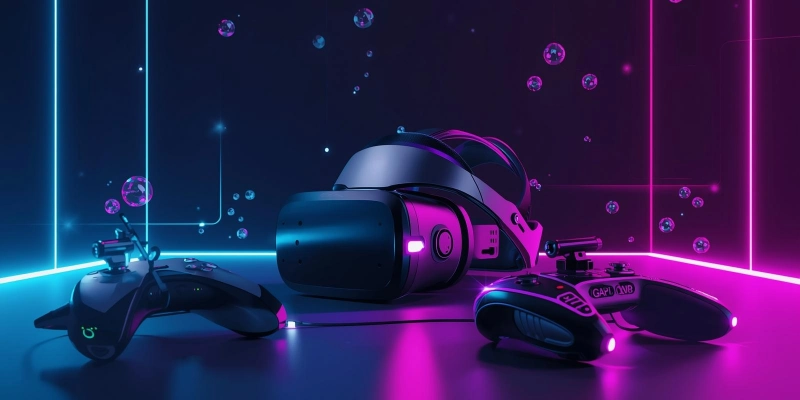
- Lighter and more comfortable headsets: Easier to wear for long sessions.
- Full-body tracking: Capture every movement for complete immersion.
- Better haptic suits: More advanced feedback to feel touch, pressure, and motion across the body.
- AI-powered VR tools: Smarter virtual worlds that adapt to your actions.
- Mixed Reality (MR): Combine real and virtual worlds seamlessly.
- VR for shopping, remote work, and therapy: Expanding VR beyond gaming and entertainment.
These developments show how VR technology’s future will make gadgets more versatile, immersive, and practical for everyone.
Conclusion
In this article, we learned what VR gadgets are and how they make virtual reality more immersive and interactive. Devices like headsets, controllers, gloves, and haptic suits improve comfort, accuracy, and realism in gaming, education, training, fitness, and entertainment.
We also explored their benefits, drawbacks, and tips for choosing the right VR gadgets. The future of VR gadgets promises lighter headsets, full-body tracking, advanced haptic suits, AI tools, and mixed reality, making virtual experiences even more exciting and practical.
This guide gives you a clear understanding of VR gadgets and how to enjoy the best virtual reality experience.
FAQs
Find all your questions answered! Read our FAQs on VR gadgets now.
VR gadgets are tools that help you interact with virtual reality. They include headsets, controllers, gloves, and sensors. These devices make the VR experience more realistic and immersive.
VR is generally safe if used in moderation. Long sessions can cause eye strain or discomfort. Taking breaks helps protect your eyes.
A popular VR device is the Oculus Quest 2 headset. It works without a computer and has built-in controllers. Many people use it for gaming and virtual experiences.
VR is good when used for learning, gaming, or training. Overuse may cause dizziness, nausea, or eye strain. Moderation ensures it remains safe and enjoyable.
VR is mostly used in gaming, education, and professional training. It’s also growing in healthcare, fitness, and virtual tourism. VR is becoming popular across many industries.
VR is growing rapidly. New devices, better graphics, and more applications are increasing its popularity. It’s expected to expand in gaming, work, and education.
Playing VR every day may cause eye strain or headaches. Some users may feel nausea or motion sickness. Regular breaks and limited use help prevent problems.
The biggest problem is motion sickness or dizziness for some users. High cost and setup complexity can also be issues. Comfort and proper use reduce these problems.
Young children and people with severe motion sickness should avoid VR. Those with certain eye problems or epilepsy should consult a doctor first. VR is not recommended for everyone without caution.





- Be Respectful
- Stay Relevant
- Stay Positive
- True Feedback
- Encourage Discussion
- Avoid Spamming
- No Fake News
- Don't Copy-Paste
- No Personal Attacks
- Be Respectful
- Stay Relevant
- Stay Positive
- True Feedback
- Encourage Discussion
- Avoid Spamming
- No Fake News
- Don't Copy-Paste
- No Personal Attacks
