What is a USB flash drive – Uses, Types and Benefits Explained
Published: 31 Mar 2026
People store and share data in daily life, like photos, videos, and documents. In the past, many people used CDs, DVDs, or large hard drives to keep their files. These options worked, but they were not always easy to carry or manage.
Today, storage methods have become simpler and more portable. Many people search for “what is a USB flash drive?” because they want an easy way to move and save files without any trouble. It has become a common choice for quick data transfer.
A USB flash drive is widely used because it is small, fast, and convenient. You can carry thousands of files in your pocket using a small USB device, which makes it very useful for daily tasks.
What Is a USB Flash Drive?
A USB flash drive is a small and portable device used to save and move data. It is easy to carry and can fit in your pocket or bag.
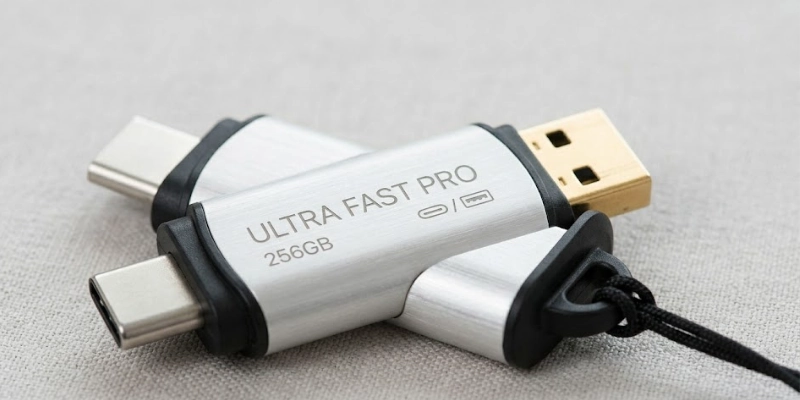
It connects to a computer or laptop through a USB port, so you can quickly access your files. You just plug it in, and it is ready to use.
- It does not need the internet to share files between devices.
- It works with many devices like computers, TVs, and some cars.
- It is strong and can keep data safe for a long time if used carefully.
People use it to store, transfer, and back up important files like photos, videos, and documents. It is a simple and helpful tool for everyday use, especially for beginners.
How Does a USB Flash Drive Work?
A USB flash drive uses flash memory to store data in a digital form. It saves files safely and keeps them ready for use at any time.
It has no moving parts, so it works faster and lasts longer than old storage devices. This design also helps protect data from damage.
It works as a plug-and-play device, so you can use it without installing anything. You just connect it to a laptop or computer, and it opens automatically.
It keeps your data saved even when you unplug it, so you do not lose your files.
For example, you plug it into your laptop, open your files, and copy or move them easily in a few clicks.
Main Parts of a USB Flash Drive
A small storage device has a few important parts that work together to save and move data. Each part has a simple role, and together they make the device easy to use and reliable.
- USB Connector
The metal part connects the device to a computer or laptop. It allows data to move between the device and the system.
- Memory Chip
The memory chip stores all your files, like photos, videos, and documents. It keeps the data saved even when you remove the device.
- Controller Chip
The controller chip manages how data moves. It controls reading, writing, and transfer speed.
- Outer Case
The outer case covers and protects all internal parts. It helps keep the device safe from dust, drops, and damage.
Types of USB Flash Drives
There are different types of small storage devices, and each type works best for certain tasks. Some focus on speed, some are compatible with modern gadgets, and some let you transfer files directly from your phone.
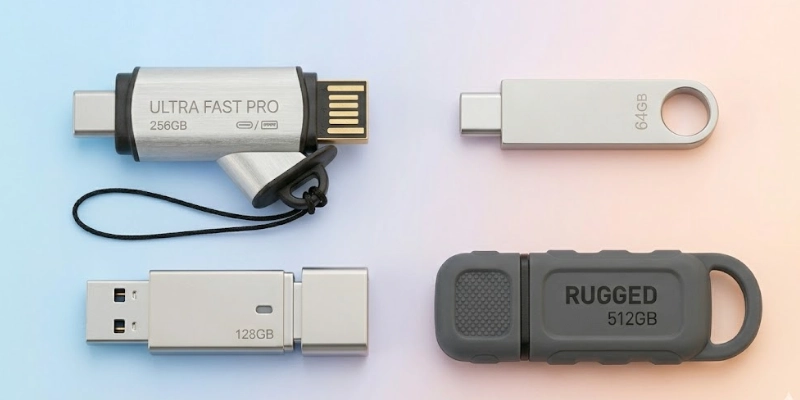
Knowing the types helps you choose the right one for your needs.
- USB 2.0
This type transfers data at a slower speed compared to newer models. It works well for basic file storage, small documents, and everyday use where speed is not very important.
- USB 3.0 / 3.1
These types offer faster data transfer and handle large files more efficiently. They are ideal for moving videos, high-resolution photos, and large folders quickly.
- USB-C Flash Drives
This type fits modern laptops, tablets, and smartphones with USB-C ports. It connects easily without extra adapters, making it convenient for new devices.
- OTG Flash Drives
OTG (On-The-Go) drives connect directly to mobile phones and tablets. You can move files, backup photos, or share data without using a computer, which makes them very handy for travel or quick transfers.
Common Uses of USB Flash Drives
Small storage devices help people in many ways every day. They make it easy to save, move, and protect important files. These devices are simple to use and work with most computers and laptops.
- People store documents, photos, videos, and other files for quick access.
- They transfer files between different devices without needing the internet.
- Users back up important data to keep it safe from loss or damage.
- They install software or operating systems on computers quickly.
- Students and office workers carry school or work files for easy use anywhere.
Advantages and Disadvantages
Small storage devices offer many benefits, but they also have some limits. Knowing the pros and cons helps people use them safely and choose the right type for their needs.
| Benefits | It may spread viruses if used on many devices. |
| Small and easy to carry. | Easy to lose because it is tiny. |
| Works instantly (plug-and-play). | Has less storage than hard drives. |
| Does not need power. | Can get damaged, or files can be corrupted. |
| Strong and lasts long. | May spread viruses if used on many devices. |
| Cheap and affordable. | Risk of losing data if not backed up. |
Tips for Using a USB Flash Drive Safely
Using small storage devices carefully helps keep your data safe and avoids damage. Handling them properly also makes sure your files stay secure and last longer.
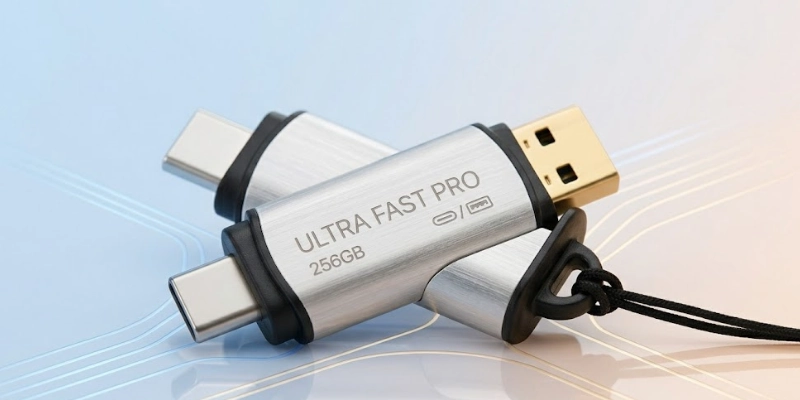
Following simple steps can protect your files and extend the device’s life.
- Always eject the device properly before removing it from a computer.
- Do not use it on unknown or unsafe computers to avoid viruses.
- Keep a backup of important files on another device or cloud storage.
- Scan files with antivirus software before opening them.
- Store the device in a safe place to prevent loss or damage.
How to Choose the Right USB Flash Drive?
Choosing the right small storage device makes it easier to save, transfer, and protect your files. The right choice depends on how much data you need to store, how fast you want to move files, and which devices you will use it with.
- Check the storage size you need, such as 16GB, 32GB, 64GB, or 128GB, to make sure it can hold all your important files.
- Choose a faster version, like USB 3.0 or higher, to save time when transferring large files like videos and high-quality photos.
- Look for a strong and durable design that can survive drops, scratches, or daily use.
- Consider trusted brands and read reviews from other users to ensure good quality and reliability.
- Pick the correct connector type, like USB-A for older computers or USB-C for modern laptops, tablets, and smartphones.
- Think about extra features, such as password protection or waterproof casing, if you want added safety for your data.
Conclusion
A USB flash drive is a handy device that allows people to save and move files quickly. It helps keep important data secure while making sharing between devices simple and fast.
Its compact design and portability make it convenient for travel, school, or work. You can easily connect it to different computers or laptops without extra setup.
A USB flash drive is a simple and useful tool for storing and sharing data anytime, anywhere.
FAQs
Explore solutions to common questions.
It helps people save files like documents, photos, and videos. You can move data between computers quickly. Many also use it to back up important information.
Yes, some devices support connecting small storage drives. You may need an OTG cable or a USB-C connector for mobile phones. Once connected, you can access files easily.
You can copy pictures directly using a compatible cable or adapter. Many phones allow file transfer without extra apps. This makes moving memories fast and simple.
Files can stay saved for many years if handled carefully. Avoid physical damage, heat, or strong magnets. Proper storage helps keep data safe for a long time.
Storage sizes vary from a few gigabytes to over 1TB in some models. You can choose based on the number of files you need to save. Bigger drives are useful for large videos or software.
Yes, the terms are often used interchangeably. Both refer to small, portable devices used for storing and moving data. The name can vary by region or brand.
Yes, files from unsafe computers can carry viruses. Always scan new files with antivirus software. Avoid using drives on unknown or risky devices.
No, it works without any connection. You can copy, move, or open files directly. This makes it handy for offline use anytime.




- Be Respectful
- Stay Relevant
- Stay Positive
- True Feedback
- Encourage Discussion
- Avoid Spamming
- No Fake News
- Don't Copy-Paste
- No Personal Attacks
- Be Respectful
- Stay Relevant
- Stay Positive
- True Feedback
- Encourage Discussion
- Avoid Spamming
- No Fake News
- Don't Copy-Paste
- No Personal Attacks
