What is System Software? Features, Types & Examples
Published: 16 Feb 2026
Have you ever wondered what makes your computer run smoothly behind the scenes? Or why do your programs open without any trouble while the system seems to handle everything automatically?
If you’ve asked yourself these questions, you might be curious about “what is system software?” It’s the hidden layer that connects your hardware with the programs you use, making sure everything works together seamlessly.
What is System Software?
It is a type of program that helps your computer run smoothly. It acts as a bridge between the hardware (like the processor, memory, and devices) and the applications (like games or word processors) you use.
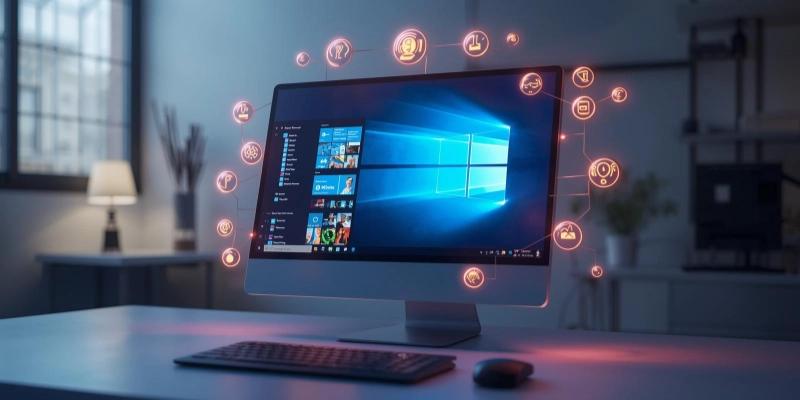
Without system software, your computer wouldn’t know how to run programs or manage resources efficiently. In simple words, it makes sure everything on your computer works properly.
- Hardware: It manages and controls all the hardware components of the computer.
- Application Software: It provides a platform for application software to run.
- Resources: It efficiently handles memory, storage, and processing power.
- Operating Systems: Examples of system software include Windows, macOS, Linux, and Android.
- Maintenance: It performs tasks like file management, system updates, and security checks.
What Does System Software Do?
It is the main program that keeps your computer running smoothly. It helps start the computer, manage hardware, and make sure other programs work properly.
In short, it organizes everything so your computer can do its job efficiently.
- Computer: System software helps your computer boot up and get ready for use.
- Hardware: It manages all connected devices, including the keyboard, mouse, printer, and screen.
- Software: It allows applications and programs to run correctly on your computer.
- Memory and Files: System software organizes files and uses memory efficiently to keep the system stable.
Types of System Software
It comes in different forms, each with a specific role to help your computer run efficiently. Some types manage the system, some help hardware work properly, and others provide useful tools.
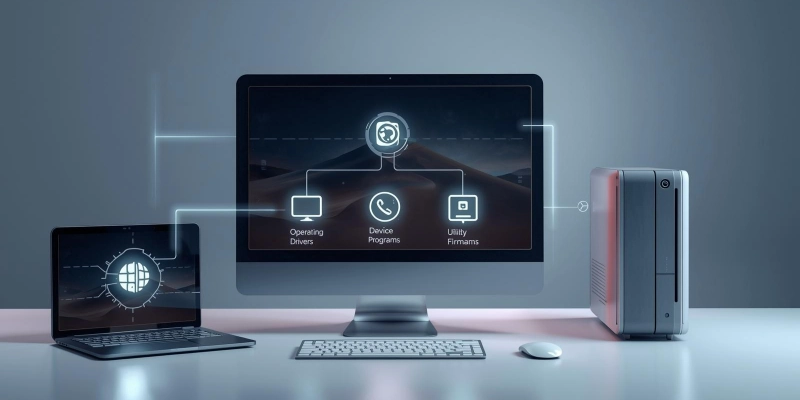
Here are the main types given below.
- Operating System (OS): This is the main software that runs your computer and manages everything.
- Device Drivers: These programs help hardware like printers, keyboards, and cameras communicate with the computer.
- Utility Programs: Tools that help maintain the computer, such as antivirus software or disk cleanup tools.
- Firmware: Special software stored inside hardware devices to control their functions.
| Type | Examples |
| Operating System | Windows, macOS, Linux |
| Device Drivers | Printer driver, Graphics driver |
| Utility Programs | Antivirus, Disk Cleanup |
| Firmware | BIOS, Router firmware |
Features of System Software
It is designed to make your computer efficient, safe, and easy to use. It ensures that the computer manages tasks properly and runs programs without problems.
These features work together to keep your system stable and reliable.
- Background: It works quietly without interrupting your tasks.
- Computer Resources: It manages hardware like memory, processor, and storage.
- Security: It helps protect the computer from viruses and unauthorized access.
- Multitasking: It allows multiple programs to run at the same time without crashing.
- Stable and Reliable: It keeps the computer stable and ensures programs work correctly.
Examples of System Software
Many types of system software help computers and mobile devices run smoothly. Some are designed for personal computers, while others work on smartphones and tablets. These programs manage hardware, run applications, and keep devices operating efficiently.
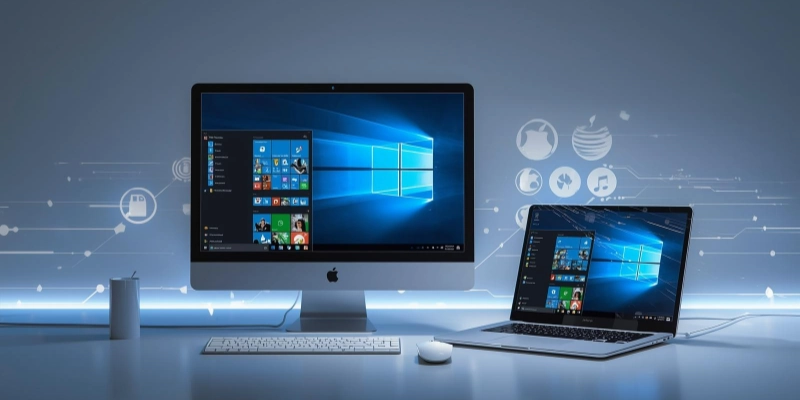
Here are some common examples.
- Windows: A popular operating system for personal computers.
- macOS: The operating system used on Apple Mac computers.
- Linux: An open-source operating system used for desktops, servers, and more.
- Android and iOS: Operating systems designed for mobile devices like phones and tablets.
Importance of System Software
It is essential because it makes computers and devices usable and efficient. It acts as a link between hardware and applications, ensures smooth operation, and keeps the system safe from problems.
- It allows you to run programs and use your device effectively.
- It helps the hardware communicate with applications so everything works together.
- It protects the device from viruses, malware, and unauthorized access.
- It manages resources efficiently, helping programs run faster and more smoothly.
Advantages and Disadvantages of System Software
System software is essential for running computers and devices, but it has both benefits and limitations. Understanding them helps know how it affects performance and usability.
| Benefits | Drawbacks |
| Makes the computer easy to use. | Can be complex for beginners. |
| Helps programs run smoothly. | It may slow down old or low-end devices. |
| Protects from viruses and malware. | Not completely foolproof. |
| Connects hardware and software effectively. | Some drivers may not work on all devices. |
| Helps organize files and manage resources. | Requires updates and maintenance. |
Tips for Beginners
Using system software correctly can make your computer safer and faster. Following a few easy steps helps beginners get the most out of their devices.
- System Update: Regular updates help the computer run smoothly and fix problems.
- Antivirus: Protect your device from viruses and harmful programs.
- Regular Cleanup: Remove unnecessary files to free up space and improve performance.
- Basic Settings: Understand important settings to use your computer more efficiently.
- Backup: Save copies of important data to avoid losing it.
Conclusion
In short, system software is the main program that makes computers and devices work properly. It manages hardware, runs applications, keeps the system secure, and helps everything run smoothly. Understanding its role helps you use your computer more effectively.
Enjoyed the article? Leave a comment below and share your thoughts!
FAQs
Have questions? Find answers in our FAQ section below!
It is a type of program that helps your computer or device run properly. It manages hardware and allows other programs to work. In short, it keeps the system organized and efficient.
Some common examples include Windows, macOS, Linux, Android, and iOS. Device drivers and utility programs are also types of system software. These programs help the computer function correctly.
Yes, Windows is a type of system software called an operating system. It manages hardware and runs other programs on your computer. It is one of the most widely used operating systems worldwide.
No, a computer cannot run properly without system software. It needs system software to manage hardware and start other programs. Without it, the computer would not function.
The main job is to control the computer’s hardware and run applications efficiently. It also organizes files and manages memory. Basically, it makes sure the computer works smoothly.
Yes, an antivirus is a type of utility system software. It protects your computer from viruses and harmful programs. It helps keep the system safe and secure.
It should be updated regularly to improve performance and security. Most updates are released by the software provider. Keeping it up-to-date ensures the device runs smoothly and safely.






- Be Respectful
- Stay Relevant
- Stay Positive
- True Feedback
- Encourage Discussion
- Avoid Spamming
- No Fake News
- Don't Copy-Paste
- No Personal Attacks
- Be Respectful
- Stay Relevant
- Stay Positive
- True Feedback
- Encourage Discussion
- Avoid Spamming
- No Fake News
- Don't Copy-Paste
- No Personal Attacks
