What is a Smart Plug – Benefits, Uses, and Setup Tips
Published: 8 Apr 2026
A smart plug is a small device that you connect to a wall outlet to control your electrical appliances. If you are wondering “what is a smart plug?”, it is a simple tool that lets you turn devices on or off using your smartphone or voice commands.
These are very popular in modern smart homes because they make daily life easier. You can control lights, fans, or other gadgets from anywhere, save energy, and add convenience without changing your appliances.
What Is a Smart Plug?
It is a small device that fits between a wall outlet and an electrical appliance. It allows you to control the power supply to that device using a mobile app or voice command.
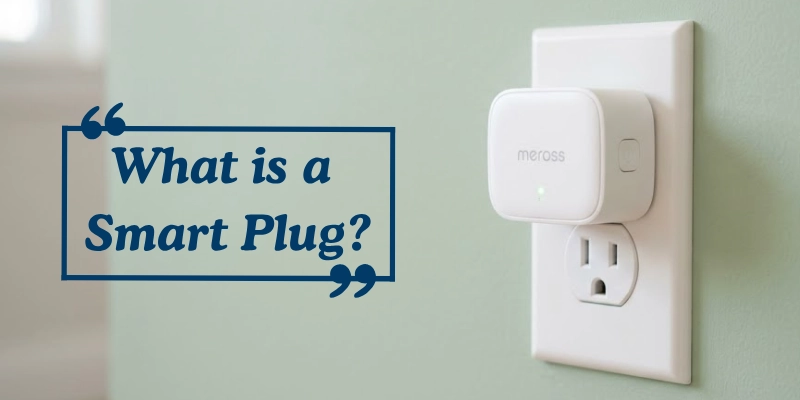
You simply plug the device into the socket, and then connect your appliance to it. This setup acts as a bridge, giving you control over when the appliance turns on or off without touching it directly.
It helps turn regular (non-smart) devices into smarter ones. For example, a normal lamp or fan can be controlled remotely, scheduled to run at certain times, or even operated with voice assistants. This makes everyday devices more convenient and efficient to use.
How Does a Smart Plug Work?
It works by controlling the flow of electricity between your wall outlet and the connected device. It allows you to manage power easily using different control options, making everyday appliances more convenient to use.
Basic Working Principle
At its core, this device acts like a remote-controlled power switch. It turns the electricity supply on or off without needing physical interaction.
Inside the device, there is a small component called a relay. This relay controls the flow of electricity. When you send a command, the relay either allows power to pass through or stops it, depending on your action.
Connection & Setup
To use it, you first connect the device to your home network. Most models work with Wi-Fi, while some also support Bluetooth or connect through a smart home hub.
After connecting, you install a mobile app on your phone. The app helps you set up the device, link it to your network, and control it from anywhere.
Control Methods
You can control the device in different ways based on your preference.
- Smartphone Apps: Use an app to turn devices on or off, set schedules, or monitor usage.
- Voice Assistants: Connect it with assistants like Amazon Alexa, Google Assistant, or Apple Siri to control devices with simple voice commands.
- Manual Button: Most devices also have a physical button, so you can control them directly when needed.
Key Features of Smart Plugs
Smart plugs offer several useful features that make everyday devices easier to control and manage. These features help improve convenience, save energy, and support smart home setups.
Remote Control
This feature lets you turn devices on or off from anywhere using your phone. Even if you are not at home, you can control connected appliances with just a few taps. It adds comfort and also helps when you forget to switch something off.
Scheduling & Automation
You can set timers and create routines based on your daily schedule. For example, you can make a light turn on in the evening or switch off a fan at night. This helps save time and energy without manual effort.
Voice Control
Smart plugs can connect with voice assistants like Amazon Alexa, Google Assistant, and Apple Siri. This allows you to control devices using simple voice commands, making it fast and hands-free.
Energy Monitoring
Some models can track how much electricity your devices use. You can check usage details through the app and understand which appliances consume more power. This helps you manage energy better and reduce electricity costs.
Smart Home Integration
These devices can work with different smart home systems and apps. This means you can connect multiple devices and control them together, creating a fully automated home environment.
Types of Smart Plugs
Smart plugs come in different types, each designed for specific needs and setups. Understanding the differences can help you choose the right one for your home or office.
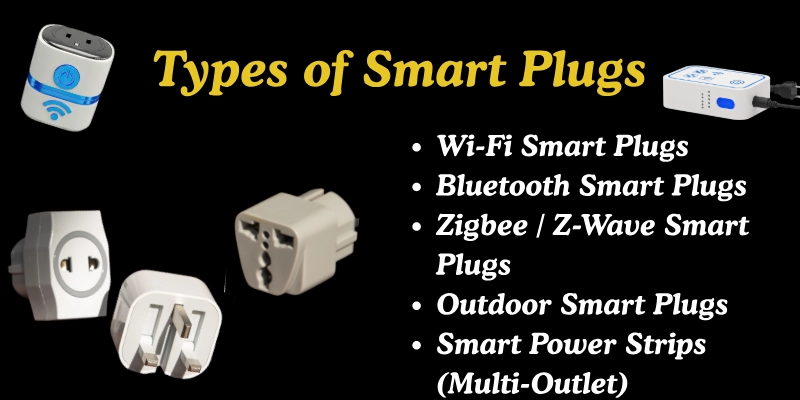
Here are some types given below.
- Wi-Fi Smart Plugs
- Bluetooth Smart Plugs
- Zigbee / Z-Wave Smart Plugs
- Outdoor Smart Plugs
- Smart Power Strips (Multi-Outlet)
Let’s look at them in detail.
Wi-Fi Smart Plugs
These are the most common types. They connect directly to your home Wi-Fi network, allowing you to control devices from anywhere using a smartphone app. They are ideal for indoor use and offer features like scheduling, remote access, and energy monitoring without extra hubs.
Bluetooth Smart Plugs
Bluetooth models connect directly to your phone without using Wi-Fi. They are simple to set up and work well in smaller areas. However, control is limited to the range of Bluetooth, usually within the same room or house.
Zigbee / Z-Wave Smart Plugs
These plugs use Zigbee or Z-Wave protocols to communicate with smart home hubs. They are highly reliable, use less energy, and are great for larger smart home setups. Unlike Wi-Fi plugs, they require a compatible hub to function but offer more stable connections in busy networks.
Outdoor Smart Plugs
Built to withstand weather conditions, outdoor models are water-resistant and durable. They are perfect for controlling garden lights, outdoor decorations, or water pumps safely. Many come with features like surge protection for added safety.
Smart Power Strips (Multi-Outlet)
These combine multiple outlets into a single device, giving you control over several appliances at once. Each outlet can often be controlled separately, making them a flexible choice for entertainment centers, home offices, or areas with multiple devices.
These types show that smart plugs are not one-size-fits-all; they can be tailored to your home, outdoor needs, or multi-device setups.
Common Uses of Smart Plugs
Smart plugs are not just convenient; they help simplify daily routines, improve home safety, and save energy. Here are some of the most popular ways people use them:
- Automating Lights and Lamps:
Control lights remotely or set schedules to turn them on and off automatically. - Scheduling Coffee Makers or Heaters:
Automate appliances like coffee makers or heaters to start at specific times. - Home Security (Simulate Presence):
Turn lights or devices on and off to make it look like someone is home. - Controlling Appliances Remotely:
Switch devices on or off from anywhere using a mobile app. - Energy-Saving Routines:
Set devices to turn off automatically when not in use to save electricity.
Advantages and Disadvantage
Smart plugs offer many benefits, but they also have some limitations. Understanding both sides can help you decide if they are right for your home. Here’s a quick comparison of their main advantages and disadvantages:
| Benefits | Drawbacks |
| Convenient and automates tasks. | Works only with simple devices. |
| Saves energy and reduces bills. | Needs stable Wi-Fi connection. |
| Easy to install (plug-and-play). | Not for high-power appliances. |
| Needs a stable Wi-Fi connection. | May not work with all devices. |
Smart Plug vs Smart Switch vs Smart Power Strip
Many people wonder which smart device to choose for their home. Here’s a simple comparison to help you understand the differences, uses, and benefits.
| Smart Plug | Smart Switch | Smart Power Strip |
| Plug-and-play, no wiring needed | Moderate, depends on the number of outlets | Plug-and-play, multiple outlets |
| Can move to any outlet easily | Fixed in one location | Can control several devices at once |
| Individual appliances, lamps | Built-in lights, ceiling fixtures | Desks, entertainment centers, multiple devices |
| App or voice commands | App, voice, or wall switch | App, voice, or manual buttons |
| Affordable | Slightly higher | Moderate, depends on number of outlets |
What Devices Work with Smart Plugs?
Smart plugs are designed to control simple appliances easily, but it’s important to know which devices are safe to use with them.
Devices That Work
Most simple electrical devices work well with smart plugs. Common examples include:
- Lamps and lights
- Fans
- Coffee makers
- Heaters (within power limits)
- Small kitchen appliances
Devices That Don’t Work
Some electronics are not suitable for smart plugs. Avoid using them with:
- Laptops or computers
- High-power devices like ovens or air conditioners
- Advanced electronics with sensitive circuits
- Anything that requires constant power without interruption
This helps you choose devices that are safe and efficient to control with a smart plug.
Safety Tips for Using Smart Plugs
Using smart plugs safely ensures your devices and home stay protected. Here are some important tips to follow:
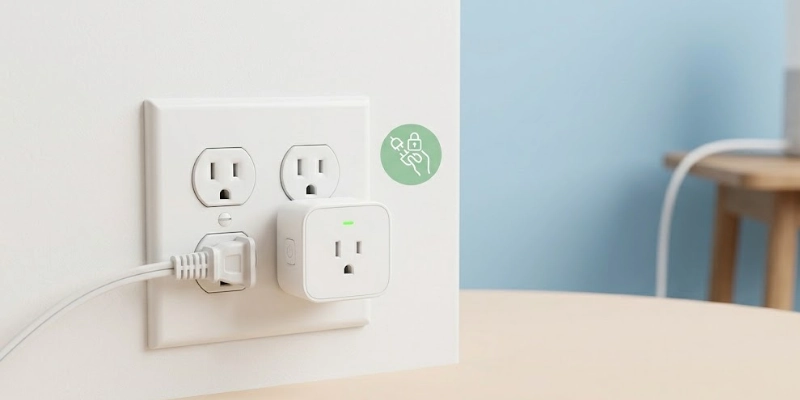
- High-Wattage Appliances: Don’t connect ovens, air conditioners, or other high-power devices that can overload the plug.
- Load Capacity: Always confirm the maximum wattage or amperage the plug can handle.
- Certified Products: Choose plugs with safety certifications to reduce fire or electrical risks.
- Indoor vs Outdoor Usage: Only use plugs designed for outdoor conditions when outside; indoor plugs are not weatherproof.
Following these simple tips keeps your smart home convenient and safe.
How to Choose the Best Smart Plug?
Picking the right smart plug ensures it works well with your home and devices. Consider these key points:
- Compatibility with Your Ecosystem: Make sure the plug works with your smartphone, voice assistant, or smart home system.
- Features: Look for helpful functions like energy monitoring, scheduling, and automation.
- Build Quality and Safety: Choose well-built, certified plugs to avoid electrical hazards.
- Price vs Value: Compare cost with features and durability to get the best deal for your needs.
Choosing carefully helps you get a plug that is convenient, safe, and worth the investment.
Popular Smart Plug Brands
Here are some well‑known brands that many users trust for quality, features, and reliability:
- TP‑Link Kasa: Known for strong app support and energy tracking.
- Amazon Smart Plug: Easy setup, great for voice control with Alexa.
- Philips Hue: Works well with lighting systems and smart home hubs.
- Meross / Wemo: Affordable options with reliable performance.
These brands offer a range of styles and features to fit different needs and budgets.
Conclusion
Smart plugs make your home more convenient, energy-efficient, and automated. They let you control lights and appliances remotely, with schedules, or via voice commands.
For beginners, they are a cost-effective way to start a smart home, offering convenience, safety, and energy savings.
In short, smart plugs are a small device with big benefits, perfect for modern homes.
FAQs
Get answers and take control, start using smart plugs for a smarter home now!
A smart plug is used to control everyday appliances remotely and set schedules for them. It allows you to automate tasks like turning lights or fans on and off. Additionally, some models let you track energy usage to reduce electricity bills.
Even when switched off, smart plugs consume a small amount of standby power to stay connected. This energy usage is minimal and usually does not impact your electricity bill significantly. It ensures the device can respond quickly to commands from your app or voice assistant.
Some smart plugs work via Bluetooth or a smart home hub, which doesn’t require Wi-Fi. However, remote control from outside your home usually needs an internet connection. Local automation may still function without Wi-Fi, depending on the device.
Smart plugs are generally safe if you follow the manufacturer’s guidelines. Using certified products and staying within the recommended power limits reduces risks. Proper installation and avoiding high-power or sensitive electronics ensure safe operation.
Yes, they help reduce energy use by turning off devices automatically when not needed. Scheduling appliances and monitoring their usage can lower electricity bills. They also prevent unnecessary standby power drain from forgotten devices.
Avoid plugging in high-power devices like ovens, air conditioners, or heaters that exceed the plug’s capacity. Sensitive electronics, such as computers or advanced medical devices, are also not recommended. Stick to small household appliances for safe and effective use.
The working range depends on the type of connection, either Wi-Fi or Bluetooth. Typically, it works anywhere inside your home where the network signal reaches. Some devices may have limited control if the signal is weak or blocked by walls.
Leaving smart plugs on is safe for normal devices within the recommended load limits. They are designed to handle continuous operation without overheating. Always follow manufacturer instructions to ensure long-term safe use.




- Be Respectful
- Stay Relevant
- Stay Positive
- True Feedback
- Encourage Discussion
- Avoid Spamming
- No Fake News
- Don't Copy-Paste
- No Personal Attacks
- Be Respectful
- Stay Relevant
- Stay Positive
- True Feedback
- Encourage Discussion
- Avoid Spamming
- No Fake News
- Don't Copy-Paste
- No Personal Attacks
