What is a Magic Keyboard & How Does it Work?
Published: 29 Jan 2026
Have you ever thought about why typing feels easy on some keyboards but hard on others? What makes people enjoy using a modern keyboard every day? This article answers these questions and explains what a magic keyboard is in simple and clear words for beginners.
When we start learning about different keyboards, we also understand why they matter so much. Keyboards help us type, study, and work for long hours. A good keyboard can save time, reduce effort, and make daily tasks smoother, which is why choosing the right one is important.
What is a Magic Keyboard?
It is a wireless keyboard created by Apple for easy and smooth typing. It connects without cables and helps users type comfortably for long periods.
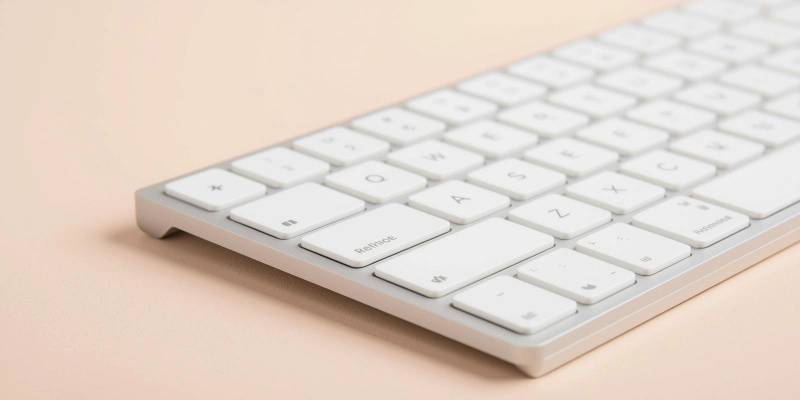
Its slim design makes it easy to carry and use at home, school, or work.
Who Makes Magic Keyboard?
This keyboard is designed and sold by Apple to work best with its devices. It is commonly used with MacBooks and iPads, allowing users to type faster and more accurately. Many people choose it because it feels reliable and simple to use.
Example:
You can connect it to a MacBook or iPad to write documents, send emails, or complete daily tasks.
How Magic Keyboard work?
This Keyboard works wirelessly and connects easily to Apple devices. It uses Bluetooth to pair with MacBooks, iPads, and other gadgets.
The low-profile keys make typing smooth and quiet, and the built-in rechargeable battery lasts for hours. Setup is simple, so users can start typing within minutes.
- The keyboard connects to devices wirelessly using Bluetooth.
- It pairs quickly with a MacBook, iPad, or other Apple devices.
- The built-in rechargeable battery can last for a long time on a single charge.
- Users can recharge the keyboard easily using a cable.
- The low-profile keys make typing smooth, quiet, and comfortable.
- Its design is focused on ease of use for daily tasks.
Types of Magic Keyboard
There are different types of Magic Keyboard designed for various devices and needs. Some are made for Mac computers, others include extra keys for numbers, and some are designed specifically for iPads with added features.
Each type helps users type comfortably and work efficiently.
- Magic Keyboard for Mac:
It is a standard keyboard for everyday typing. - Magic Keyboard with Numeric Keypad:
This Keyboard with a numeric keypad includes extra number keys for calculations and data entry. - Magic Keyboard for iPad:
The Magic Keyboard for iPad comes with a trackpad and a stand for easier navigation and typing.
Features of Magic Keyboard
This Keyboard has many features that make typing easier and more comfortable. It works without cables, is slim and lightweight, and provides a smooth typing experience.
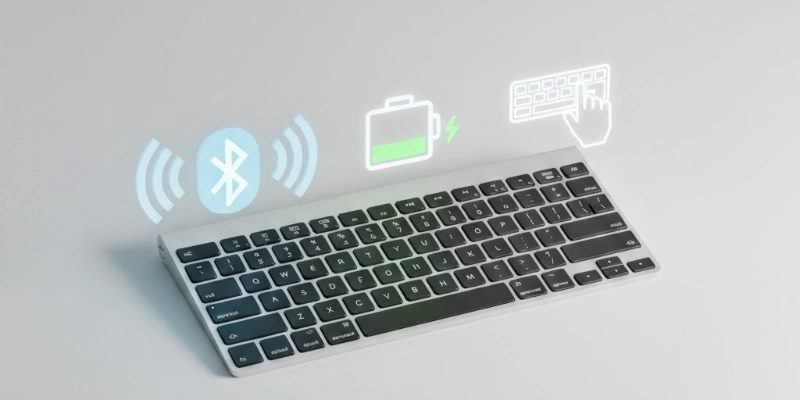
The battery lasts a long time, and it is compatible with various Apple devices.
- This Keyboard is wireless and does not require any cables.
- It has a slim and lightweight design, making it easy to carry and use.
- The keyboard provides a comfortable and smooth typing experience.
- It comes with a long-lasting rechargeable battery for extended use.
- The keyboard works well with MacBooks, iPads, and other Apple devices.
Uses of Magic Keyboard
This keyboard can be used in many ways for work, study, and creative tasks. It helps users type faster, work comfortably, and stay productive with Apple devices.
- It is useful for office work, such as writing emails and creating documents.
- Students can use it for online classes and take notes easily.
- Writers can type articles, blogs, and other content with ease.
- Programmers can write code efficiently with accurate typing.
- It improves productivity when used with an iPad for multitasking and apps.
Advantages and Disadvantages
This Keyboard has both benefits and drawbacks depending on how it is used. Understanding its advantages and disadvantages helps users decide if it suits their needs.
| Advantages | Disadvantages |
| Wireless and easy to use | Expensive compared to other keyboards |
| Slim and lightweight | Limited to Apple devices |
| Comfortable and quiet typing | No backlight on some models |
| Long battery life | Keys may feel shallow for some users |
| Portable and stylish | Lacks extra function keys for advanced tasks |
Tips for Beginners Using Magic Keyboard
If you are new to using the Magic Keyboard, a few simple tips can make your experience better. Following these steps helps you type smoothly, keep the keyboard in good condition, and use it efficiently with Apple devices.
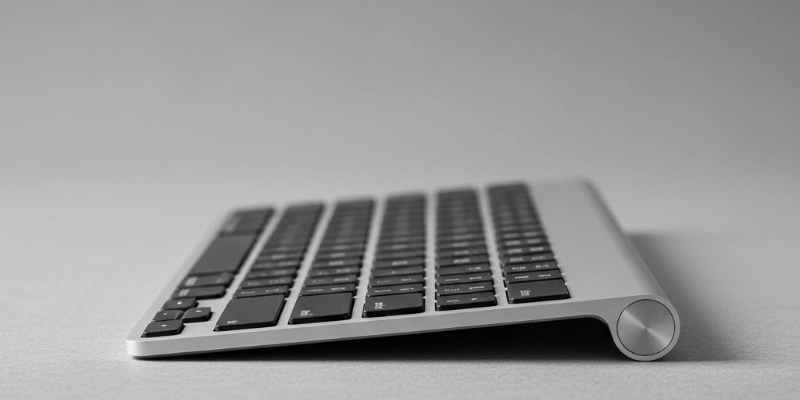
Here are some tips given below.
- Charge the keyboard fully before using it for the first time.
- Keep Bluetooth turned on to maintain a stable connection with your device.
- Clean the keyboard regularly to prevent dust and dirt from affecting the keys.
- Learn and use keyboard shortcuts to work faster and save time.
- Carry the keyboard carefully while traveling to avoid damage.
Magic Keyboard vs Regular Keyboard
The Magic Keyboard and regular keyboards have different designs and features. This comparison helps you understand how they differ for everyday use.
| Feature | Magic Keyboard | Regular Keyboard |
| Connection | Wireless via Bluetooth | Usually wired |
| Design | Slim and lightweight | Can be bulky |
| Typing Feel | Quiet and smooth | Varies, can be noisy |
| Battery | Rechargeable | No battery needed |
| Compatibility | Best with Apple devices | Works with most devices |
| Extra Features | Some models have a trackpad | Usually, basic keys only |
Conclusion
The Magic Keyboard is a useful and convenient tool for typing, working, and studying with Apple devices. Its wireless design, comfortable keys, and long battery life make daily tasks easier, while different types and features suit various needs. Overall, it is a reliable keyboard that helps users stay productive and type with comfort.
Love your Magic Keyboard? Drop a comment below and share your thoughts!
FAQs
Got questions? Explore our FAQs and discover everything about the Magic Keyboard!
People like it because it is wireless, slim, and easy to use. Typing is smooth and quiet, which makes it comfortable. It also works well with Apple devices.
The Magic Keyboard is a wireless keyboard made by Apple. It is designed for comfortable and efficient typing. It connects easily to MacBooks, iPads, and other devices.
Turn it on and connect it via Bluetooth to your device. Once paired, you can start typing immediately. No extra setup is needed for basic use.
No, it works wirelessly using its built-in rechargeable battery. You only need to plug it in to recharge. Daily use does not require it to be connected.
It depends on your preference. The Magic Keyboard already protects the iPad from scratches. A separate case is optional for extra protection.
It usually has around 78–79 keys for standard models. Models with a numeric keypad have more keys. The layout is simple and easy to use.
Yes, Bluetooth is required to connect it wirelessly to devices. It allows the keyboard to work without cables. Most Apple devices support this connection easily.
You can type documents, emails, and notes quickly. It can be used for coding, writing, or online classes. It also works well for general navigation on iPads or Macs.
It works best with MacBooks, iPads, and other Apple devices. Some models may also connect to compatible iPhones. It is not designed for non-Apple devices.
Yes, you can use a mouse with your device while typing. The keyboard does not replace a mouse. Both work together for better navigation and productivity.





- Be Respectful
- Stay Relevant
- Stay Positive
- True Feedback
- Encourage Discussion
- Avoid Spamming
- No Fake News
- Don't Copy-Paste
- No Personal Attacks
- Be Respectful
- Stay Relevant
- Stay Positive
- True Feedback
- Encourage Discussion
- Avoid Spamming
- No Fake News
- Don't Copy-Paste
- No Personal Attacks
