What is an External Hard Drive – Types, Uses, and Benefits
Published: 9 Apr 2026
An external hard drive is a portable device that stores your data outside your computer. If you are wondering “what is an external hard drive?”, it is simply a storage tool that you can connect to your laptop or PC to save files like photos, videos, documents, and backups.
Today, people create and use more data than ever before. Files are larger, and built-in storage often fills up quickly. Many users need extra space to keep their important data safe and organized. An external drive makes it easy to store and carry your files anywhere.
What is an External Hard Drive?
An external hard drive is a simple storage device that you use outside your computer. It helps you save and manage your files without using your computer’s built-in space.
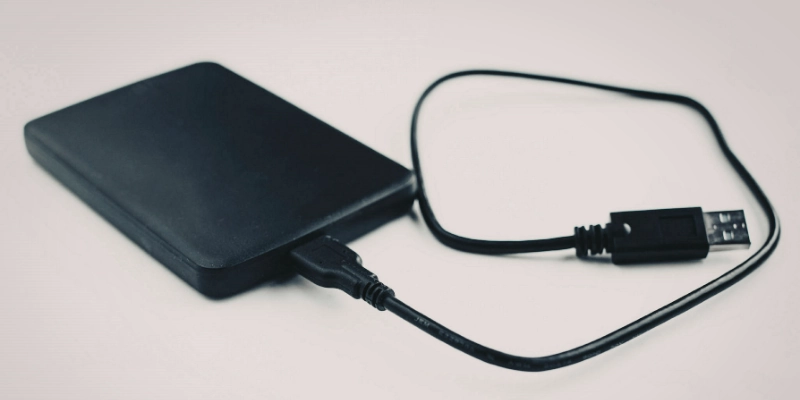
In basic terms, it is a storage device that connects to your computer from the outside. You can plug it in when you need it and remove it when you are done. This makes it very easy to use, even for beginners.
Most external hard drives connect through a USB cable or faster options like Thunderbolt. They are also portable, so you can carry them with you and access your files on different devices anytime.
How Does an External Hard Drive Work?
An external hard drive works in a simple way. It connects to your computer and gives you extra space to store and manage your files. You can use it anytime to save, move, or access your data.
Basic Working Principle
An external hard drive works like the storage inside your computer. It stores digital data such as photos, videos, documents, and software. You can save, delete, and manage files on it just like you do on your PC.
It acts as a secondary storage device. This means it gives you extra space when your computer’s main storage is full or when you want to keep backup files safe.
Connection Methods
External hard drives connect to your computer in different ways. The most common method is through a USB cable. Many modern drives also use USB-C or Thunderbolt for faster speeds. Some advanced drives even offer wireless connection.
Most external drives support plug-and-play. You just connect the device, and your computer will detect it automatically. You do not need a special setup in most cases.
Data Transfer Process
You can move files to an external hard drive by copying and pasting them. This is the same process you use inside your computer.
People often use external drives to back up important data. You can also open and retrieve files anytime by connecting the drive again. This makes it a simple and reliable way to store and access your data.
Types of External Hard Drives
External hard drives come in different types. Each type has its own speed, size, and use. You can choose one based on your storage needs and budget.
HDD (Hard Disk Drive)
An HDD uses magnetic disks to store data. It is a common and affordable option. Many users choose it because it offers high storage capacity at a lower price.
HDDs work well for storing large files like videos, photos, and backups. However, they are slower than SSDs and can get damaged if handled roughly.
SSD (Solid-State Drive)
An SSD uses flash memory instead of moving parts. It works much faster than an HDD and gives quick access to files.
SSDs are also more durable and reliable. They can handle movement better, but they usually cost more and offer less storage at the same price.
Portable External Drives
Portable external drives are small and easy to carry. You can use them anywhere without extra setup.
These drives get power from a USB connection, so you do not need a separate power source. They are a good choice for everyday use and travel.
Desktop External Drives
Desktop external drives are bigger and stay in one place. They offer large storage space, which is useful for backups and heavy data use.
These drives need an external power supply to work. Most people keep them on a desk at home or in the office.
Wireless External Drives
Wireless external drives do not need cables to connect. They use Wi-Fi to link with your gadgets.
You can access and share files across multiple devices easily. This makes them useful for home use and file sharing without plugging in cables.
Key Features of External Hard Drives
External hard drives offer many useful features. These features help you store, access, and manage your data in a simple way.
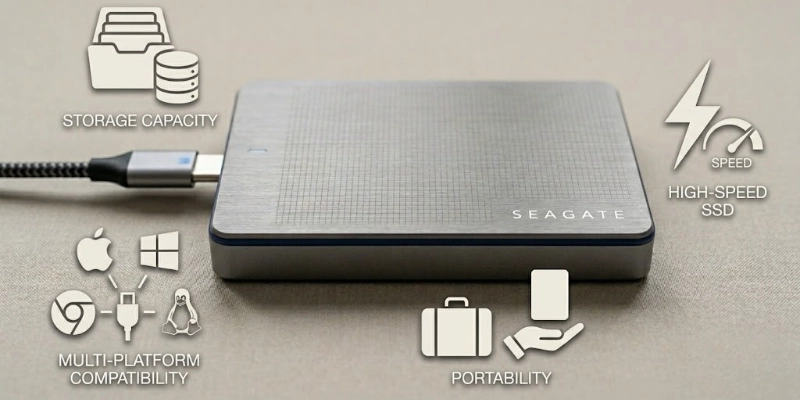
Storage Capacity
External hard drives come in different storage sizes. You can find options from a few gigabytes (GB) to multiple terabytes (TB).
You can choose a small drive for basic files or a large drive for videos, games, and backups. More capacity means you can store more data in one place.
Portability
Most external hard drives are easy to carry. You can take them with you to school, the office, or while traveling.
Portable gadgets are small and lightweight. This makes it simple to use your data anywhere without depending on one device.
Compatibility
External hard drives work with many devices. You can use them with PCs, laptops, and even gaming consoles.
Many drives support different operating systems, so you can connect them without major issues. This makes them flexible for daily use.
Speed & Performance
The speed of an external hard drive depends on its type and connection. SSDs are faster than HDDs, so they load and transfer files quickly.
Connection type also affects speed. USB, USB-C, and other faster options can improve performance and reduce transfer time.
Common Uses of External Hard Drives
External hard drives are useful for many everyday tasks. They make managing and protecting your data simple and convenient.
Data Backup and Recovery
One of the main uses of an external hard drive is backing up important files. You can save copies of your documents, photos, and videos. If your computer fails, you can quickly recover your data from the drive.
Expanding Storage Space
External drives help when your computer’s storage is full. Instead of deleting files, you can move them to the external drive. This gives you more space for new programs, files, and apps.
Transferring Large Files
External hard drives are ideal for moving large files between devices. You can copy movies, software, or project files and share them quickly without relying on internet transfer.
Storing Media (Photos, Videos, Games)
Many people use external hard drives to store media. You can keep all your photos, videos, music, and games in one place. This keeps your computer organized and frees up internal storage.
External Hard Drive vs Internal Hard Drive
External and internal hard drives both store your files, but they work in different ways. External drives are easy to carry and use for extra storage or backups. Internal drives stay inside your computer and give faster performance for programs and games.
| Feature | External Hard Drive | Internal Hard Drive |
| Location | Outside computer | Inside computer |
| Use | Backup, extra storage | Main storage, programs |
| Portability | Easy to carry | Stays in one place |
| Performance | Slower than internal | Faster, better for apps |
| Installation | Plug and play | Needs opening PC |
Advantages of External Hard Drives
External hard drives are simple and useful for storing your data. They give extra space and flexibility for your files.
- External hard drives are easy to use because you can plug them in and start working without any setup.
- You do not need to open your computer to use an external hard drive.
- They are portable, so you can carry your files anywhere.
- External hard drives keep your data safe and secure.
- They are cost-effective and let you add extra storage without spending too much.
Disadvantages of External Hard Drives
External hard drives are helpful, but they also have some drawbacks. Knowing these can help you use them safely and wisely.
- External hard drives are usually slower than internal drives.
- They can get damaged if dropped or handled roughly.
- They depend on cables to connect to your computer.
- External drives can be lost or stolen if not kept safely.
- Some external drives can be expensive for large storage or SSD models.
How to Choose the Right External Hard Drive?
Choosing the right external hard drive makes sure you get the best storage for your needs. Consider these key points before buying:
- Storage: Decide how much space you need based on your files, photos, videos, or backups.
- HDD vs SSD: Choose HDD for large, affordable storage or SSD for faster speed and durability.
- Compatibility: Make sure the drive works with your computer, laptop, or other devices.
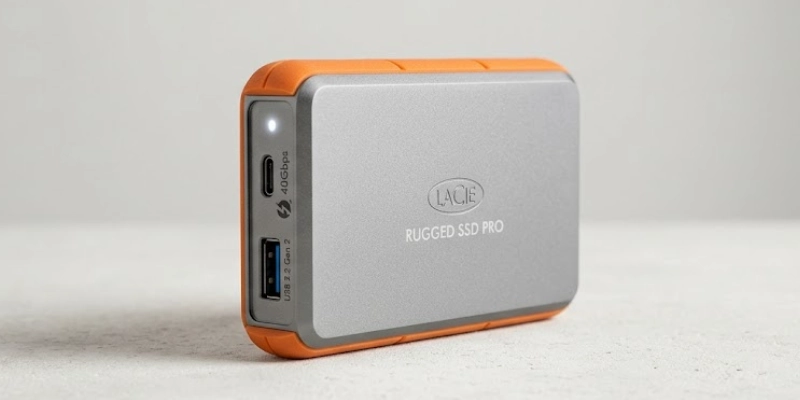
- Speed: Check the transfer speed; USB-C or Thunderbolt drives are faster than standard USB.
- Budget: Consider how much you are willing to spend on the storage and features you need.
Safety Tips for Using External Hard Drives
Using an external hard drive safely helps protect your data and extend the life of the device.
- Always safely eject the drive before unplugging it from your computer.
- Avoid dropping or subjecting the drive to physical shocks.
- Keep backups of important data in case the drive fails.
- Protect the drive from malware by scanning it regularly and using antivirus software.
Popular External Hard Drive Brands
Some brands are well-known for reliable and high-quality external hard drives. Choosing a trusted brand can give you better performance and support.
- Western Digital (WD): Offers a wide range of HDDs and SSDs for different needs.
- Seagate: Known for high-capacity and durable drives.
- Toshiba: Provides affordable and portable options.
- Samsung: Offers fast and durable SSD drives with modern features.
Conclusion
External hard drives are an easy and reliable way to store, back up, and carry your data. They come in different types and sizes, so you can choose one that fits your needs and budget.
With growing files and media, external drives are essential today. By picking the right drive and using it safely, beginners can keep their data secure and access it anytime.
FAQs
Need help? Check out our FAQs for quick tips and answers!
An external hard drive stores extra files outside your computer. People use it for backups, transferring large files, and keeping media like photos, videos, and games. It expands storage without slowing down your PC.
No, a USB drive is smaller and stores less data than an external hard drive. External drives offer larger capacity and faster transfer speeds. They are better for backups and long-term storage.
Yes, some programs can run directly from an external drive. It may be slower than running software on your internal drive. SSD drives improve speed for running apps.
External hard drives usually last 3 to 5 years if handled carefully. SSDs last longer since they have no moving parts. Regular backups help prevent data loss.
Small drives get power from the USB connection. Larger desktop drives often need a separate power adapter. The type of drive decides if extra power is required.
Yes, most drives work with both laptops and desktops. Some may need formatting for different operating systems. They are ideal for sharing files across devices.
Most drives connect using USB, USB-C, or Thunderbolt cables. Some wireless drives connect via Wi-Fi. Plug-and-play lets you start using them immediately.
Yes, you can store and run games from external drives. SSDs are better because they load faster. HDDs can hold more games but may be slower.
Yes, if you use encryption and passwords. Keeping the drive secure reduces risk. Regular backups add extra protection for important files.
Portable drives are small, lightweight, and powered via USB. Desktop drives are larger, have more storage, and need an external power source. Both serve different needs depending on usage.






- Be Respectful
- Stay Relevant
- Stay Positive
- True Feedback
- Encourage Discussion
- Avoid Spamming
- No Fake News
- Don't Copy-Paste
- No Personal Attacks
- Be Respectful
- Stay Relevant
- Stay Positive
- True Feedback
- Encourage Discussion
- Avoid Spamming
- No Fake News
- Don't Copy-Paste
- No Personal Attacks
