What is a Calculator – Simple Guide for Quick Calculations
Published: 11 Apr 2026
Calculators are essential tools that help us perform mathematical operations quickly and accurately. But what is a calculator, exactly? Simply put, it is an electronic device designed to handle arithmetic, complex equations, and sometimes even advanced functions like graphing.
In today’s fast-paced world, they play a crucial role in education, work, and daily life, making tasks that involve numbers far easier. Here, we’ll explore the different types of calculators, their features, practical uses, and tips to choose the right one for your needs.
What Does “Calculator” Mean?
It is a tool that helps people do math quickly. It can add, subtract, multiply, divide, and solve more complex problems. The word comes from the Latin word calculare, which means “to calculate.”
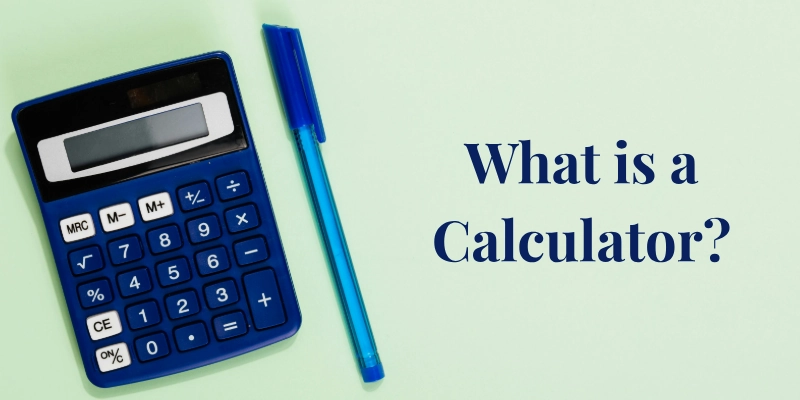
Over time, this tool became closely linked to mathematics and computing. Today, it plays an important role in learning, work, and daily life, making number-based tasks easier and faster.
- People use it to solve daily math problems quickly.
- It reduces mistakes when working with numbers.
- It comes in many forms, from simple devices to advanced digital tools.
- Schools and offices rely on it for accuracy in calculations.
- It connects mathematics to technology, helping with modern computing tasks.
Brief History of Calculators
They have evolved tremendously over thousands of years, transforming from simple counting tools to powerful digital devices that fit in our pockets and computers. Their journey reflects human ingenuity in making arithmetic faster, easier, and more accessible.
- Early Calculation Tools (Abacus & Counting Boards): One of the first tools for arithmetic, dating back thousands of years, was used by civilizations like the Babylonians, Chinese, and Romans.
- Mechanical Calculators (17th–19th Century): Devices like Blaise Pascal’s Pascaline and Gottfried Leibniz’s Step Reckoner allowed automated addition, subtraction, multiplication, and division.
- First Electronic Calculators (1960s–1970s): Miniaturized circuits replaced mechanical parts, making calculations faster and more portable. Companies like Casio and Sharp pioneered these devices.
- Modern Digital Calculators and Apps: Today, they are integrated into computers, smartphones, and smartwatches, offering scientific, financial, and graphing functions.
Beyond the major milestones, several other innovations played key roles in shaping how we calculate today:
- Slide Rules: Popular before electronic calculators, used by engineers and scientists for complex calculations.
- Pocket Calculators: Became widely available in the 1970s, transforming everyday arithmetic for students and professionals.
- Graphing Calculators: Emerged in the 1980s, allowing visual representation of mathematical functions.
- Software Calculators: Programs like Windows Calculator and online calculators made calculations accessible without hardware.
- Integration in Technology: Modern calculators are often built into devices, AI tools, and even smart home systems, expanding their utility beyond traditional arithmetic.
How Does a Calculator Work?
They might seem magical, but they operate through a combination of input, processing, and memory. Here’s a simple breakdown of how they perform calculations:
Basic Inputs and Outputs
The first step in any calculation is entering information into the calculator. This can include numbers, symbols, or commands depending on the type of calculator.
- Numbers and Operations: You type numbers and choose operations (like +, –, ×, ÷) using buttons or a touchscreen.
- Results: After computation, the result appears on the screen, usually instantly.
Processing Unit
Once the inputs are entered, the calculator’s processor takes over. It performs the necessary calculations using built-in circuits and logical rules.
- Internal Circuits: The calculator’s processor, often a microchip, receives your inputs and performs the necessary calculations using electronic signals.
- Logic and Arithmetic Operations: It follows pre-programmed rules for arithmetic (addition, subtraction, multiplication, division) and, in scientific calculators, more advanced functions like square roots or trigonometry.
Memory Functions
They can temporarily store numbers to help with multi-step problems. This makes it easier to recall values without re-entering them, saving time and reducing errors.
- Storing Values: They can temporarily store numbers in memory for multi-step calculations.
- Recalling Them: You can retrieve these stored values to continue calculations without re-entering them.
Types of Calculators
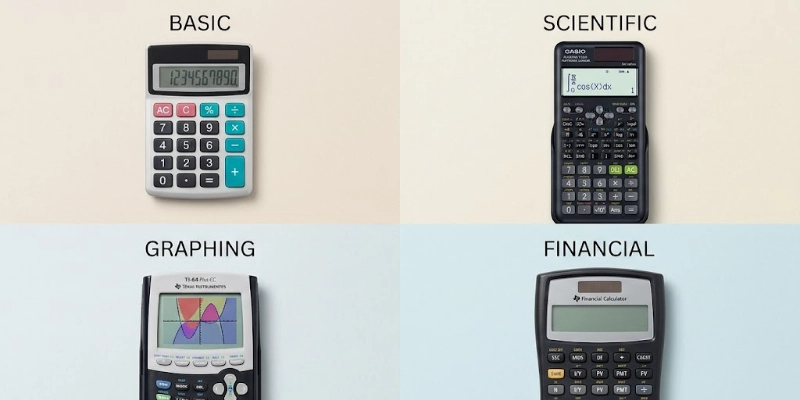
They come in many forms, each designed for specific needs. From simple arithmetic to advanced graphing, understanding the types helps you choose the right one for your tasks.
Basic Calculators
Ideal for everyday use, these can handle simple math operations. They are perfect for students, home use, and quick arithmetic tasks.
- Simple Operations (+, −, ×, ÷): Perform basic calculations quickly and efficiently.
Scientific Calculators
Designed for more advanced mathematics and science subjects. They are commonly used in schools, colleges, and professional fields.
- Trigonometry, Exponents, Logs: Solve complex math problems including sin, cos, tan, powers, and logarithms.
Graphing Calculators
These are essential for visualizing mathematical functions. They allow plotting graphs and analyzing data trends.
- Plotting and Graph Features: Create charts, graphs, and tables to better understand equations.
Financial Calculators
Specialized for business, accounting, and finance calculations. They simplify tasks like interest computation and cash flow analysis.
- Business and Finance Functions: Calculate loans, investments, depreciation, and other financial metrics.
Printing Calculators
Ideal for accountants and small businesses that require paper records. They provide a running printout of calculations for auditing purposes.
- Receipts and Accounting: Print calculations in real-time to keep physical records.
Online and App Calculators
Digital alternatives that work on computers and smartphones. They are convenient, accessible, and often free to use.
- Browser and Phone Alternatives: Perform calculations without a physical device, anytime, anywhere.
Core Functions of a Calculator
They are more than just number crunchers; they are designed to simplify a wide range of mathematical tasks.
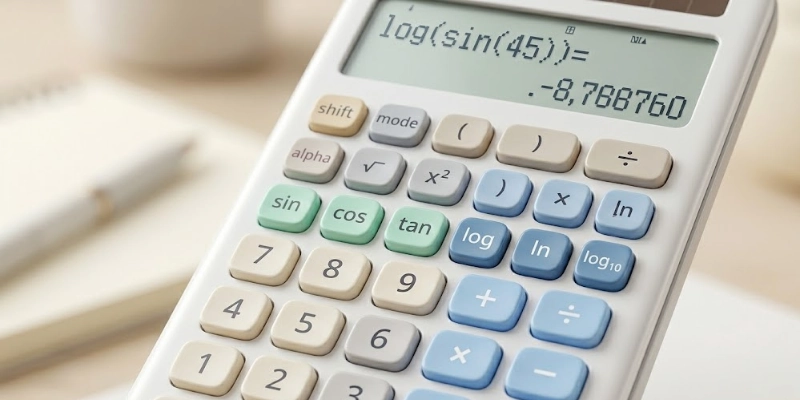
Understanding their core functions helps you use them efficiently for everyday, academic, or professional purposes.
- Arithmetic Operations: Most of them handle addition, subtraction, multiplication, and division, making everyday calculations fast and accurate.
- Order of Operations (PEMDAS/BODMAS): They follow mathematical rules to solve complex equations correctly, ensuring parentheses, exponents, and operations are handled in the right sequence.
- Memory Keys (M+, M−, MR, MC): These keys allow users to store, recall, add, or clear numbers in memory, enabling multi-step calculations without errors.
- Scientific Functions: Advanced calculators include functions like sine (sin), cosine (cos), logarithms (log), exponents, and more, making them suitable for students, engineers, and scientists.
Real‑World Uses of Calculators
They are not just tools for learning; they play a crucial role in everyday tasks, professional work, and complex problem-solving. Their versatility makes them essential in many fields.
- School Mathematics and Homework: Students use them to solve arithmetic, algebra, and geometry problems efficiently, saving time and reducing errors.
- Engineering and Science: Engineers and scientists rely on them for precise computations, trigonometry, and data analysis in research and design.
- Finance and Accounting: Professionals use them for budgeting, tax calculations, interest computations, and financial planning.
- Everyday Life Calculations: They help with tasks like shopping, cooking, measurements, travel planning, and quick conversions.
Calculator vs Computer vs Smartphone
While calculators, computers, and smartphones can all perform calculations, each device has different strengths and ideal use cases. Understanding their differences helps you choose the right tool for specific tasks.
| Device | Use | Pros | Cons |
| Calculator | Quick math | Small, easy, fast | Limited functions |
| Computer | Big tasks | Strong, fast, many apps | Big, costly |
| Smartphone | Daily math | Always with you, many apps | Less exact, depends on apps |
Advantages and Disadvantages of Calculators
They are powerful tools that make math easier, faster, and more accurate. However, they also come with some limitations, especially if overused.
Advantages
Using a calculator can save time and reduce mistakes, making calculations simple for anyone.
- They provide quick and accurate results, saving time on calculations.
- They are portable and easy to use, allowing calculations anywhere.
- They reduce human errors in long or complex computations.
- Advanced calculators can handle scientific, financial, or statistical functions easily.
- They simplify learning by allowing students to focus on problem-solving rather than manual calculations.
Disadvantages
While calculators are helpful, relying too much on them can affect learning and limit capabilities.
- Over-reliance on them can weaken mental math skills.
- Some calculators, especially graphing models, require a learning curve to use effectively.
- They have limited functionality compared to computers for very complex tasks.
- Dependence on them may reduce understanding of fundamental math concepts.
- Battery-operated or electronic calculators can fail, leaving you unable to calculate without a backup.
Choosing the Right Calculator
Not all calculators are the same. Picking the right one depends on your needs, budget, and where you’ll use it. The right choice makes calculations easier and more efficient.
- Purpose: Decide whether you need a basic calculator for simple math, a scientific calculator for advanced functions, or a graphing calculator for plotting and complex equations.
- Budget and Features: Consider how much you want to spend and which features are essential for your tasks. More advanced calculators usually cost more but offer additional functions.
- School or Work Requirements: Some schools or workplaces may require specific types of calculators, especially for exams, engineering, or finance.
Fun Facts About Calculators
They are fascinating devices with a rich history and surprising uses beyond everyday math. Here are some fun facts that make them even more interesting:
- The first handheld calculator was introduced in the early 1970s, making portable calculations possible for the first time.
- Some of the most powerful calculators today can perform billions of operations per second and handle advanced scientific computations.
- They have even been used in space missions and scientific research, helping astronauts and scientists perform precise calculations in challenging environments.
Conclusion
They have evolved from simple counting tools to powerful devices that make math faster, easier, and more accurate. They are essential for students, professionals, and everyday tasks, helping reduce errors and save time.
Exploring different types of calculators, basic, scientific, or graphing, can improve efficiency and make learning or work more enjoyable. Choosing the right one for your needs ensures you get the most out of this handy tool.
FAQs
Got more questions? Check these FAQs to understand them better.
It is designed to perform arithmetic and complex mathematical operations quickly and accurately. It helps users save time, reduce errors, and handle repetitive calculations efficiently. Most of them are portable, making them convenient for students, professionals, and everyday use.
Yes, advanced calculators, like scientific and graphing models, can handle algebraic equations, derivatives, and integrals. They use built-in functions to simplify complex math tasks. However, understanding the underlying concepts is still important for proper problem-solving.
Not entirely. While smartphones have calculator apps, dedicated devices often offer faster access, specialized functions, and tactile buttons. They are still preferred in exams, labs, and professional settings where accuracy and ease of use matter.
Scientific calculators handle functions like trigonometry, logarithms, and exponents, while graphing calculators can plot graphs and analyze visual data. Graphing calculators are ideal for advanced mathematics and engineering courses. Both are useful, but the choice depends on the type of calculations needed.
A calculator processes inputs through its internal circuits and a microchip that performs arithmetic operations. Memory functions store numbers temporarily for multi-step calculations. The result is then displayed on the screen instantly.
Calculators vary from basic models for simple arithmetic to scientific, graphing, financial, and printing calculators. Online and mobile app calculators offer convenient digital alternatives. Each type is designed for specific tasks, from schoolwork to professional applications.
Calculators save time and improve accuracy in education, business, engineering, and daily tasks. They reduce errors in calculations and support the learning of mathematical concepts. With portable and digital options, they are accessible to almost everyone.




- Be Respectful
- Stay Relevant
- Stay Positive
- True Feedback
- Encourage Discussion
- Avoid Spamming
- No Fake News
- Don't Copy-Paste
- No Personal Attacks
- Be Respectful
- Stay Relevant
- Stay Positive
- True Feedback
- Encourage Discussion
- Avoid Spamming
- No Fake News
- Don't Copy-Paste
- No Personal Attacks
